
Column links in Shiraz Dynamic Tables

I have a tiddler that contains the following dynamic filter:

<<table-dynamic filter:"[all[tiddlers]dx-class{$:/state/logsearchclass!!text}subfilter{$:/state/subfilter/input!!text}sortan[dx-date]] :else[all[tiddlers]dx-class{$:/state/logsearchclass!!text}sortan[dx-date]]" fields:"dx-date dx-time dx-freq-khz dx-exact-khz dx-station dx-slogan dx-sinpo dx-language dx-mode dx-tx-location dx-state dx-country dx-continent" stateTiddler:"$:/state/logsearchtable" pagination:"yes" editButton:"no">>

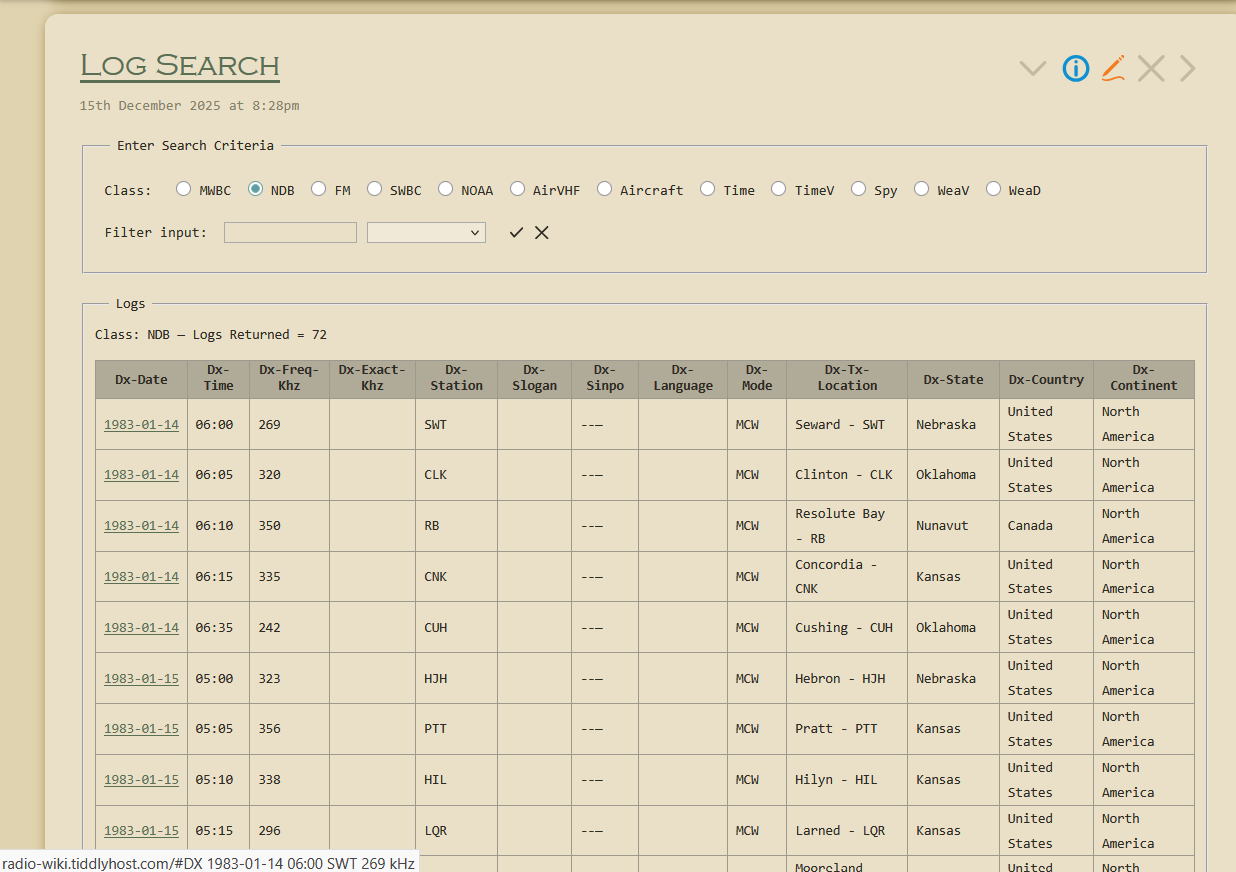
I’m wanting the date column to hold a link to the tiddler represented by the row. The problem I’m having with the column template is that as soon as I put dx-date into the tbl-column-list field, it disappears from the table and everything is shifted left (except the headers). It doesn’t matter what the code in the text area of the template is. I’ve tried with other fields and the same thing happens.

Here’s a link to my wiki: https://radio-wiki.tiddlyhost.com/. The tiddler in question is Log Search.

Any help would be greatly appreciated.
It wasn’t clear to me which tiddler you wanted to use for the column template, but I cloned $:/plugins/kookma/shiraz/templates/body/title to make a new template, and it seemed to work… $__plugins_kookma_shiraz_templates_body_dx-date.tid (337 Bytes)

title: $:/plugins/kookma/shiraz/templates/body/dx-date
tags: $:/tags/Table/BodyTemplate
tbl-column-list: dx-date
code-body: yes
type: text/vnd.tiddlywiki

<td class="shiraz-dtable-title">
<$link to=<<currentRecord>>><$text text={{{ [<currentRecord>get[dx-date]] }}} /></$link>
</td>

If this isn’t the sort of thing you’re looking for, could you elaborate a little more on what you’ve tried?

1 Like

Thanks Emily. I downloaded you dx-date tiddler and it worked exactly how I wanted it to. However, when I created the very same thing from scratch (apart from the title), it want back to the dx-date column disappearing. Maybe it was the title that was messing me up. Do the dynamic table templates depend on the filename starting with $:/plugins/kookma/shiraz/templates/body?

No, that shouldn’t make a difference. Here’s the relevant code for the various types of templates:

Column body:

[all[tiddlers+shadows]tag[$:/tags/Table/BodyTemplate]contains:tbl-column-list<currentColumn>]

Column header:

[all[tiddlers+shadows]tag[$:/tags/Table/HeaderTemplate]contains:tbl-column-list<currentColumn>]

Column footer:

[all[tiddlers+shadows]tag[$:/tags/Table/FooterTemplate]contains:tbl-column-list<currentColumn>]

is it possible you forgot to add the correct tag?

No, I added the correct tag. Now one thing I just noticed is that I may have stopped prematurely when I noticed the date column missing. When copying the template for a different column, I noticed that the column disappeared as soon as I added the field to the tbl-column-list field, but it came back as a link when I saved the tiddler. It’s possible that I missed that earlier, but I know there were times when I actually saved the tiddler and the column didn’t reappear. Sounds like maybe there were multiple things I did wrong.

These column templates are super-powerful! It’s worth persevering, and asking here when you have questions. I think they’re a bit undersold when we think of them as just field=column.

In fact, there’s a parallel here between dynamic table columns and virtual tiddlers. A column template can take tiddlers as input, and display (in corresponding cell for each row) pretty much any “virtual” thing you can dream of with TiddlyWiki logic.

(Alas, the final frontier is getting the table to sort in custom ways based on what’s in a fancy-template column, or if content is from fields that require a non-standard sort order.)

2 Likes

Thanks everyone. Happy Holidays!