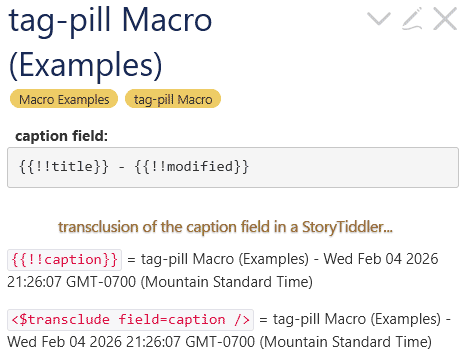
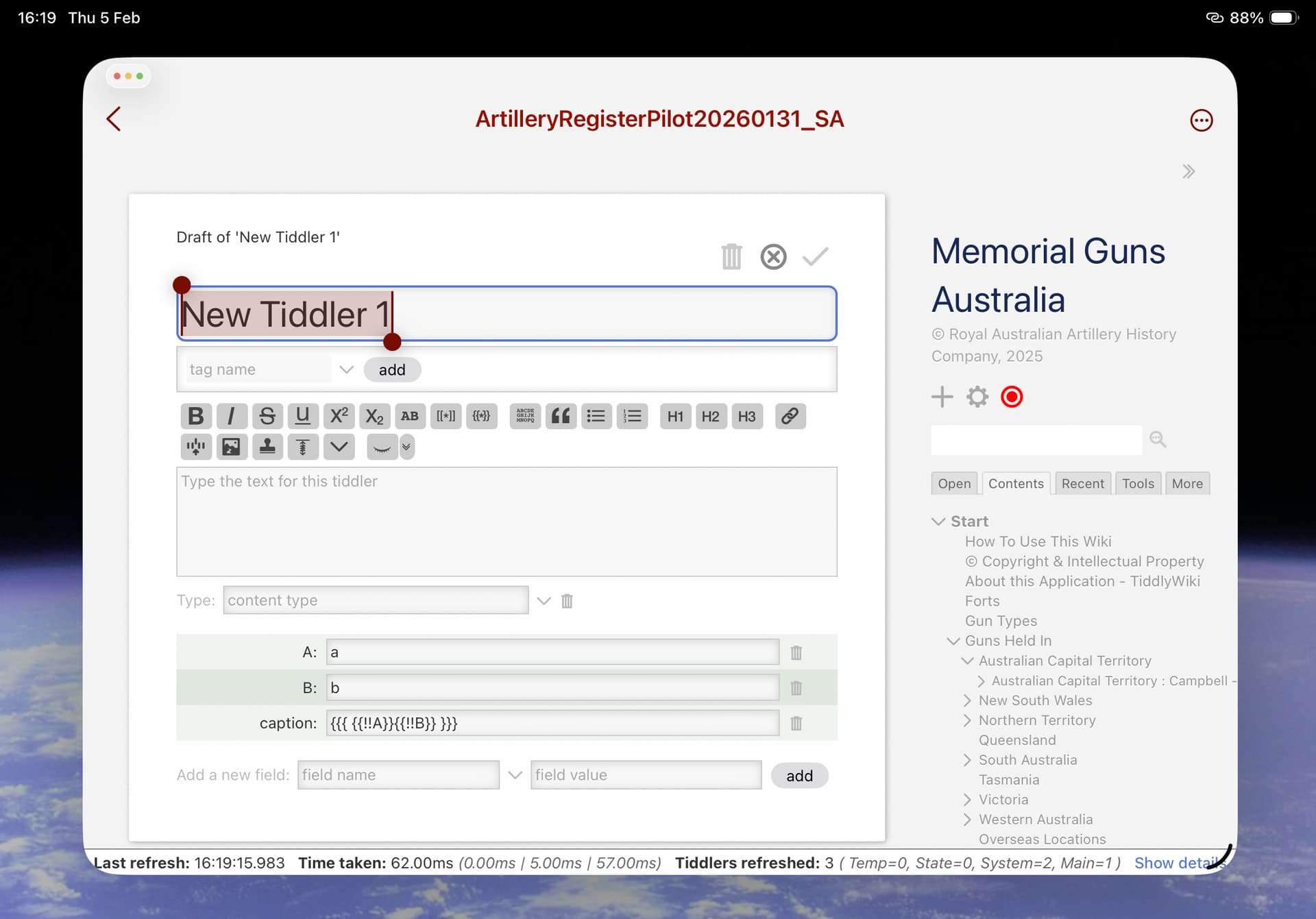
I am truing to have the caption of a gun entry be setup by the concatenation of three fields in the gun entry tiddler: state name, citytown and commonname.
I am using the code {{!!statename}} : {{!!citytown}} - {{!!commonname}} when setting up the caption field.
all this does is show the caption as “{{!!statename}} : {{!!citytown}} - {{!!commonname}}”
This format works perfectly well for filling the technical table template (at least for table fields). Is the caption field sacrosanct in some way? Its almost as if the caption field is not processed prior to renderring it on the gun entry display where it provides a title for a gun (not the title field, just a user friendly title string).
This of cource needs to be wikified, and depending on the content in each of those fields the result may vary. If however it is only plane text you could also do this {{{ [{!!statename}] [{!!citytown}] [[-]] [{!!commonname}] +[join[ ]] }}} and if that contains unwanted links use <$text text={{{ [{!!statename}] [{!!citytown}] [[-]] [{!!commonname}] +[join[ ]] }}}/> or do you want something else?
How are you displaying the caption field? I’m assuming you ended up with the field reference inside quotes or straight brackets, so that the plain text is being transcluded instead of the wikified result. Simple transclusion should work just fine:
So I am not running a filter, I am just displaying the tiddler.
In a table template, if I use the {{…}} syntax into a table entry, when the template is displayed the cell value is the transcluded value not the {{…}} text.
Is this a one off tiddler? Other wise you are placing code in a specific field and will need to duplicate this for multiple tiddlers. When you could display this from a template.
By caption do you want it to appear differently in lists?
Show us how and where you are doing what to make it appear?
I am trying this on a one off to see if it would work. If it did,then i would do it this way on all gun tiddlers.
I don’t think it can be done via a template as we want the friendly title to be displayed whenever the tiddler is displayed, after editing, searching, listing in toc, etc.
Sounds to me it needs to be hardcoded with final values rather than the transclusion version. I was hoping for the transclusion version so that if the wiki master edited the tiddler and changed one of the target fields, the caption would be automatically updated.
@Thomas_Chuffart , i get the same behaviour with the tiddler’s title which seems to confirm your suggestion. Although i can understand if the title does not behave like that since it is the identifying attribute of the tiddler.
Hi, first time poster, long time lurker here. I had this same problem some time ago so I dragged myself kicking and screaming from the shadows to share my solution.
First I put {{!!statename}} : {{!!citytown}} - {{!!commonname}} in a template tiddler.
In my caption field I put {{||name of template}} to use the template as a template. (Pardon my redundancy)
Now my pretty titles appear exactly as I want them to for those tidders that need special help with being pretty. Any direct transclusion i tried, failed. This works for me.
The only thing I can’t figure out is how to add this to a view template so I don’t have to hard code it but because it is only a smaller subset of tiddlers I don’t mind.
It should give a pretty tiddler title and it should show up in lists and a table of contents with your pretty format. (Foo has a list for demonstration, and it’s tagged TableOfContents so it will show there in wikis that use that name (such as tiddlywiki.com.) But as others mentioned, you will need to wikify it in some places. You will also figure out when you wanted to use it. I used a dummy tag, DynCap. You will need to update the cascade tiddler to figure out when you want to use it. You might also need to change the list-before, if you have others you want it to come before.