
Here’s a simple recipe to get a scrambled output from the LeftBar plugin of TWaddleunder firefox linux (78esr debian).
Take an empty tw (the fr-FR one in my example). Add the LeftBar plugin by drag and drop import. open the LeftBar menu by clicking on the icon now in the upper left corner. go to the LeftBar plugin, select content and here click on the Toggle tiddler. And now appreciate the doubled rendering of the menu with slight offset. Close the Toggle tiddler, and everything is back to normal. Make a permanent copy of the shadow tiddler and the problem is now always on. Close the menu and see that even the hamburger icon is affected.
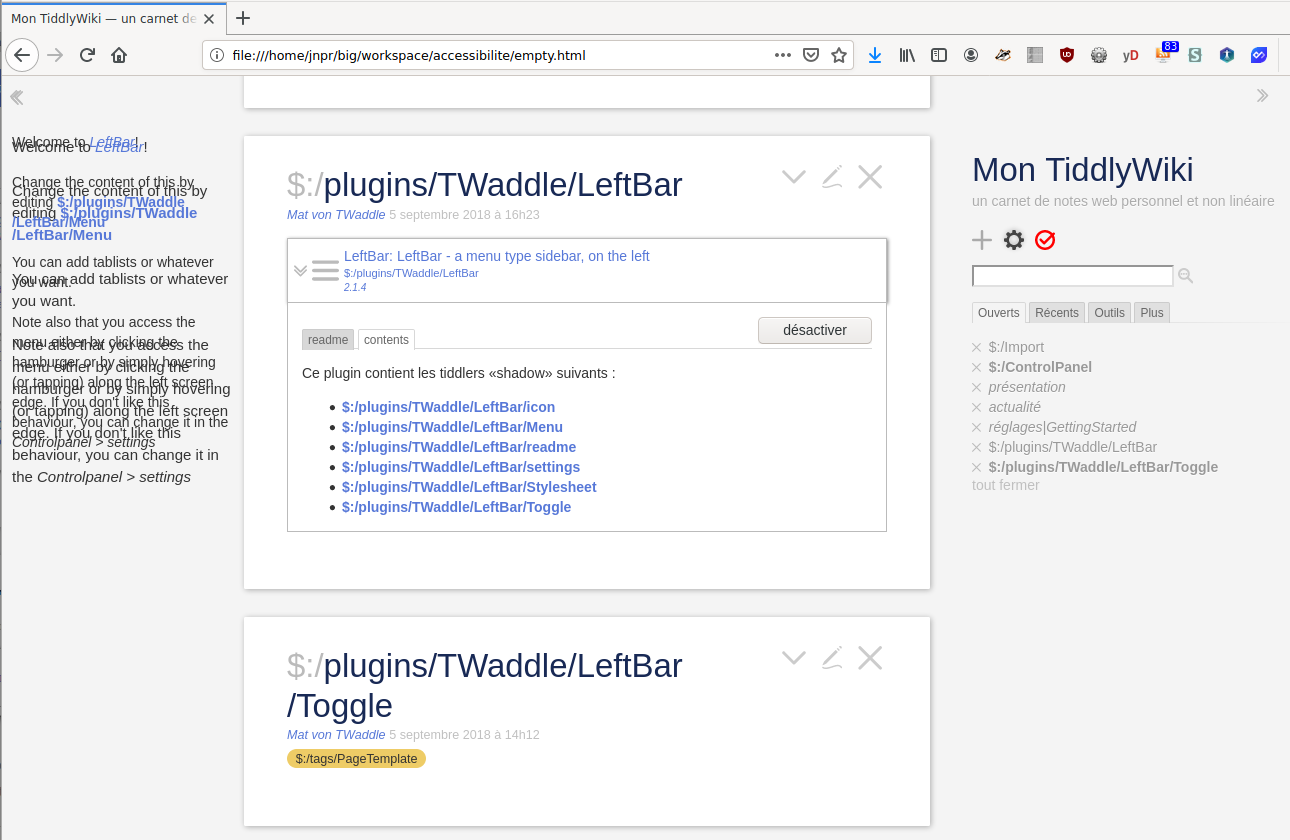
@saqimtiaz Alas, this is not useful for LeftBar/Toggle as the result is that the menu is alway on display even if the left menu is closed. I suspect a css problem, but I have problems with the css of this plugin.
@Birthe I had not even spotted thas special tag!!! Thank you for the tip! But the official doc is rather terse and I can’t make any good use of it for the moment. These matters seem quite complex and over my current knowledge.
My effort at simplyfiing LeftBar are not making real progress. I’m unable to get it work. So, if I can’t have a left menu for my wiki, how could I add one in the right side, as an other submenu of the current menu? I’m thinnking of menu like “Tools” or “More” whose content would be the LeftBar/Menu tiddler I currently have.
Well, I found out for my menu on the right: I just have to tag this menu tiddler with $:/tags/SideBar to make it appear on the menu. And I can have the label setup with a “caption” field on that same tiddler.
I should have investigated sooner, but I was lured in believing I could hack LeftBar. Well, not yet!
Than you @saqimtiaz, I can see all the system tags and a small explication. But this is not enough for my liking. I could go back there in some time though.