thanks! was also missing the Tools tab!
special css to modify its visibility.
Thought it was that, but removed the CSS temporarily and it didn’t fix the missing tabs. It was the missing $:/tags/SideBar I think from the Customizer plugin

thanks! was also missing the Tools tab!
special css to modify its visibility.
Thought it was that, but removed the CSS temporarily and it didn’t fix the missing tabs. It was the missing $:/tags/SideBar I think from the Customizer plugin
The <<tree>> macro takes two params:
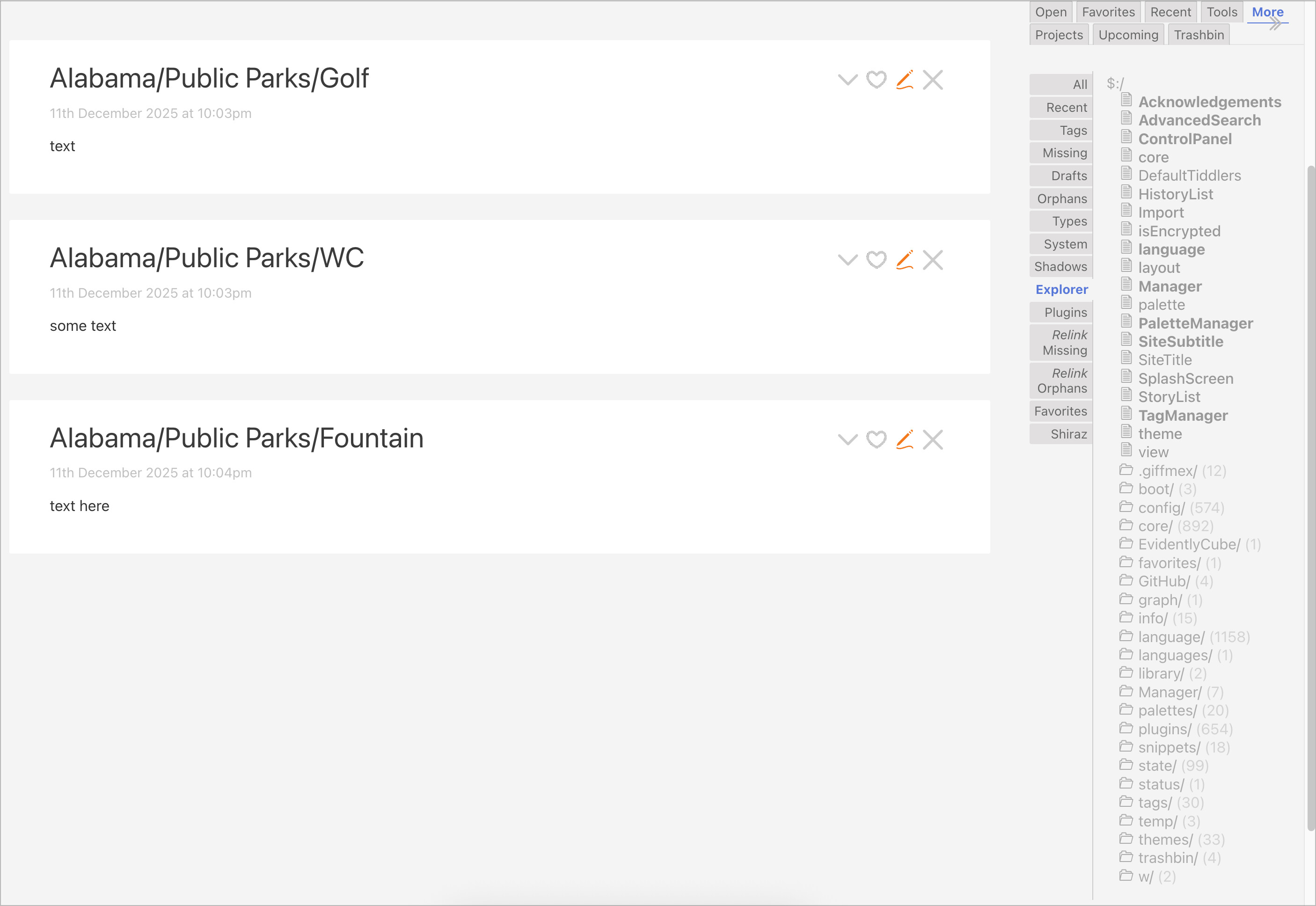
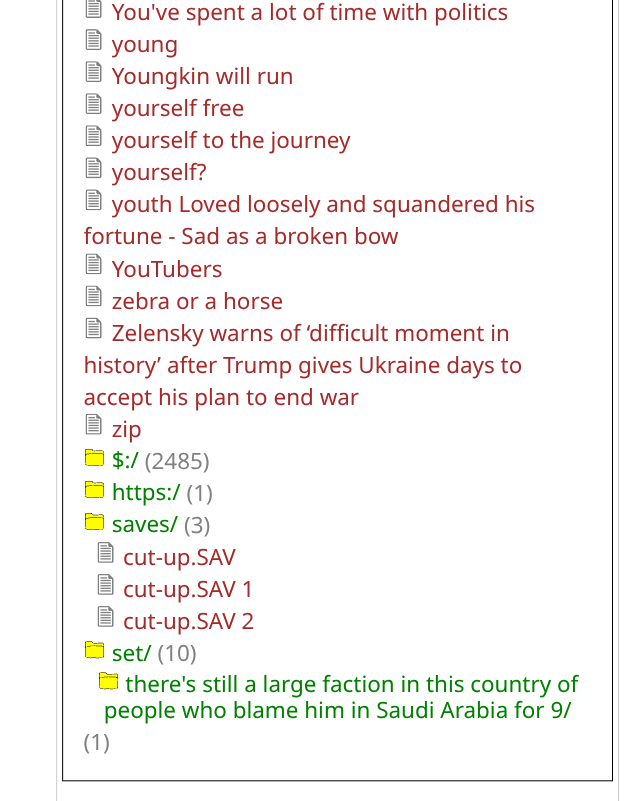
By default, the “More > Explorer” sidebar uses <<tree "$:/" "/">>, so it only shows system tiddlers.
For your use-case, you will need to create your tiddlers with a prefix such as “States” (e.g. “States/Alabama/Public Parks/Golf”, “States/Alabama/Public Parks/WC”, “States/Alabama/Public Parks/Fountain”, etc.).
Then, you could just put <<tree "States/" "/">> in a tiddler to “explore” those tiddlers. Note that the <<tree>> macro automatically omits the prefix text from the display, so the above tiddlers would be listed as “Alabama/Public Parks/Golf”, “Alabama/Public Parks/WC”, “Alabama/Public Parks/Fountain”, etc.
enjoy,
-e
Thanks for that - I had forgotten I had changed it on my own wiki.
is it possible to set a prefix to <<tree>> so it sees all tids? (basically so it can be used as a replacement to the ‘All’ tab, but with a tree collapsible UI?
How does that behave when exporting tiddlers into separate files, onto a file system that uses / as directory separator? IIRC the slash gets replaced with an underscore, thus giving a mismatch between tiddler titles and file names.
Correct, but such a possible mismatch is all but inevitable, unless you want to use the unique tiddler name directly as a file name and hence disallow all characters not allowed in filenames in any of our target platforms (Windows, Mac, Linux, others?) , thus at least these characters:
/
<
>
:
"
\
|
?
*
as well as some reserved names
.
..
I’ve heard that there are some for Windows too, but I don’t know what they are. Probably at lease NUL.
And I don’t think we want such restrictions in our tiddler naming.
Not at present. “Blank” is not workable.
It needs an explicit root prefix … e.g.
… or defaults to $:/
TT
Give this a try:
Edit $:/core/macros/tree and replace:
\define tree(prefix: "$:/",separator: "/")
with
\define tree(prefix: "",separator: "/")
When the prefix param is blank (or omitted), the tree output will show all tiddlers.
-e
Right.
That issue is a PITA.
Passing an address to the O/S is basically blocked in most browsers on creations without special tools.
Browser lockdown is an ongoing annoyance to many TW users who need access to their own file systems.
TT
cc: @pmario
Thanks, that sounds like a good solution!
So use title as the source of truth (unique ID), hide it, and
use caption as the Displayed “title”, a fake title
@null, I create a unique title for each tiddler using the now macro, appending month day and milliseconds. This I hope, is unique.
Then for the actual ‘title’ of the tiddler, the user meaningful bit, I record that in the caption field as TW in most cases displays the caption field instead of the title field. That way, you can have duplicate entries because unlike the title field, the caption field does not have to be unique.
Happy to discuss further if you need it.
Bobj
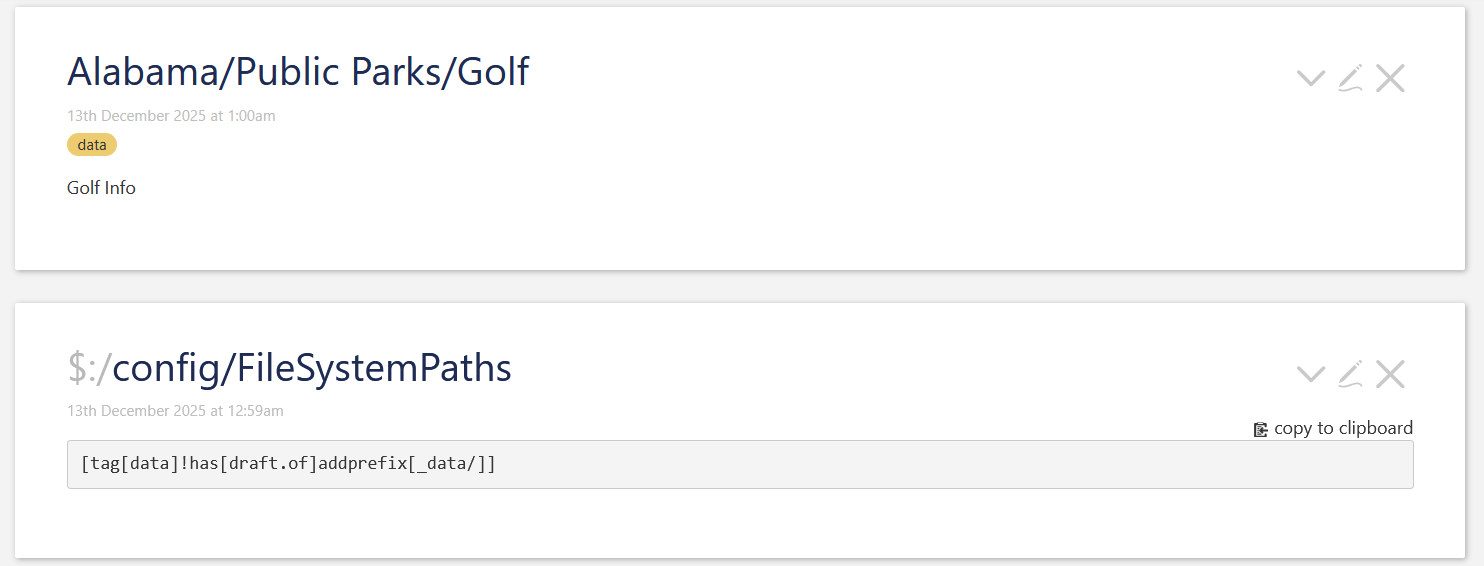
There is a possibility to create a directory structure, that reflects the tiddler title. You can use the Custom Tiddler File Naming using a configuration tiddler named: $:/config/FileSystemPaths and $:/config/FileSystemExtensions
As others suggested, you could use TW namespacing. eg: Alabama/Public Parks/Golf and Alabama/Public Parks/WC
If you would tag them eg: data, you could add the following filter to $:/config/FileSystemPaths tiddler.
[tag[data]!has[draft.of]addprefix[_data/]]
All tiddlers that are tagged: data will be saved under the directory tiddlers/_data/<tiddler-title-structure> eg: tiddlers/_data/Alabama/Public Parks/Golf.tid
$:/config/FileSystemPaths
Just to be sure. This only works for Node.js based wikis. So this does not work for single file wikis
Hope that helps
-Mario
That was my reaction too!
“All Explorer” is a clumsy name, but it’s descriptive at least.
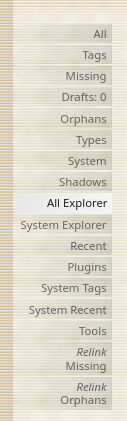
I like these tiny tweaks to things!
It is not my reaction as history shows many wikis outside of the $:/ system namespace are not named hierarchically. So the top of the tree will often be flat including most tiddlers. In this default case it is of little use.
My reaction was based on expectations that even if you dont have structure, the root of a “tree” command should be able to be set to the base of the tree. The result is a flat list - ie, basically a different way to get the same basic view as is in the ‘All’ tab.
And if you DO have namespace structure, then that is an even more useful reason to be able to set the base of the tree at the root.
(my own TW is more the former - almost no hierarchical structure, and I may just remove the ‘All’ tab at some point down the track in favour of the ‘All explorer’)
In addition to my last comment I did previously build a tiddlywiki where all (well many) of my customisations (not content) were under the / “root” and hierarchically named like plugins. If I was doing this again I would turn / into an additional system namespace, I now know how to do this https://namespaces.tiddlyhost.com/
One could imagine adopting \ as a non system namespace, under which data is hierarchically organised and they still appear in standard search.
$:/PSaT/projectname and if needed $:/plugins/PSaT/projectname
$:/fields/fieldnamesI did not respond earlier as the simple answer it to use the default mechanism of the title N where N starts at one for the 1st duplicate, at least initially then rename more usefully.
However it really does depend on the nature of the data and if you are entering it or importing it. As soon as you know there is going to be more than one you can choose if you will qualify it some how or add an increment, for example WC, do you care about the name beyond WC? This may be suited to numbering, But public parks most likely have names so I would try and source them.
On other websites a slug is a unique URL, usually system generated, where the title in tiddlywiki forms part of that url, but unlike other slags it is not a short name as the tiddler title is often human readable.