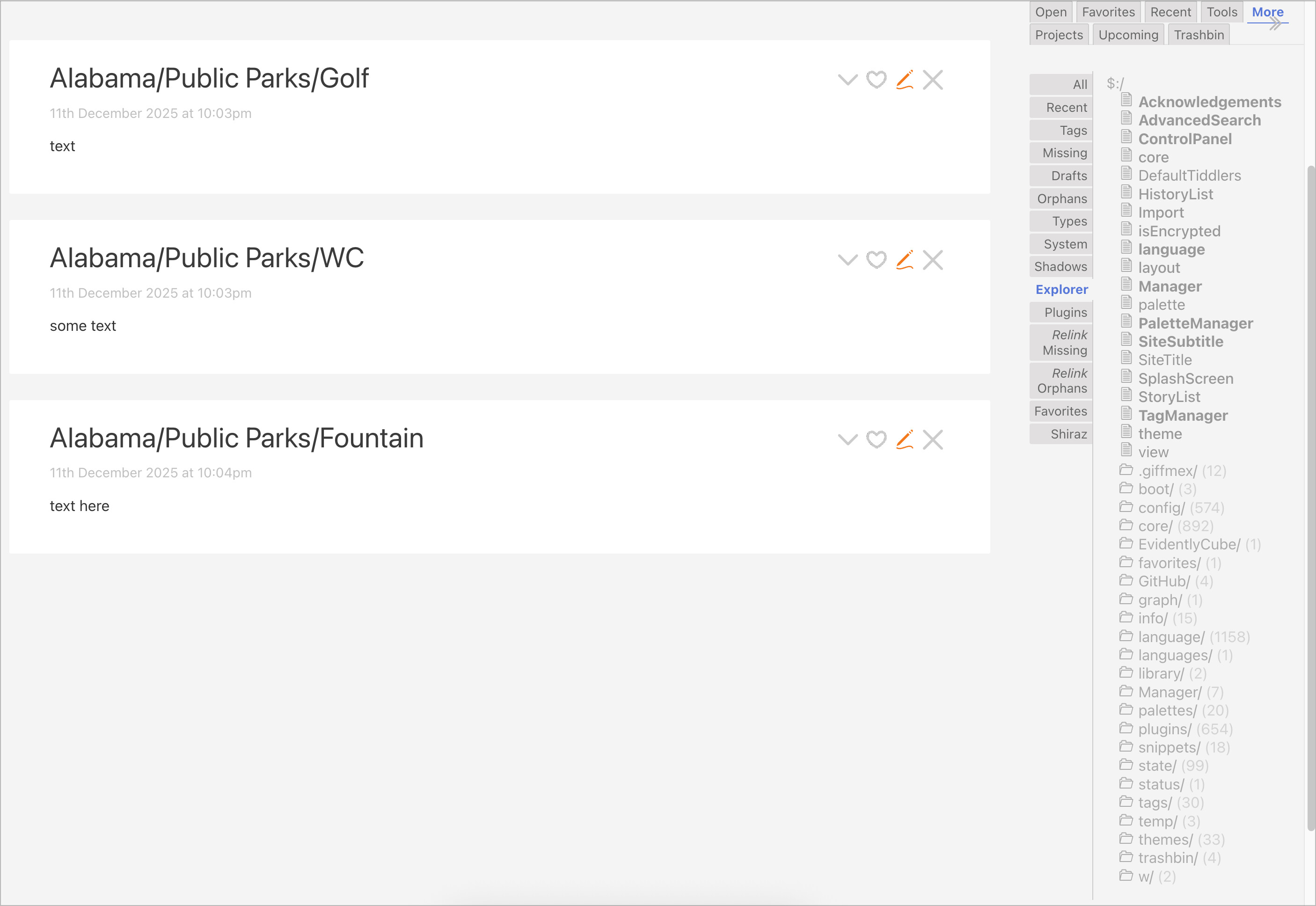
Do some namespacing in the title field. For example, Alabama/Public Parks/WC, California/Public Parks/WC, and so on.
I suggest namespacing with a / character in particular, like folders in an operating system. Create a couple of tiddlers with /'s in them, then click More and then Explorer to see how they get arranged.
If you have a single-file wiki and turn it into a Node wiki, then your tiddlers will become files in a folder hierarchy just like this. But let’s also not ignore the Explorer function which will pick up on the / character for you.
That said, TiddlyWiki is effective because it doesn’t enforce hierarchy in data. So while namespacing the title, I’d also encourage you to link the tiddlers with tags and/or fields as necessary.
For an alternate title for display purposes (like the slug you mentioned), create a field called caption. This is the standard and used in a few places in TiddlyWiki out of the box, like in tab titles.
It can also be displayed alongside the title where it is present. I tend to treat it as secondary as I’m the exclusive user of my wiki, so I am happy with this small tweak you can drag into your wiki by @vilc. You can always switch it around as needed if you want to prioritise the title over the caption.
There are multiple ways for it to be suppressed, but use advanced search (magnifier next to search bar), then choose system tab, to find this tiddler:
$:/core/ui/SideBar/More
Check whether it has the tag $:/tags/SideBar. (It should have that tag by default, and removing that tag is the easiest way to keep it out of the sidebar.)
That said, there are alternate ways of suppressing a sidebar tab, so details may depend on whether your wiki has some plugin or special css to modify its visibility.
Thought it was that, but removed the CSS temporarily and it didn’t fix the missing tabs. It was the missing $:/tags/SideBar I think from the Customizer plugin
A “prefix” that specifies which tiddlers will be listed
A “separator” that specifies the character used to indicate “branches” of the tree
By default, the “More > Explorer” sidebar uses <<tree "$:/" "/">>, so it only shows system tiddlers.
For your use-case, you will need to create your tiddlers with a prefix such as “States” (e.g. “States/Alabama/Public Parks/Golf”, “States/Alabama/Public Parks/WC”, “States/Alabama/Public Parks/Fountain”, etc.).
Then, you could just put <<tree "States/" "/">> in a tiddler to “explore” those tiddlers. Note that the <<tree>> macro automatically omits the prefix text from the display, so the above tiddlers would be listed as “Alabama/Public Parks/Golf”, “Alabama/Public Parks/WC”, “Alabama/Public Parks/Fountain”, etc.
is it possible to set a prefix to <<tree>> so it sees all tids? (basically so it can be used as a replacement to the ‘All’ tab, but with a tree collapsible UI?
How does that behave when exporting tiddlers into separate files, onto a file system that uses / as directory separator? IIRC the slash gets replaced with an underscore, thus giving a mismatch between tiddler titles and file names.
Correct, but such a possible mismatch is all but inevitable, unless you want to use the unique tiddler name directly as a file name and hence disallow all characters not allowed in filenames in any of our target platforms (Windows, Mac, Linux, others?) , thus at least these characters:
/
<
>
:
"
\
|
?
*
as well as some reserved names
.
..
I’ve heard that there are some for Windows too, but I don’t know what they are. Probably at lease NUL.
And I don’t think we want such restrictions in our tiddler naming.
@null, I create a unique title for each tiddler using the now macro, appending month day and milliseconds. This I hope, is unique.
Then for the actual ‘title’ of the tiddler, the user meaningful bit, I record that in the caption field as TW in most cases displays the caption field instead of the title field. That way, you can have duplicate entries because unlike the title field, the caption field does not have to be unique.
There is a possibility to create a directory structure, that reflects the tiddler title. You can use the Custom Tiddler File Naming using a configuration tiddler named: $:/config/FileSystemPaths and $:/config/FileSystemExtensions
As others suggested, you could use TW namespacing. eg: Alabama/Public Parks/Golf and Alabama/Public Parks/WC
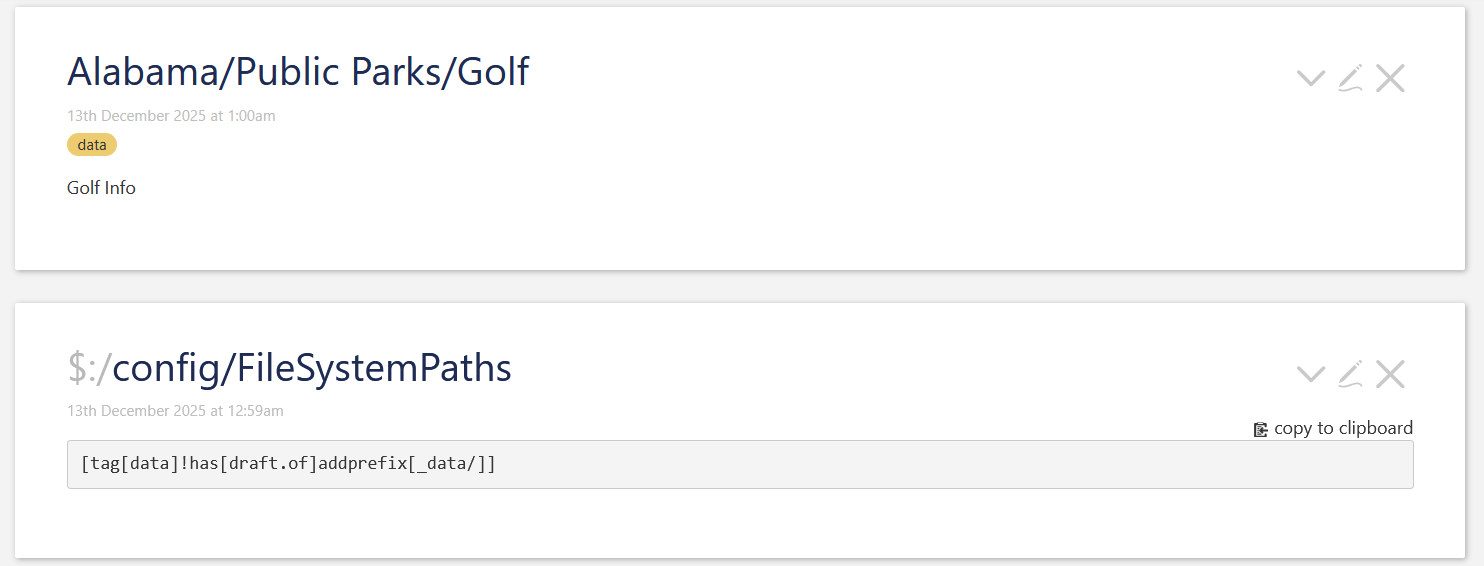
If you would tag them eg: data, you could add the following filter to $:/config/FileSystemPaths tiddler.
[tag[data]!has[draft.of]addprefix[_data/]]
All tiddlers that are tagged: data will be saved under the directory tiddlers/_data/<tiddler-title-structure> eg: tiddlers/_data/Alabama/Public Parks/Golf.tid
You can have several rules in $:/config/FileSystemPaths
The first one, that finds a match will be assigned
Just to be sure. This only works for Node.js based wikis. So this does not work for single file wikis