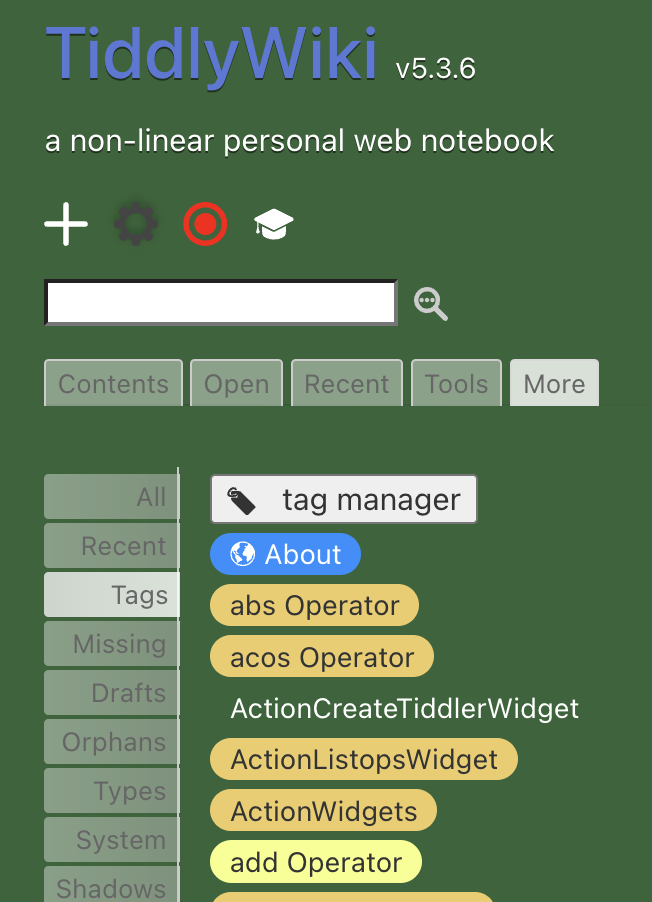
Another Discussion On Tags And Tagging

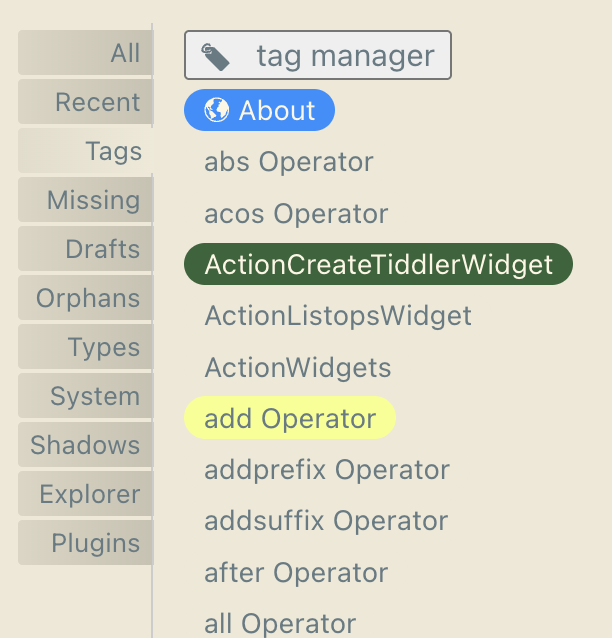
Keep in mind all tiddlers can have a color or icon set and that is how $:/TagManager works.

The only issue I find is if you transfer tags to a wiki with saved icon and color preferences you may break some aspects of an existing tag/tiddler.

This makes me ask the question could we build a data tiddler containing titles and colour that one then uses to apply those colors to those tiddlers if the color field is/is not empty. But in a generic way one could do this for other fields, which incidently includes title and the creation of missing tiddlers.

  • One obviouse use is to add system tiddlers that are not yet used in the wiki.
  • Click to create tiddlers/tags from a list using the listed color
  • Similarly one could capture same to a tiddler for export.

title: fieldname

eg title: color

t1: blue
t2: green

Such a tool could use an advanced search filter tab and export button.

Hello,

In oder to help keeping color and icon consistency for tags, I sort them in categories and use a dedicate toolbar to help with categories, icon and color assignment:

You can go in the sidebar > mor > tagging > categories in the following TiddlyWiki :

(This toolbar is included in the DelphesNotes/TagsSidebar plugin)

BR,

Eskha

1 Like

This comment pulls in a slightly different direction, but:

Tag COLORS (other than the single default tag-background and tag-foreground) are among the only aspects of TiddlyWiki’s interface that remain especially resistant to palette integration.

I do use different palettes in different wikis (helps me orient to “where I am” given that I may be actively shifting between them in open tabs). AND this means that bringing the tag-pill color along for the ride, when I import a tag’s tiddler, may actually be a small bit of undesired awkwardness to tweak after import.

I use the linkstyle solution in all my wikis, so that some of my tiddler titles and links always display in, say, the current palette’s code-foreground color. I’m also used to tweaking certain interface elements by adding 2 alpha/opacity digits to palette colors in order to get nice effects, etc. Even your filter-pill macro can work with the palette if you set a variable (<$let thisColor={{{ [{$:/palette}getindex[code-foreground]]}}}><<filter-pill "[tag[essay]!tag[archive]]" """current essays""" $(thisColor)$ "white">>)

But with tags, it’s either the active palette’s primary default tag color or a hard-selected hex-value as selected for the color field (no alpha, no colour-macro magic). Right?

The result is that a change of palette makes for very different contrast conditions.

I do see why many people prefer explicit fixed colors for certain kinds of tags (hooking into color-associations with green-yellow-red for example… note recent palettes sometimes include such fixed-color options, presumably because of such needs).

Still, sometimes contrast and aesthetic unity is key, and since the palette has a default tag color, it’s quite odd not to be able to work flexibly with other palette-driven ways of working with tags. Generally, I want my wikis (such as my intended biblio community edition) to have tag-contrast AND to be friendly to palette changes.

I suppose I could try to rig something with cascade conditions and the color action plugin… For example, we could make tags respond to their place in a tag-hierarchy with, say, opacity-changes (progressively “diluting” a hex value at the top/parent tag)… or make it so that tags with natural-language strings in their color field (green, red, etc. — which don’t currently work and are hard to edit, given the color-field’s fixation on hex values) would remain rigid…, while other tag-colors would get remapped in harmonious ways (perhaps especially promising on the flexioki-enhanced palette)… Also, we could get a cascade to tweak colored tagpills based on light palette vs dark palette flag… It’s not a high priority for me now though! Just one way in which our support for palettes seems still to be lagging.

1 Like

I wonder if the only underlying change required would be to wikify the color value of a tiddler before using it, allowing, say:

title: Concepts
tags: Reference
list: Cascades ColourPalettes Commands ... WikiText
color: <<colour download-background>>

...

There would have to be UI changes to allow this, as the field selector couldn’t be a simple color-picker, but it feels like that would solve this relatively well. Now, I have no idea how many times the color field is actually used across the source code. There might be a lot. This might not be a simple change to make, but AFAICT, it would not be actively harmful. Existing CSS values wouldn’t change on wikifying.

BTW, it doesn’t work now. I did try, and when I set the color field to <<colour download-background>>, the tag pills just use the default color. It’s non-trivial to test, since the normal editor won’t let you enter text for color. But you can set it programmatically, with a button:

Changing tag color.json (772 Bytes)

I’m curious as to what problems this might cause; it seems a simple enough idea.

You can also just add the field with the value already specified (typed out) within the field-editor’s add-new-field interface, or by using Commander and other utilities. I also have tried such things, and have tried lots of “clever” variations in an attempt to make a “smarter” (more palette-friendly, or just more condionally savvy) color for a tag … :expressionless:

D’oh! Sometimes the obvious is just not obvious! Usually if I want something like this, I export the tiddler, change it in a text editor and reimport it… silly!

Actualy I have played with similar changes before and think this may be easier to do that you would think. The trick to maintain backwards compatibility to to check if the color is a valid code or name and use that and if not wikify the field and use the result.

One way may be to use filters that resolve the color value as a function may.

Another approach may be to give the user another layer of control, a custom pallet, one when can reference existing pallets, a pallet whos values can be retrived by macro/procedure, function or more.

  • For example one could set a border around a tiddler according to if a field value is positive or negative, but automaticaly leverage a day/night switch.
1 Like

I’m thinking it may be even simpler than that: always wikify.

There are many different formats of CSS colors, but I don’t think any of them use syntax that would invoke wikitext processing, so they would simply be left alone by $wikify. (I’m not certain about this, but I think if there are cases, they’re pretty rare.)

I know there are some plans for better color handling in 5.4.x. I wonder if this would fit with those plans.

2 Likes

thank you very much for that indeed !

I also am looking at my organically over-grown set of tags, and needed some inspiration / inputs on how to bring some structure to it now

groups of tags is something that I am STILL not sure if I need or not, the question being is

  1. is it better to have those common group tags such as website:garage website:personal
  2. OR is it more clean to have separate granular tags - website personal and garage and then you can just mix them up, and filter by them?
1 Like

A VERY common case is using hex color values (e.g., #rrggbb). When wikified, the leading # is processed as a “numeric bullet”.

-e

I understand the concerns regarding the use of special symbols in tags. I wanted to give an update:

I’ve simplified the tag prefixes. I have my

  1. main (Who/What/When/Where) items tagged as: ./
    eg. ./AFOF26-DCDC01 (=AlfieAOffices2026-DocumentsDocuments-January)

  2. sub (description:Why/How) items tagged as: [%
    eg. [%2601DC-ACPR00 (=2026JanuaryDocuments-ActivityPriorityActive,Priority(0="+",1="-", so Active,Non-Priority would be “01” and Inactive,Priority would be 10, etc.) Why not the other way around? Because 0 comes up first in lists, usually.

  3. creation-modifications items are tagged as: [:
    eg. [:202601:202602 (modificatied in February)

  4. geolocation items are tagged as: [;
    eg. 5.958839/116.068577 (obtained from OpenStreetMap: Kota Kinabalu train station: OpenStreetMap)000595-883900–011606-857700 → [;000595;011606

  5. readable details are tagged accordingly: [/AlfieA ,[\TiddlyWiki , [@CafeMan-JP@EmailService.JP , [;Kota-Kinabalu;Train-Station [:2026-January , etc. [?for queries, [$ for values, [# for codes (bar codes, IDs, etc).

Works great. No problems. And tags get categorized with the pseudo-“folders” coming up in the tag manager.

Just ideas. Hope you share some of yours.

PS: sorry for the edit!

I think this comes down to where you find the granularity most useful. For the way organising things makes sense to me, I find website:garage is more useful than having them all tagged both website AND garage. otoh, if I’d grown my thinking around this stuff differently, I could (probably) easily have ended up the other side of the “which way to name and group them” question. (I can’t even guarantee I wont change my structure even further down the track one day)

Anyway, tl;dr: I dont think there is a right or a wrong answer overall. Pros and cons - and find what works best for you.

Great thread. Good questions. Good answers.

Two things unexplained …

  1. TW Taggery is fundamental to organisation. Yet still liberal.
    Explain that ??
  2. Question: HOW does a TW Tag differ from a #Hashtag?
    Explain that for an in-tiddler string: #My-Hash

Pacifist Cross-Cutter
TT

And I find myself very much on the other side. I find it easy enough to write [tag[website]tag[garage]] when I want the combination, but to also use [tag[website]] or [tag[garage]] and to mix and match with [tag[book]tag[garage]] or [tag[garage]tag[band]] as needed.

If I used such tags often for TOC entries, I might have to rethink this, but so far that hasn’t really been an issue.

2 Likes

I think in my use case it’s that I don’t need to write filters for tags very often, but I have an automatic tag-cloud in my sidebar which I use heavily (or maybe lazily is a better description).

If I was writing filters directly more often, I’m sure I’d prefer the flexibility of the seperate tags

1 Like

aha thanks! yeah I am so far leaning to keep my current tags, which have just grown being separate ones, which I add as needed

however this also sometimes results in a tiddler with like 10-15-20 tags :crazy_face:

We call this “tag Pollution”, too many tags making the wiki or tiddlers harder to use. Tags are an easy to use way to organise information, I personally avoid them if I can and use fields and list fields and my flags solution (a no-touch form of tags). We can also use alternative tags fields or hide some tags from visibility. I do not feel combination tags is going to help much as it does not change the amount of information in the tags field.

I hope one day to release a set of tools which are Tag adjacent one day. I just need to find a set of User Interface elements to accompany them, see this discussion on flags

I have a fairly different notion of tag pollution. To me, tag pollution is when the wiki as a whole has too many tags. I’ve done this on several occasions when I used tags to manage a large table of contents. For instance in my King James bible wiki, you can see that there are over 1250 tags. I have since found better ways to manage my tables of contents for such wikis. For instance the TOC for a policy manual. When I get around to revisiting the bible wikis, I will probably use something like this, reducing my tag count below 20, I imagine.

I don’t think I’ve personally ever had more than 10 tags on a tiddler, and rarely more than a handful. But of course different wiki designs will have different outcomes. For what it’s worth, tiddlywiki.com has these counts today, among all tiddlers and shadows:

Tags # of Tiddlers
0 2139
1 1566
2 511
3 98
4 26
5 8
6 0
7 3
8 0
9 1
10 3
11 2
12 5
13 3
14 0
15 2

So, yes, this could get out of hand if many tiddlers have a lot of tags. I think it’s less of a problem, though, than having too many tags across the wiki. This is another reason for [tag[website]tag[garage]]. It avoids the proliferation of tags.

Right. Your chart of tiddlywiki com tag use is interesting to see!


My own takeaway is simply that “Tag function” in TW is incredibly flexible—for structuring, finding and everything else.

FWIW, in my typical usage, I mostly …

  • … use TW tags to aid Structure;

  • And I the use (not TW tags) #hashtags in plain text in the body for Categorizing content.


TBH, a competent researcher of Information Design could easily spend a year figuring out all the ramifications of TW Tagging—it’s that good.

TT

#scott - #taggery - #tw

1 Like