This add-on is based on the $button code I previously posted and adds a “print this tiddler” button to the tiddler toolbar.
In addition to the basic “open the tiddler in a new window for printing” functionality, this toolbar button:
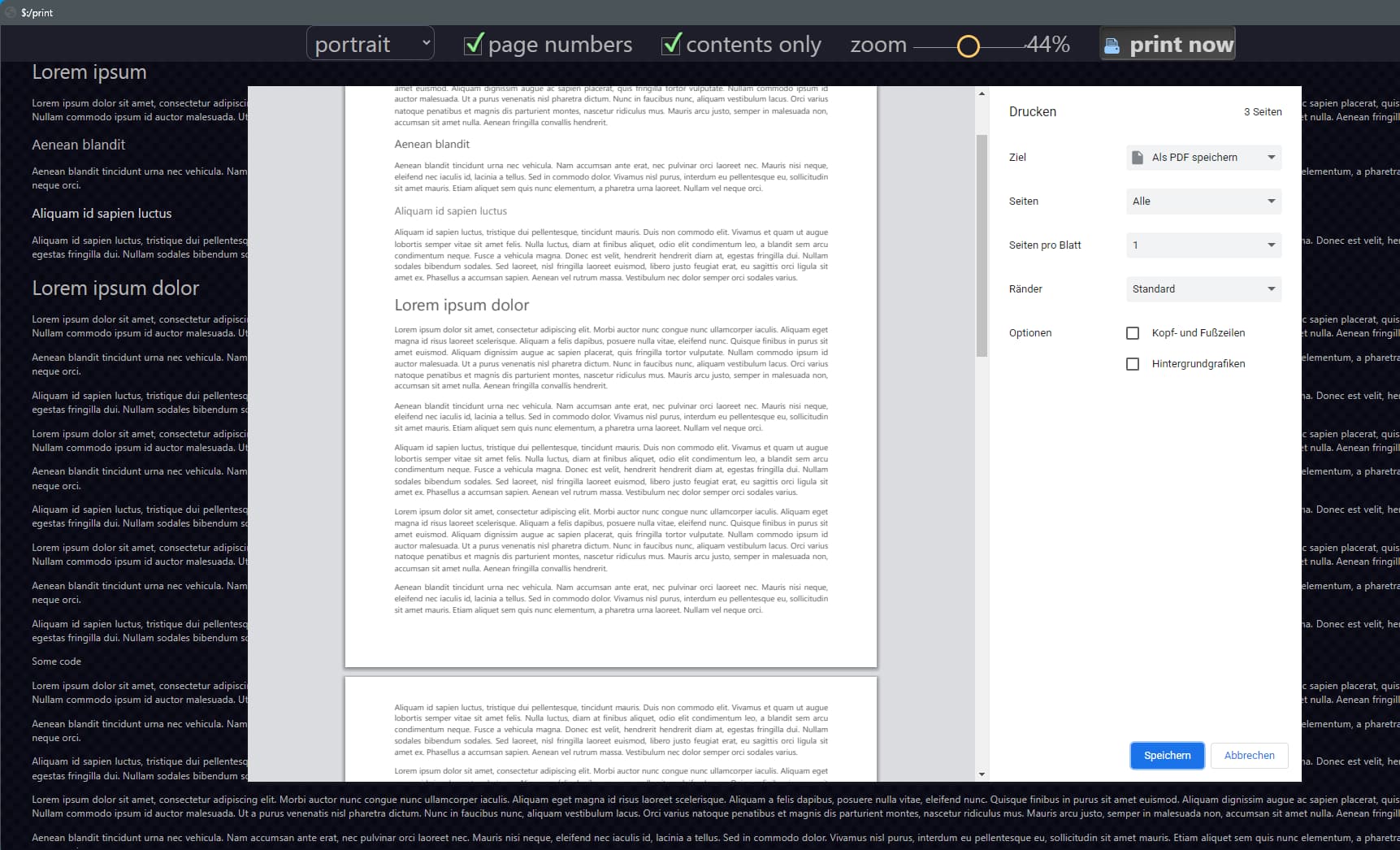
Displays a “print now” button in the “preview” window, so that you don’t need to use the browser’s right-click popup menu (which may not be available/accessible on all platforms and browsers; e.g., on some tablets/mobile).
The “print now” button is hidden when printing the window content so it doesn’t affect the actual output.
This button also closes the “preview” window after printing to clean up after itself, so you don’t have any extra windows lingering about when the print action is done.
automatically hides tiddler controls in print preview: prevents title wrapping (except for really long titles) and weird interaction side-effects (e.g., editing or deleting tiddlers from preview window)
“content only” checkbox: optionally hides tiddler frame, title, subtitle, and tags (shows only tiddler body content )
zoom (0 to 100): resize output to permit more content to fit on page
The entire add-on, including these new features, is just 1306 bytes!
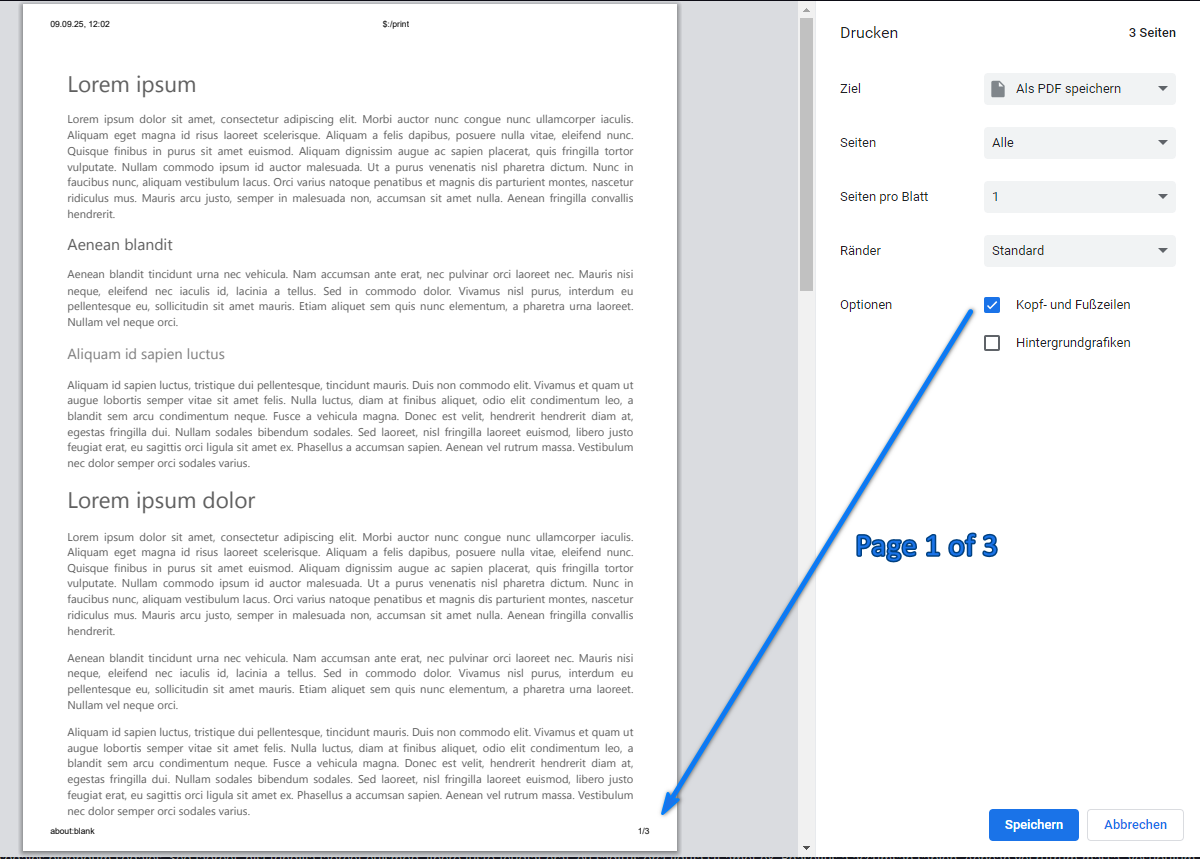
Check “header and footer” in print dialog will add a lot of unnecessary infos to the generated pdf-file.
Therefore it would be a nice addon to have “Page 1 of 3” or “1/3”.
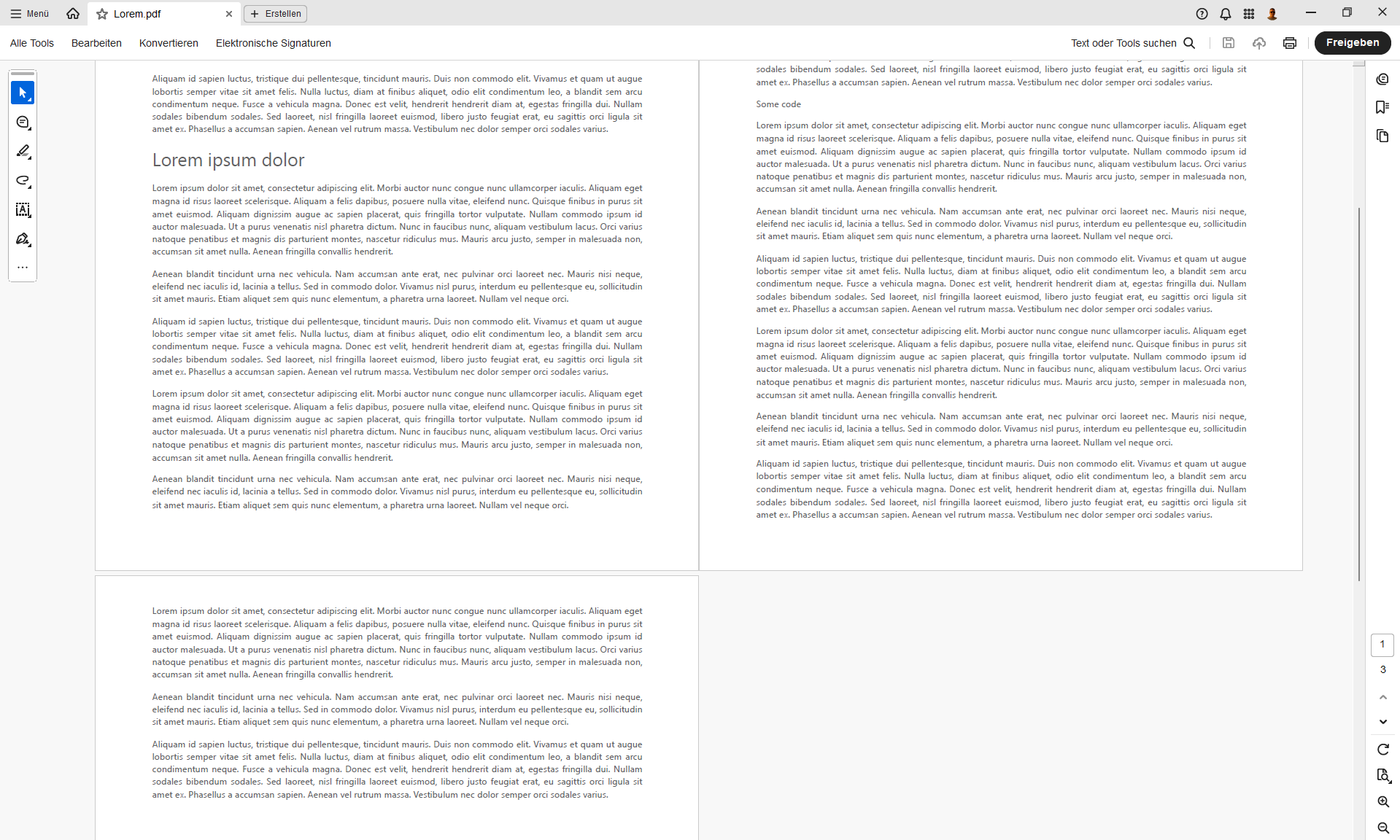
It is not possible for the preview window to know the total number of pages that will actually result when the output printed. However, it is possible to use a CSS “counter” variable and @page rules to automatically display the current page number in the margin area of each page. Thus, while “Page n of 3” or “n/3” cannot be displayed, “Page n” can be shown.
a $checkbox widget to optionally display the page number in the bottom-right margin of each output page.
a “layout” $select widget to choose between “portrait” and “landscape” output. This setting is only applied to the TiddlyTools/PrintTiddler output and does not affect the current layout setting of the general system print dialog.
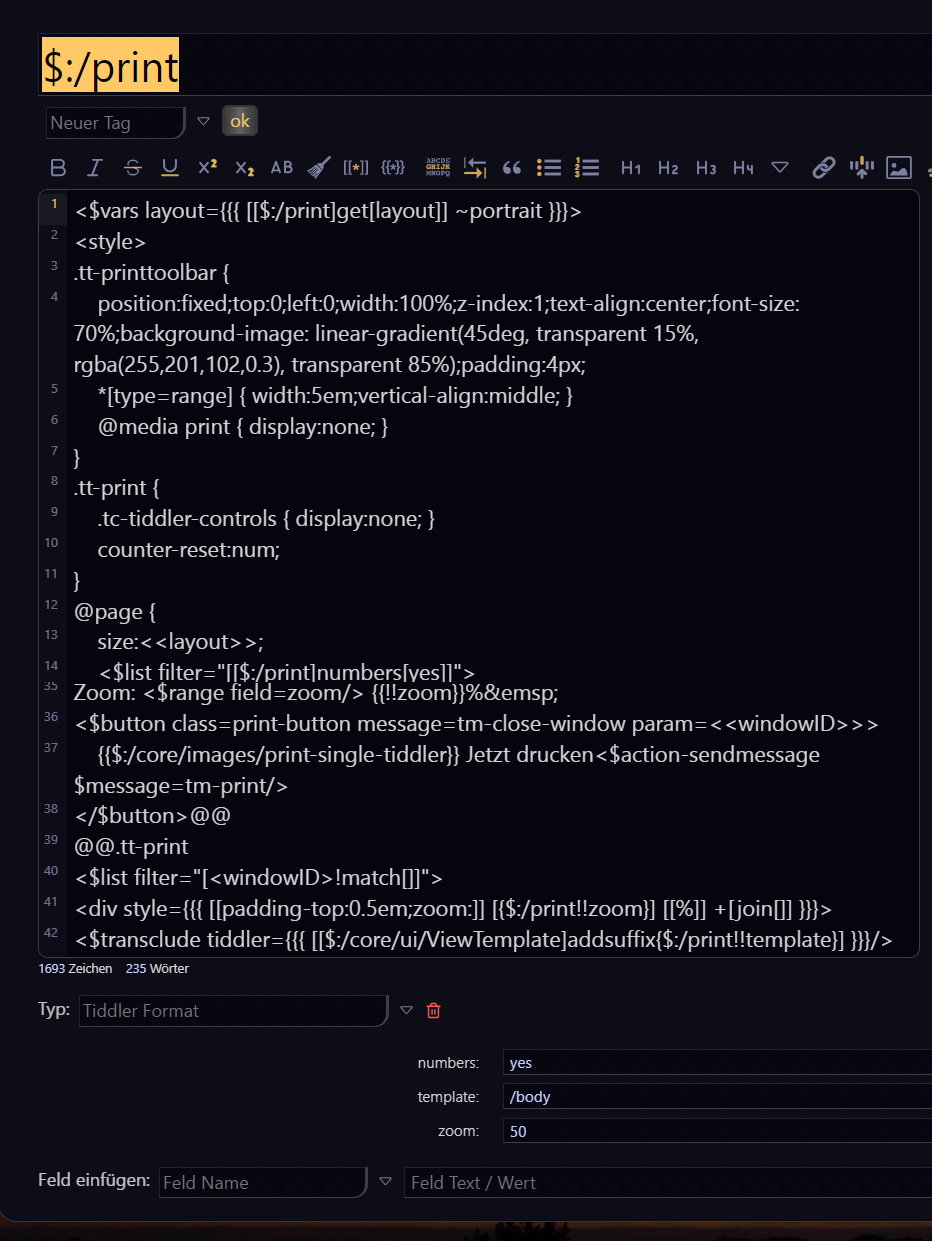
In order to display the print preview window, TiddlyTools/PrintTiddler creates a separate “template” tiddler named $:/print. As a result, invoking the “print this tiddler” tiddler toolbar button causes the TWCore to consider the file as being “dirty” and will give a “Changes you made may not be saved” warning when closing the browser window.
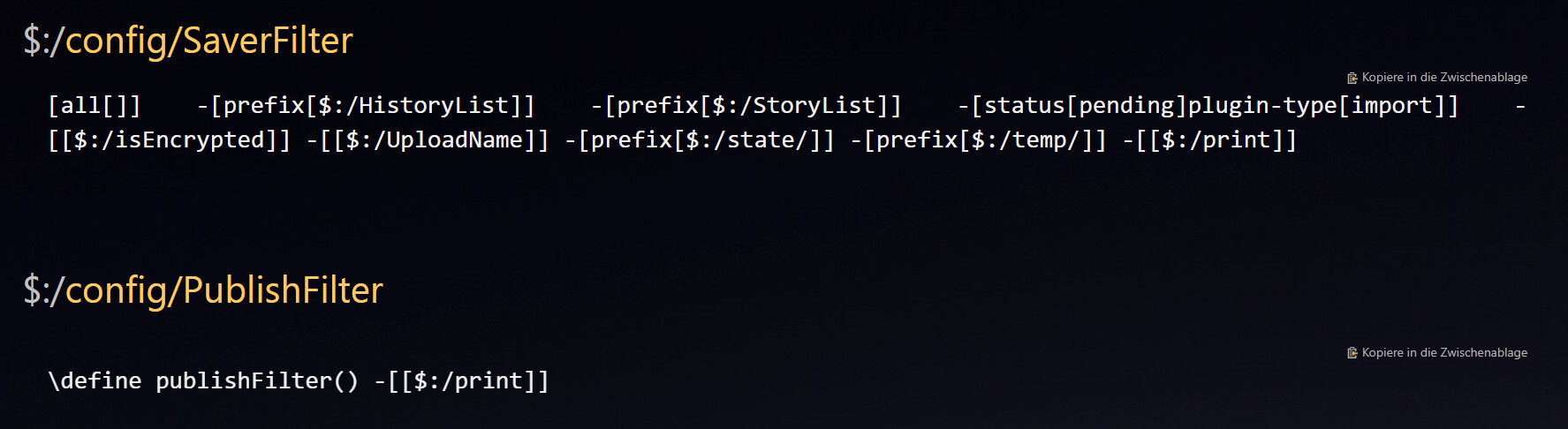
To avoid this, you can edit the default $:/config/SaverFilter shadow tiddler and add -[[$:/print]] to the list of tiddlers to be ignored. After a save-and-reload, printing tiddlers will no longer cause the file to become “dirty”.
In addition to avoiding the “unsaved changes” warning, you can also prevent the $:/print tiddler from ever being saved in the file. To do this, create a tiddler (e.g., $:/config/PublishFilter) tagged with $:/tags/Global, containing the following macro:
\define publishFilter() -[[$:/print]]
This will cause the $:/print tiddler to automatically be omitted whenever the usual “Save Changes” sidebar button or TWCore auto saver is triggered.
An idea, what if an open in new window preview would allow a click to add or remove page breaks before handing it to the print driver eg pdf. an option to save back in the source tiddlers, or not would be wonderful, but I don’t underestimate the complexity I do think it is achievable.
on print we can review the print preview and identify where additional page breaks are needed, return to the window, insert or remove page break, print preview again until happy.
we could also have CSS activated to avoid break on all practical html elements, including paragraphs and optional repeating headings on next page for tables. this will address 80% of all page breaks.
$:/core/ui/ViewTemplate to render the entire tiddler including the tc-tiddler-frame and titlebar
or
$:/core/ui/ViewTemplate/body to render just the tiddler’s body content.
By transcluding these templates, the rendering automatically applies all relevant cascades (as defined in the $:/ControlPanel > Info > Advanced > Cascades section.
What you are suggesting would be a completely different approach that would need to “pre-render” the content and then parse it to allow the interactive insertion of page breaks. In comparison to the single line of code shown above, this would be an enormously complex and brittle bit of coding that is unlikely to reliably achieve the kind of results you would want.
Your second suggestion (using CSS rules to force or avoid page breaks on specific HTML elements) is more achievable, but this should be implemented as a separate stylesheet tiddler, entirely independent of the TiddlyTools/PrintTiddler coding.
You could use any suitable combination of
break-before:always; or break-before:avoid;
break-after:always; or break-after:avoid;
break-inside:avoid;
applied to the desired HTML elements, and then wrap those CSS rules within @media print { ... } to ensure they are only applied when printing.
My second thought is: Your first snapshot shows a title of “$:/print” for the preview window. This isn’t what I would expect. The title should be the name of the tiddler you are trying to print. You shouldn’t ever need to directly view the $:/print tiddler… it exists as a separate tiddler only so it can be used as a template for the preview window.
According to Releases · TiddlyWiki/TiddlyDesktop · GitHub, v0.0.18 was published on Jun 29, 2023.
However, "@bottom-right" | Can I use... Support tables for HTML5, CSS3, etc indicates that support for @bottom-right was first available in Chrome v131, published on Nov 11, 2024. Thus, TiddlyDesktop v0.0.18 is too old for this feature. Unfortunately, the latest version of TiddlyDesktop (v0.0.21) was published on March 3, 2024, so that is also too old to support @bottom-right.
regarding testing in Chrome v140…
I am also using Chrome v140.0.7339.128 (the latest published revision), and page numbers DO appear when I use the TiddlyTools/PrintTiddler tiddler toolbar button.
It looks like you’ve made quite a few “cosmetic” and language changes to TiddlyTools/PrintTiddler. Perhaps you broke something in the process. Try re-importing the unmodified code from TiddlyTools and see if the page numbers appear in the output. If they don’t, then we still have a mystery to solve.
If the page numbers DO appear, then carefully make your changes, one at a time, and test after each change until something breaks.
→ Therefore it is related to TiddlyDesktop SW. I’ll update to latest version - but as you mentioned it is too old…
Is TiddlyDesktop still being developed and updated?
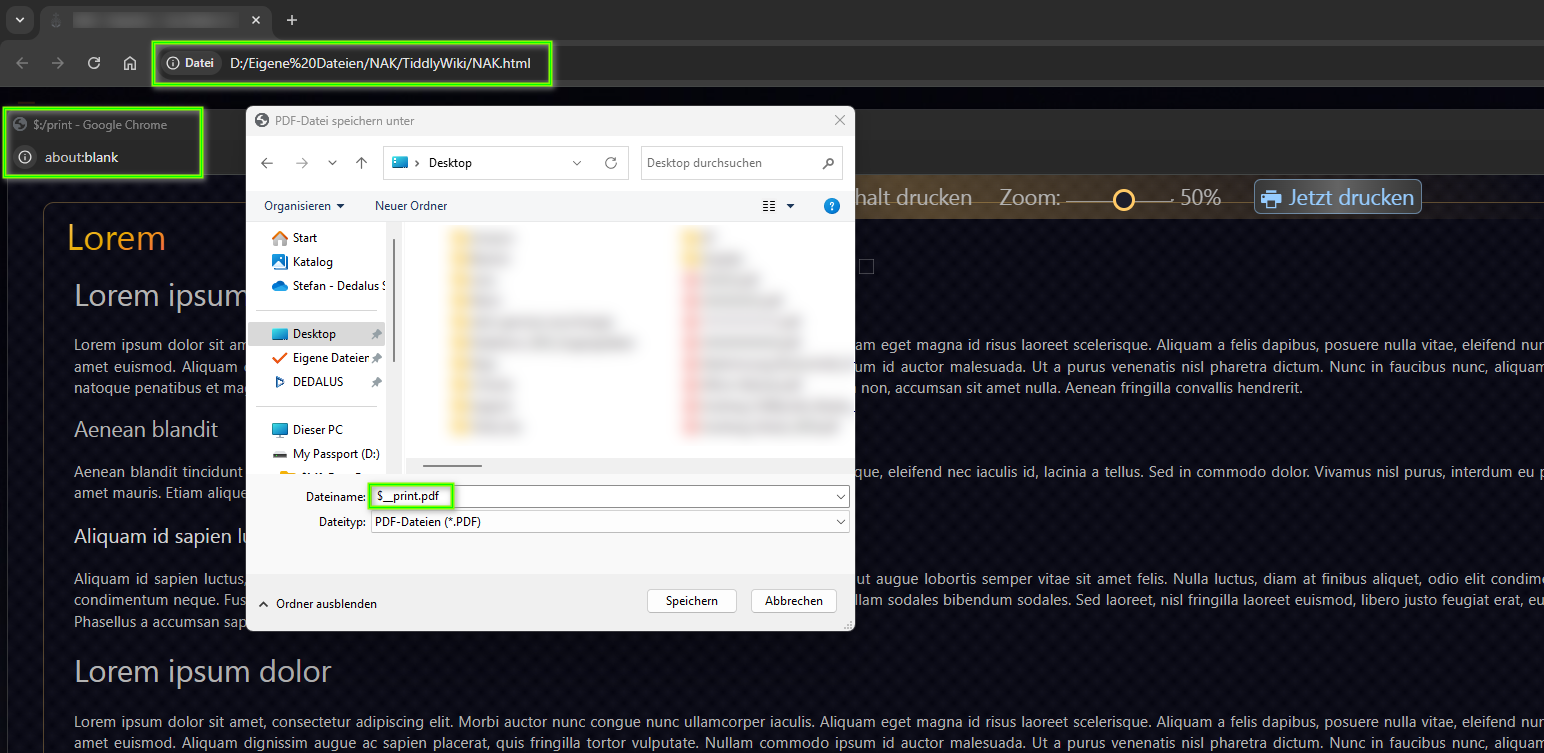
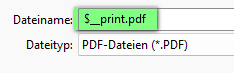
My wiki with “TiddlyTools/PrintTiddler” (=orig) or my modified version of “TiddlyTools/PrintTiddler” takes “$__print.pdf” instead of the tiddlername for storing:
This is fantastic. It solves a problem for me: Chrome either prints a whole bunch of stuff in the headers and footers, or nothing. This gives me a more customizable option.
Question: how would I get the stylesheets and Google fonts to be included in this?
Please provide a link to an online TW where your stylesheets and Google fonts are not being applied in the print preview window, so I can test and experiment with a real-world example.
You’ll still have to tell Chrome to print nothing from the print-preview window. Iit seems to remember that choice for a while. I’m pretty sure there’s no way to do that from within TW.
I don’t see any stylesheet or font differences… but what I DO see is a language difference!
The main window is showing me English text, but the preview window is showing Spanish text.
I assume you are doing some kind of language detection logic in the main window but that same logic is not being applied to the ViewTemplate being rendered in the preview window.
Can you tell me how you are handling the language difference?
I am not sure what you are talking about. If you open Hebreos-Apocalipsis: materiales para el STP and then click the print button in the viewtoolbar of the tiddler, both are in Spanish.