Nothing revolutionary. Just an approach I’ve never used before. Sharing in case it gets your own creative juices flowing (to do anything related or unrelated in a different way.)
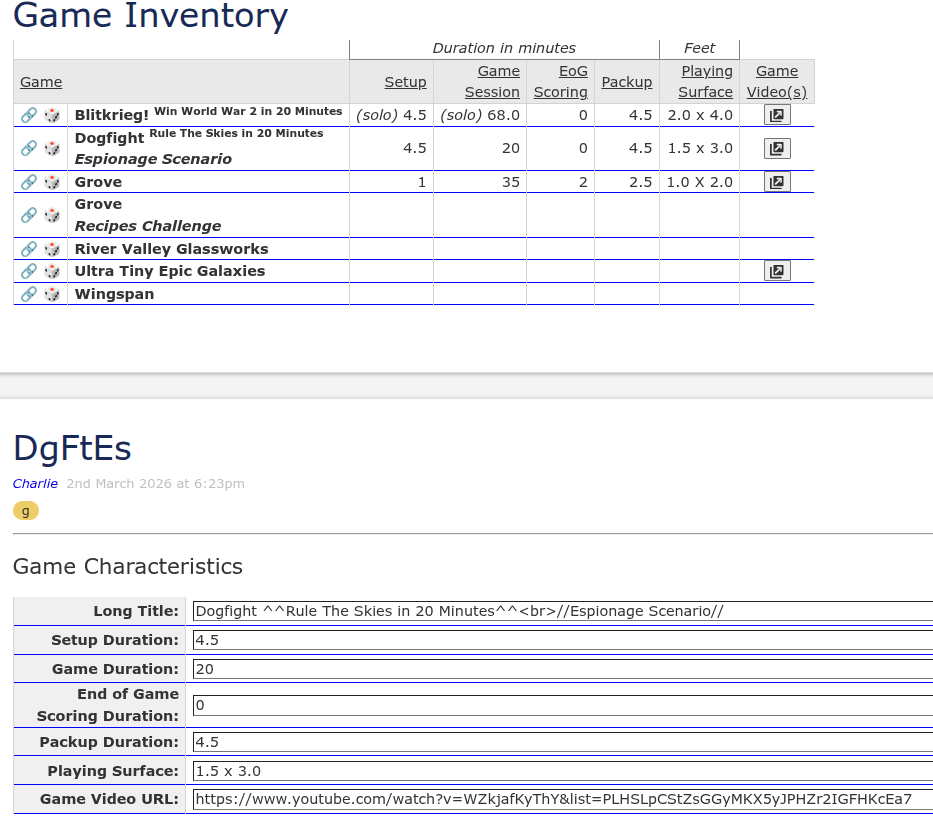
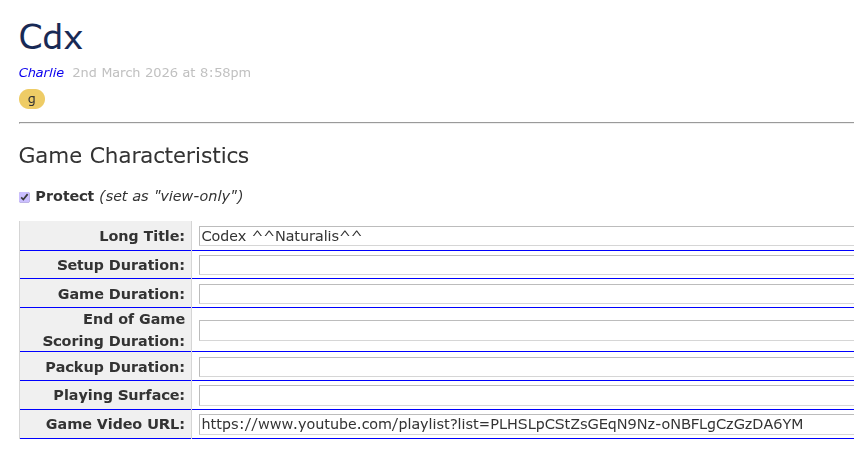
Aside: I’m setting up my “Game Characteristics” data editing fields in a tiddler footer area.
For whatever reason, I did not feel like setting up macros nor any css classes (other than ones I already had).
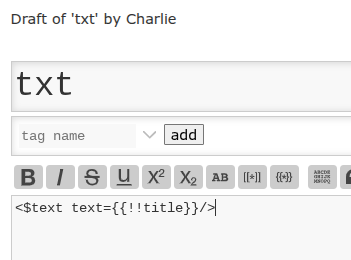
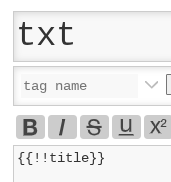
A couple of screenshots and then a snippet of code:
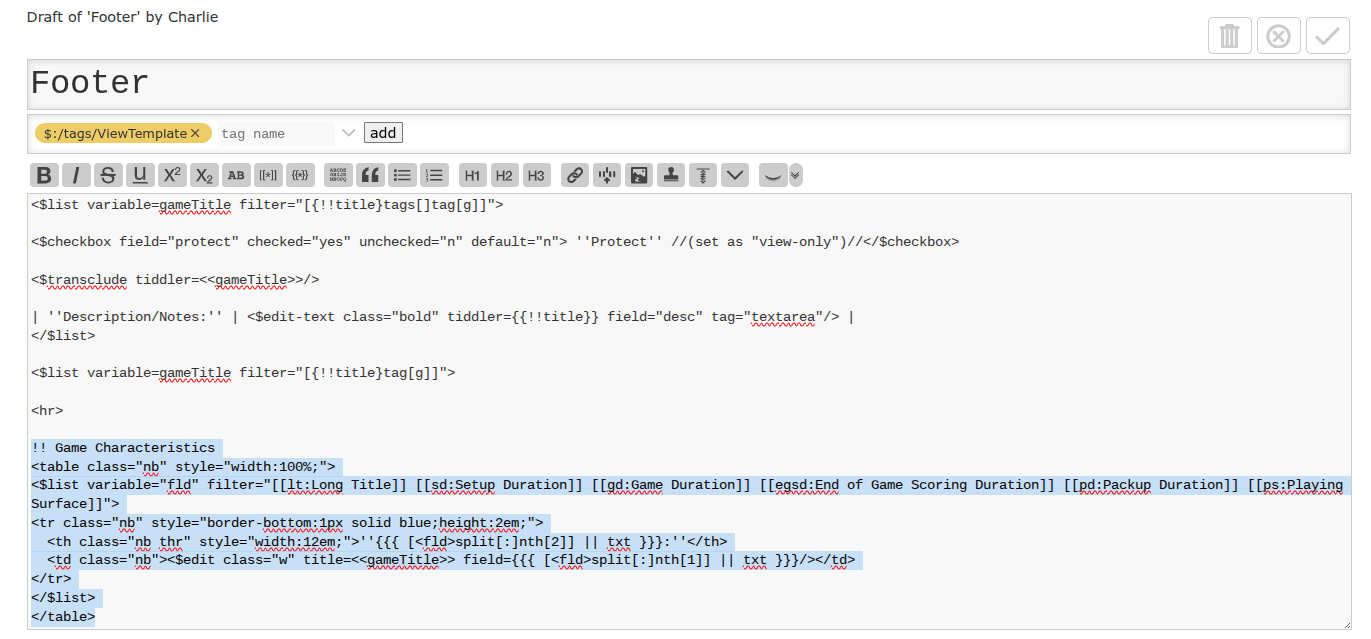
Thank you for sharing, I learnt a few things here !
I have used $edit widget before, but somehow didn’t occur to me to just edit a tiddler field directly, and use multiple $edit for a form !
Is the txt template a personal preference for clarity, or is there another reason for it ? I prefer to stuff all my codes in one tiddler for visibility and not to have to reference another tiddler, and would have used <$text text={{{ [<fld>split[:]nth[2]] }}} /> instead.
(Reading those left to right. The first one: ah, this is going to be text, and this is the text that is going to show. The second one: ah, this is the filter that is getting me something, and I want it shown as text.)
I doubt that’s much of a difference for anybody else.
For me: every additional character I have to type and look at must serve a purpose. If it is just extra time typing, reading and cognitive processing without providing useful information, I need to get rid of it.
I tend to often apply a minimalist approach for many things, which balances out other things I get a bit wordy with…
All of that aside, I prefer to know about the filter first, and the fact I’m showing it as text after. (So tell me first: "what domain/data item are we working with. Tell me second: "what action/format are we applying to that domain/data item.)
Oh, I just realized: I also get annoyed by the stereo effect of “$text text=”.
No, I agree! I think this is a very natural and elegant use of filtered transclusions, and I’ve been using it religiously for all sorts of frequently-used filter templates since I learned the technique from you a few years ago.
I also use it as a more concise alternative to $list widgets, e.g.
Oh Nelly, that’s a cognitive psychologist’s wet dream
It could be the diagnosed condition behind curtain number one, or another “mystery” condition behind curtain number two (one he could not figure out), or could be, behind curtain number three, the Arachnoid cyst taking up about 10%-15% of the space in my cranium and squishing the old sponge.
I’m pretty sure the double-vision, probably caused by that cyst, does not help.
Whatever it is, I don’t argue with it. If I need a particularly wild way to organize things to keep me trucking along, then I latch onto it toute suite.
This kid is too tired and too old to try and keep up with the rest of the world. If it ain’t bringing me joy, it gets tossed out o’ sight and out o’ mind right pronto.
(Most of my career, I’ve told colleagues at the office: "To look at me, you may think the hamster is dead, but the wheel is always spinning.) When that cyst was accidentally discovered during an MRI of my spine, and the family doc said they had discovered something in my skull, I immediately blurted out: “huh, they’ve found the hamster.”)
The following is a design stream of thought on the subject here inspired by @Charlie_Veniot
On the topic title, offline I was looking at developing a minimal form behind the info button that lets you edit fields like in the edit view, similar to your example @Charlie_Veniot, however imagine on a given tiddler a list field field-list that contains a list of fields to use and their order.
sometimes we may just want a form on read only to present fields and values, another time where independent fields can be edited and others where all nominated fields are editable. I will call this view, update and edit.
But of course we may want this list of field names to be delivered to tiddlers according to some filter logic. be it a type, have a tag or field/field value and even then allow additional fields to be added to the form on a given tiddler.
So I am keeping my mind open to a smart mechanism to provide and override the list of fields for the form. For now and to support other work I think the idea of a tiddler roles field. ie for each role listed on a tiddler retrieve the field names to include in the form for each role. I think as a result there may need to be a form for each role.
I know there is a risk of project creep but we may also want roles to be able to be determined programatical/by filter rather than by adding it to the roles field so that we can put view forms on read only system shadow tiddlers.
So I do think we may need to have role definition tiddlers, similar to tag tiddlers.
Similarly forms may be more than just the fields to edit so at some point we may want form definition tiddlers.