Alternate version of "Notes on tiddlers stored in a data tiddler" (VERY long!)

Intro

In Notes on tiddlers stored in a data tiddler, @TW_Tones describes a proof-of-concept system for storing metadata about certain tiddlers, not in their fields but in a single JSON tiddler. The discussion about this ranged widely, but a very important point was that Tones was attempting to draw attention to the details of how this was built rather than to its core features:

I spent some of that discussion in critique of how this presentation was made. But if I’m going to do this, I need to be willing to put my money where my mouth is. So here I go. I’m going to try to document how I might build a similar system. To be clear, I am not trying to precisely duplicate what @TW_Tones did, but build a version of the same core idea that works the way I would like.

But here too, the process of building and the techniques used are the most important part of this discussion. The end product is… fine, but not very exciting. I’m not going to do any comparisons of the two outcomes. The only differences I know of are that mine handles multiple notes per tiddler, and that I have a solution of sorts for the rename conundrum he mentions:

There was a bit of an answer to the unspoken question of, “well how would you do this better?” But that’s not quite it, either. It’s not a competition, but a demonstration of the style of documentation I prefer. In this case, I’m documenting the series of steps I might take to build something like this. I might later do a second pass that only explains the completed solution.

Note that because this post was too long for TW, we’re breaking it into this initial section and a collection of answers.

Contents

  • Intro (you are here)
  • What We’re Building
  • Following Along
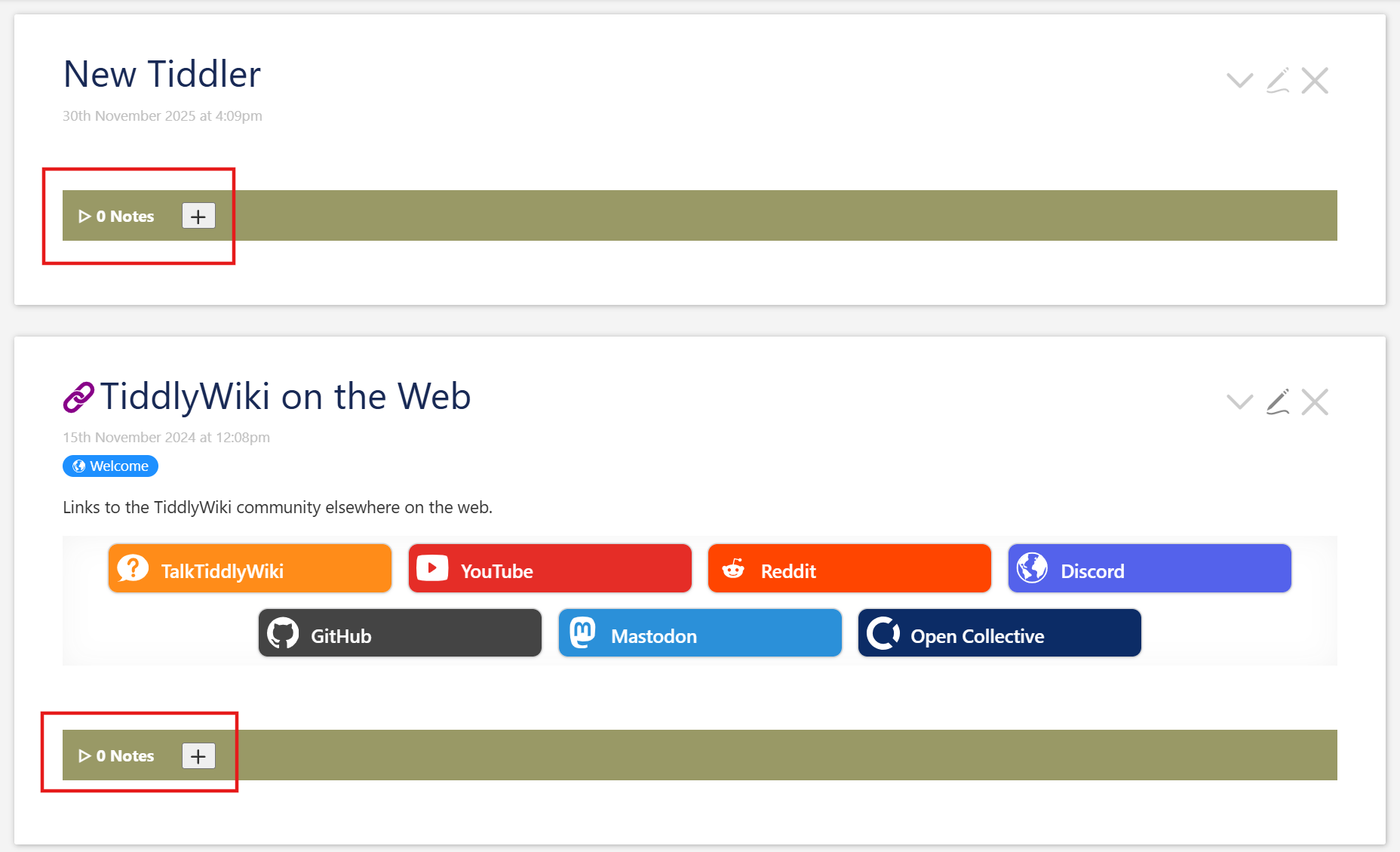
  • Step 1 - Show footer with note-count
  • Step 2 - Styled, expandable section
  • Step 3 - Display note content
  • Step 4 - Make add button functional
  • Step 5 - Adding controls for individual Notes
  • Step 6 - Edit and save modes
  • Step 7 - Make edit and save work
  • Step 8 - Make notes open in edit mode when added
  • Step 9 - Handle all tiddlers, not just preconfigured ones
  • Step 10 - Handle tiddler renaming
  • Step 11 - Use palette colors
  • Step 12 - Your turn
  • Conclusion

What We’re Building

We store notes for all tiddlers inside a single JSON tiddler.

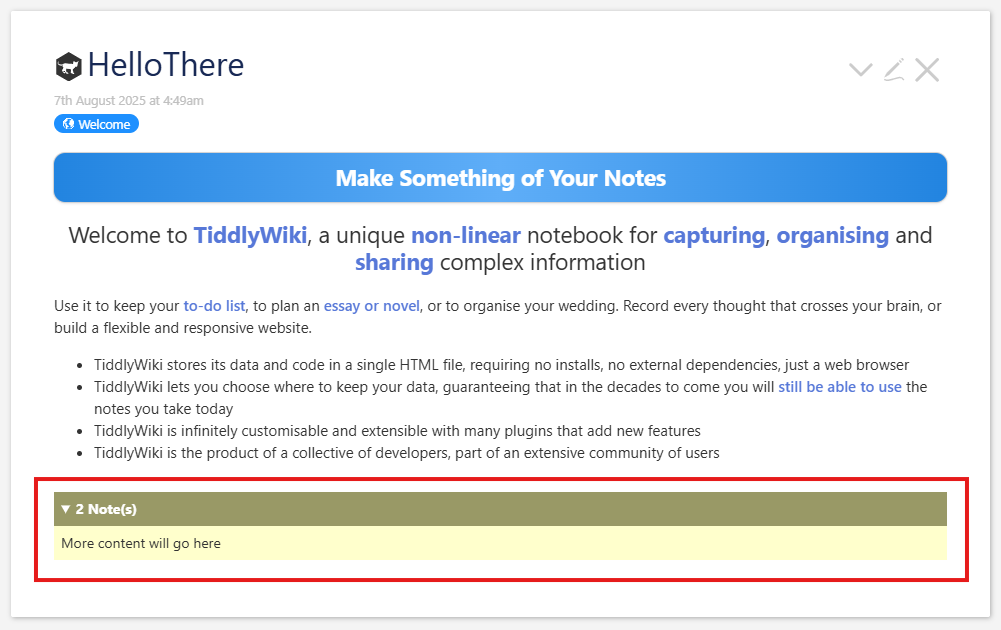
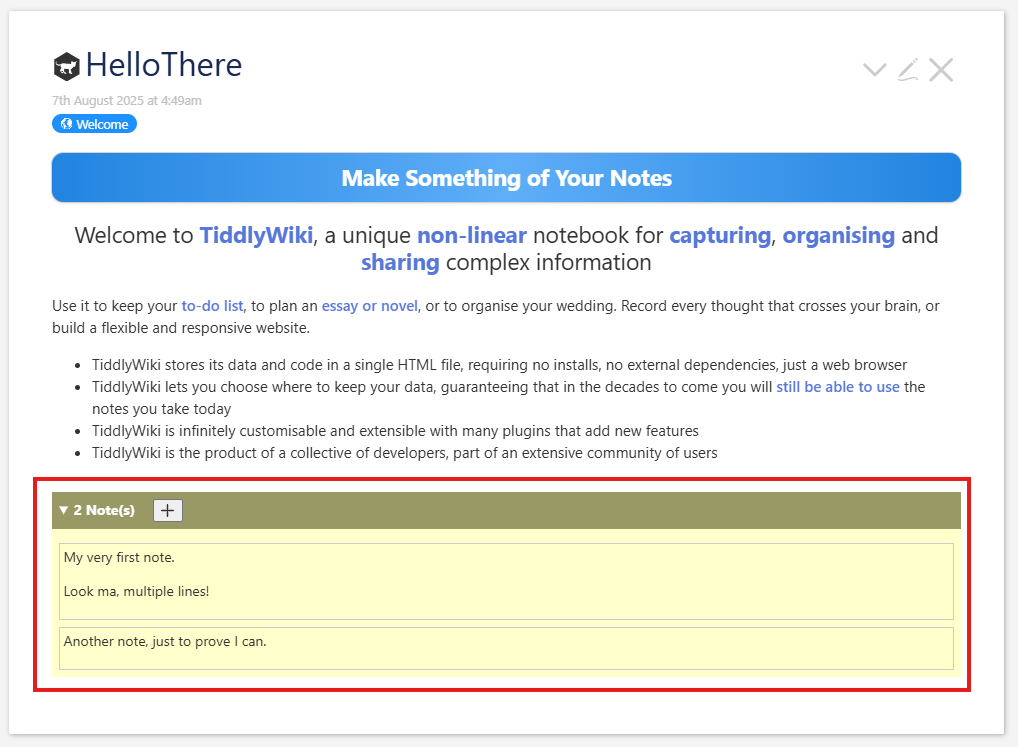
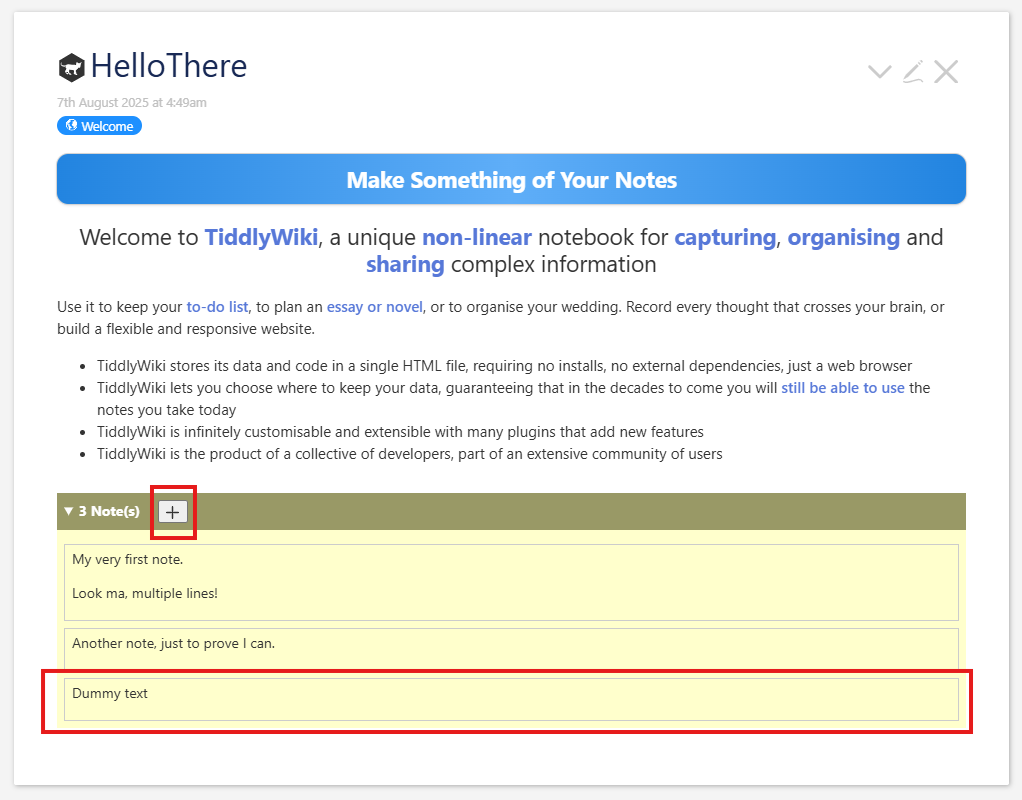
We demo this on a copy of https://tiddlywiki.com. A tiddler with three notes looks like this when collapsed:
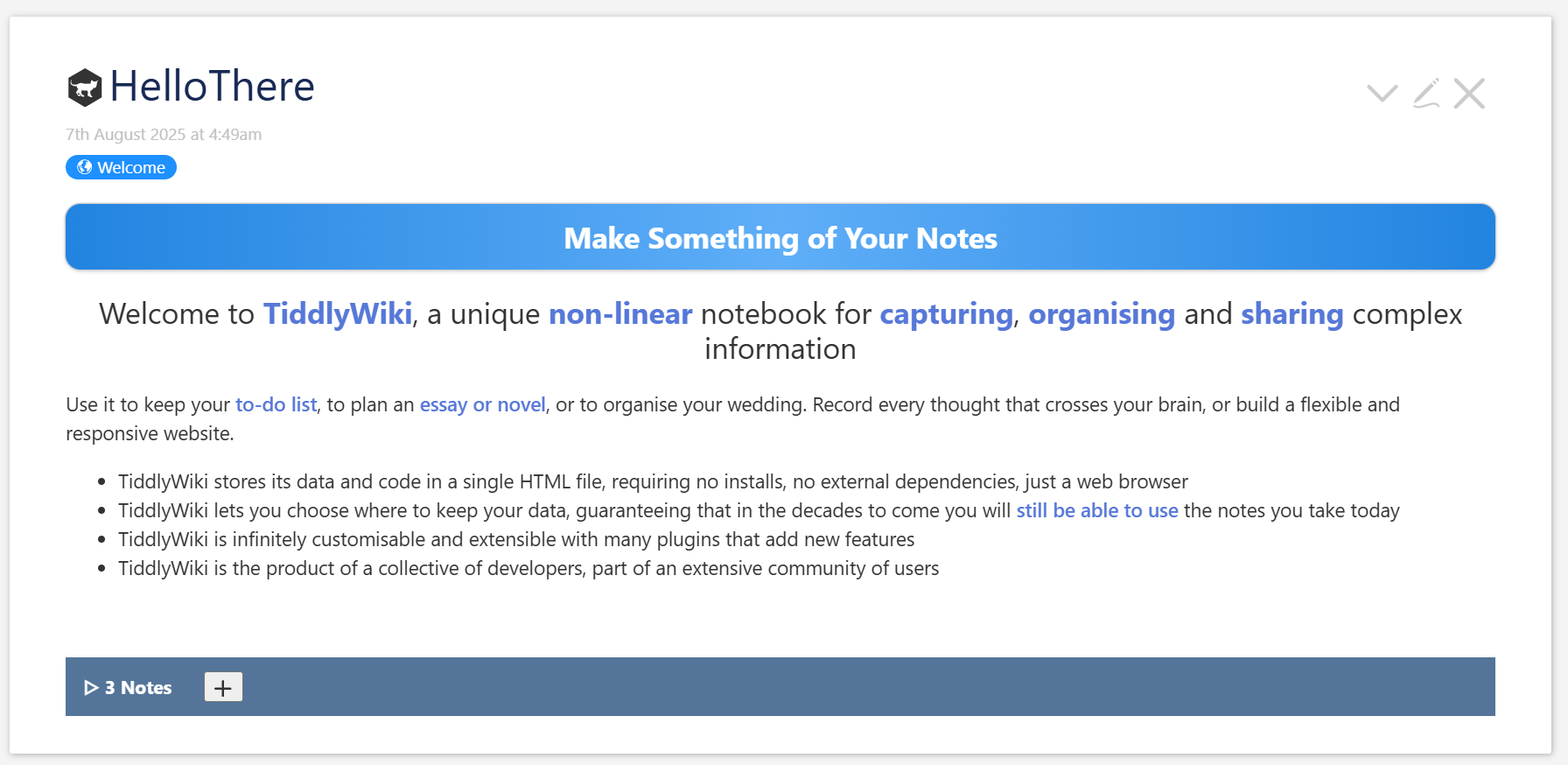
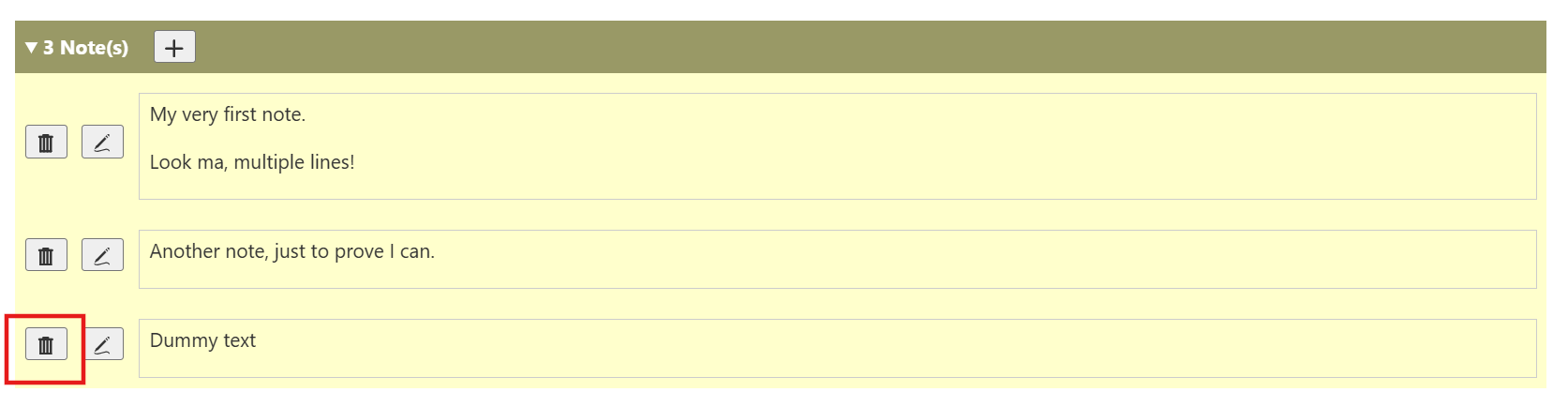
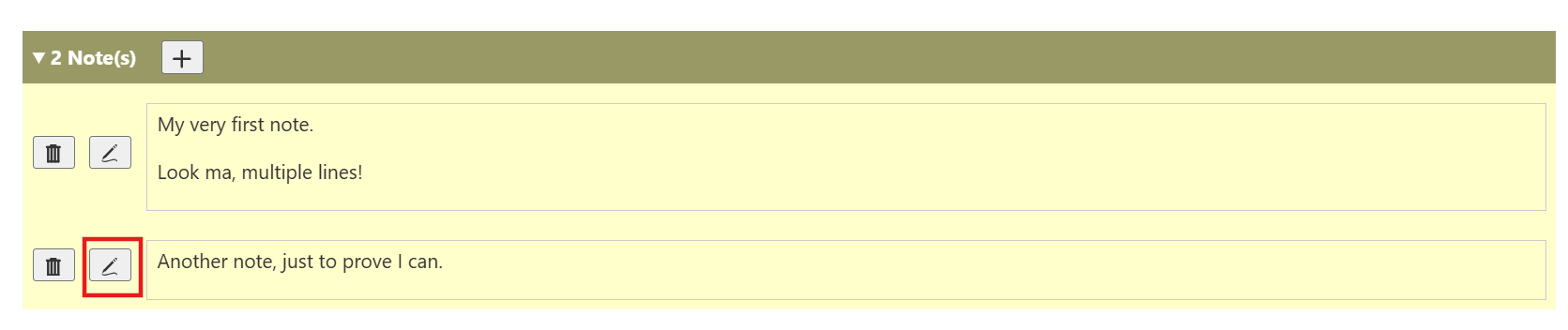
And like this when expanded:
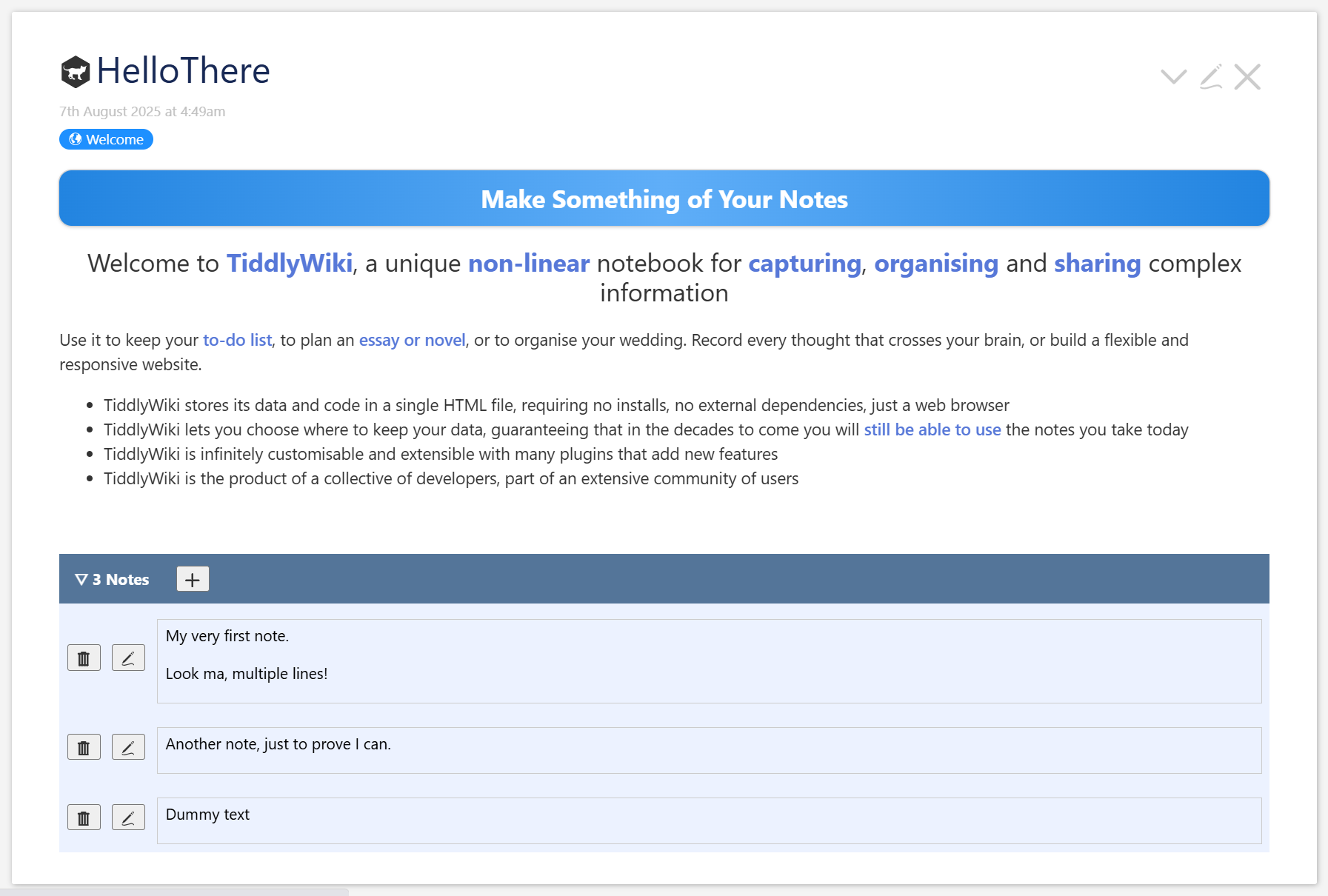
The point here is that this is a single JSON tiddler to store notes for all tiddlers. There are other techniques for doing this sort of external metadata for tiddlers. We won’t discuss them here.

We also won’t discuss here when this is a useful technique. (But if you want to see a long discussion about the usefulness and limitations of JSON tiddlers, #14468 is a recent one.) The current discussion is all about how we might accomplish this.

Testing final version

To try out the final version, you can download the following, then drag it onto tiddlywiki.com (you will have to save a copy and load from that copy, as there are JavaScript modules which need initialization on startup):

SuppNotes_Step11.json (9.4 KB)

Following along

The remainder of this post is a demonstration of the series of steps to build this. It includes a few missteps and steps that are little more than scaffolding for the future.

To follow along, we start by downloading a copy of tiddlywiki.com to our local machine and open it up.

Also, feel free to investigate the GitHub repository with all the works discussed and this post.

Downloading a step

Each step is made by combining one or more of the git commits from the building process. At each step we have a JSON file that we can download and test out. It will look like this:

SuppNotes_Step1.json (697 Bytes)

We download such links, drag the resulting file onto our working wiki, and choose to import. It’s ok to override tiddlers we’ve downloaded earlier. Twice we will need to save and reload in order to test the changes. Once or twice we will need to delete a tiddler or two. Since those deletions are not noted, it doesn’t hurt to every now and then start with a fresh copy of tiddlywiki.com.

Viewing step components

With each step we will also include links to the commits included in the change. It should look something like this.

b7d98f8 Create contents json
cb27c61 Add almost-blank template
e96e421 Add count of notes

Aside

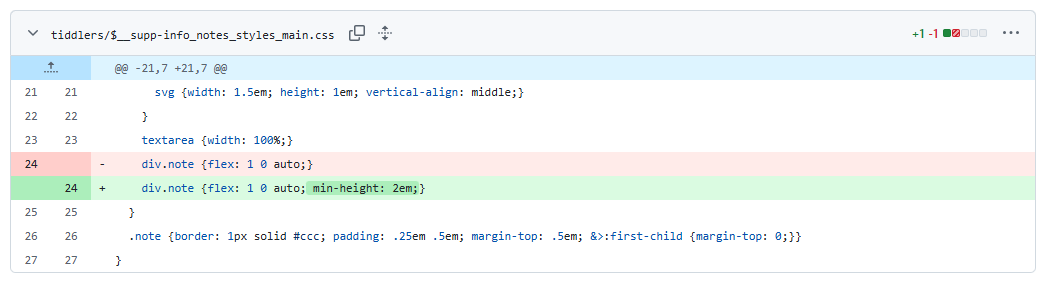
The links take us to the commits in GitHub. If you are not used to reading these, they are displayed as formatted diff files. For instance 70161e4 shows four files being changed. The first and third contain just changes to the modified field. (This probably means they were accidentally saved, or
changed and changed back.) The fourth shows a handful of modifications,
and the second looks like this:

This show the lines that are ignored, the lines that have changed, and a few lines surrounding the changed one. The lines removed are shown in pale red. Those added are shown in pale green. And if the lines are similar enough,the added or removed parts are shown in darker greens and reds.
Debugging

It’s generally difficult to debug wikitext. Here, we often end up using <$action-log message="Note about what's happening" more="info" goes="here"/>. The results of those can be viewed from the developers’ tools console (CTRL/CMD-SHIFT-J.) But we also have a CSS debug class to be added to something we want made prominent – it is simple a red coloring of the element. And half-way through we add a sidebar with our relevant material so we don’t have to scroll all around the page to view and edit the various interesting tiddlers. Most of this debugging information is found in the Git commits in the middle of the steps. If we follow along at the commit level, then we should try to keep the console open to see what’s being logged.

Testing our additional changes

If we want to make changes to the code supplied and test the changes we make, we can export the relevant tiddlers by entering [prefix[$:/supp-info]] on the Filter tab of the $:/AdvancedSearch page and choosing export tiddler > JSON from the more menu. We just have to ensure that our tiddlers begin with that prefix. You can then drag the downloaded file atop a fresh copy of the main page.

Step 1 - Show footer with note-count

Changes

Download

We can download this and drag the resulting file to our test wiki:

SuppNotes_Step1.json (697 Bytes)

Screenshot

Commits

b7d98f8 Create contents json
cb27c61 Add almost-blank template

(full diff)

Explanation

JSON Content

We start with some JSON to hold our notes. This JSON string represents an object, with tiddler titles for keys and arrays of strings for values, each of which represents a unique note. It looks like this:

{
  "HelloThere": [
    "My very first note.\n\nLook ma, multiple lines!",
    "Another note, just to prove I can."
  ],
  "Quick Start": [
    "And a note on another tiddler"
  ]
}

It is stored in a tiddler titled $:/supp-info/notes/content with type of application/json, and the tag $:/tags/SupplementaryInfo. We can note (:smile:!) that it has entries only for the first two tiddlers in the default view of the tiddlywiki.com, which should be the basis for our test wikis.
Prefix

The prefix $:/supp-info/notes/ is a little speculative. The thought is that we might want other supplementary infomation about tiddlers, and they might all use similar paths and perhaps overlapping implementations. As we go, we will see this prefix used for all tiddlers we write, except that two, which seem likely to be useful to other such supplemental ideas, do not include "notes/".

Tag

The tag $:/tags/SupplementaryInfo is similarly speculative. This would identify any any tiddlers holding external supplementary metadata about our tiddlers. For now, it’s only used here.

View template

We include a ViewTemplate (title: $:/supp-info/notes/view-template, tags: $:/tags/ViewTemplate), which is run on every tiddler:

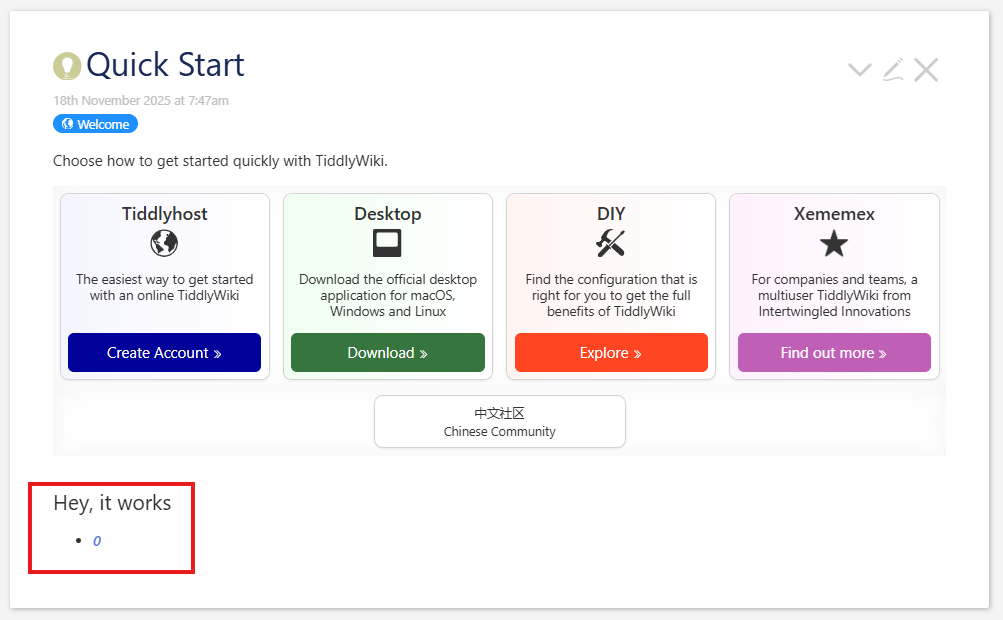
<% if [{$:/supp-info/notes/content}jsonget<currentTiddler>] %>

!! Hey, it works

<<list-links "[{$:/supp-info/notes/content}jsonindexes<currentTiddler>]" >>

<% endif %>

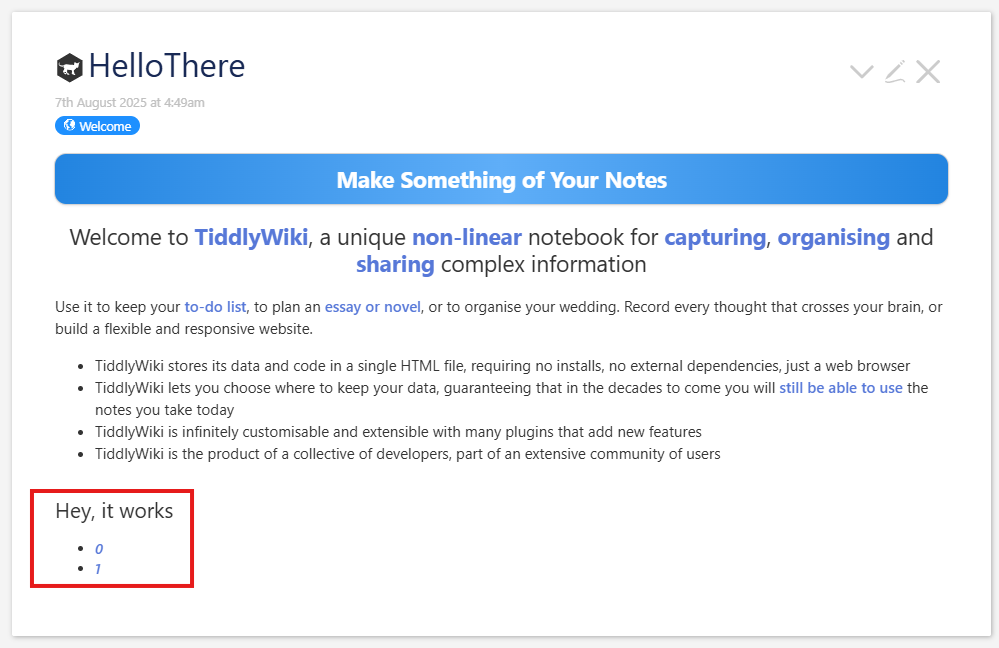
The content is wrapped up in an <% if ... %> ... <% endif %> block, in which we check if the object represented by our JSON string includes this tiddler’s title as a key. If not, we do nothing. But if it is included, we include the very professional-looking, “Hey, it works” plus a list of links to the indices of the elements in the array of notes for the current title.

The test we use is not the correct one for the final product, but it’s often useful to work this way, making our templates more restrictive at first. We only want to scroll among the first three tiddlers to check for multiple notes, a single note, and no notes. It will be easy to change later.

JSON indices

One thing which may catch some TiddlyWiki users unaware is how JSON indices work. In most of TW, our indices look like 1, 2, 3, 4, ..., but when you’re working with JSON, which comes out of JavaScript, the indices look like 0, 1, 2, 3, .... There’s a great deal of [add[1]], [subtract[1]] involved in converting between JSON strings and TW indices. I’m afraid the only real solution to this is get used to it!

jsonget Operator

The jsonget Operator is our first JSON operation. We will see somewhat more complex usages later, but here, it just looks like [{$:/supp-info/notes/content}jsonget<currentTiddler>], where the input is {$:/supp-info/notes/content}, our JSON string representing all notes. Its only parameter is the title of the current tiddler. With this wrapped in an <% if %> <%endif %>, we are simply testing whether the object represented by the JSON string includes they key of the tiddler under test. Right now, this will only be true for the titles "HelloThere" and "Quick Start".

jsonindexes Operator

The jsonindex Operator is used in other places too, but for a JSON string, it fetches the string keys of an object (denoted in JSON with { - } pairs), or, as here, the numeric keys of an array (denoted in JSON with [ - ] pairs.) So given the JSON string above, when currentTiddler is "HelloThere", this will find the indices of this array:

  [
    "My very first note.\n\nLook ma, multiple lines!",
    "Another note, just to prove I can."
  ]

And these are 0 and 1.

If we call it with currentTiddler set to "Quick Start", we will get the indices of

  [
    "And a note on another tiddler"
  ]

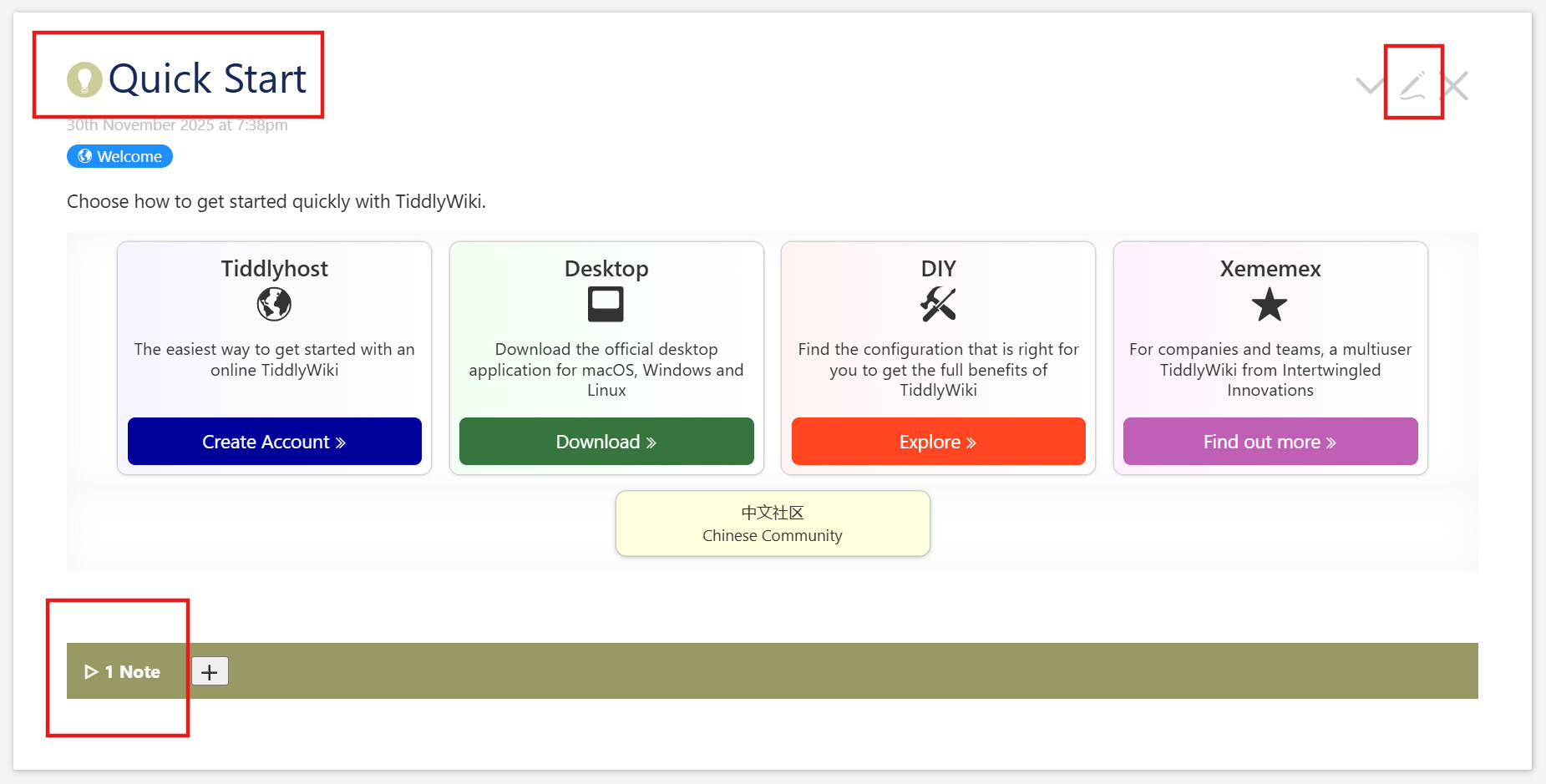
There is only one here; we will get back 0, and if you open Quick Start the footer will look like this:

No other tiddlers have their titles in the JSON, so none of them will show any footer at all.

Step 2 - Styled, expandable section

Changes

Download

We can download this and drag the resulting file to our test wiki:

SuppNotes_Step2.json (1.0 KB)

We can simply accept the overlaying of the earlier code.

Screenshot

Commits

e96e421 Add count of notes
ecf3be8 Add details/summary widget
e736df9 Add a little reasonable, temporary styling

(full diff)

Explanation

View template

We’ve left the JSON content tiddler alone. Our template now looks like this:

<% if [{$:/supp-info/notes/content}jsonget<currentTiddler>] %>
<div class="supp-notes">
<$let count={{{ [{$:/supp-info/notes/content}jsonindexes<currentTiddler>last[]add[1]] }}}>

<details>
  <summary><<count>> Note(s)</summary>
   <div class="note-list">More content will go here</div>
</details>

</$let>
</div>

<style>
.supp-notes {
  background-color: #ffc;
  padding: 0;
  summary {background-color: #996; color: white; padding: .5em; font-weight: bold;}
  .note-list {padding: .5em;}
}
</style
<% endif %>

Apologies for the poor indentation. That is straightened out in a future commit.

Wrapper <div>

We add this wrapper

<div class="supp-notes">
  <!-- Content here -->
</div>

This is a convenient place to hang our styling. Adding a unique class like this makes it much easier to write CSS that doesn’t interfere with other parts of our wikis. We add one more, note-list for similar reasons.

count variable

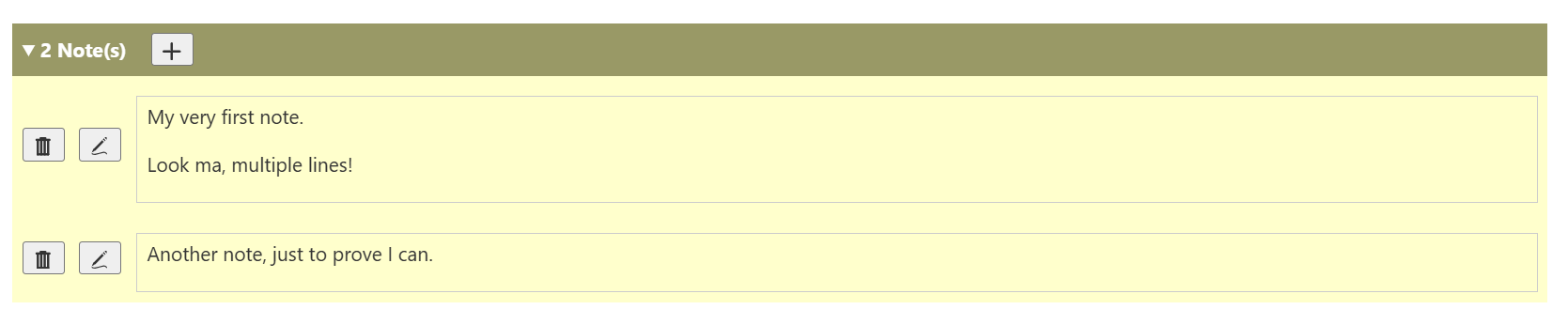
We calculate a count variable using jsonindexes, last[], and our first add[1] operation. (Remember that we’ve been warned about these, because of a difference between TW indices and JSON ones.) This tells us how many notes are associated with the current tiddler.

Using a details element

We use a details element to handle hiding and showing content. We know that in doing so, we’re trading off features, compared to the RevealWidget. The details element does not need any complex state handling, and is very simple to use. But it doesn’t maintain any state, so if we close and reopen our tiddler, it will revert to its default behavior: always open or always closed, depending upon how we’ve configured it. For now, simple wins. We may need to change this decision before the end, but it will not be difficult to do so. (TODO)

We include the count of notes in the <summary> so that it’s always avaible, mostly to make it easier for us to decide if we even need to bother opening the details. For a first pass we use "0 Note(s)`, “1 Note(s)”, “2 Note(s)”, “3 Note(s)”, etc., although perhaps later we’ll come back and adjust to “0 Notes”, “1 Note”, “2 Notes”, “3 Notes”, etc., which just feels more polished. (TODO)

Adding CSS

Above we added classes to several elements in order to make it easy to apply stylesheets. Now we add a <style> element and create styles.

In this document, we will not discuss how to use CSS. There are many wonderful CSS tutorials and MDN maintains the definitive reference documentation. If I personally need any CSS how-tos, I depend on CSS Tricks, but there are many other good sites. So here, we will only discuss what we do with CSS, not how we do it.

But first, we should note one CSS feature that’s now become ubiquitous across all major devices/browsers, CSS Nesting. Instead of writing (in an entirely made-up example – don’t blame me if it hurts your eyes, ok?) this:

div.my-class {border: 1px solid red;}
div.my-class p.another-class {background: pink}
div.my-class p.another-class ul {font-size: 125%; font-weight: bold;}
div.my-class p.another-class ul.third-class {font-size: 110%;}

with all that repetition, we can now write

div.my-class {
  border: 1px solid red; 
  p.another-class {
    background: pink;
    ul {
      font-size: 125%; font-weight: bold;
      &.third-class {font-size: 110%;}
    }
  }
}

We take advantage of this here. All our rules will be nested in .supp-notes, and parts will be inside .note-list.

Colors

The other styles here are meant to last, but the color scheme is meant mostly to make the work stand out while we’re developing it. It’s easiest if we can see it at a glance. At the end, we will probably want to find some useful palette entries for our colors, if possible. (TODO)

Step 3 - Display note content

Changes

Download

We can download this and drag the resulting file to our test wiki:

SuppNotes_Step3.json (1.9 KB)

We can simply accept the overlaying of the earlier code.

Screenshot

Commits

bc558d4 Show (partial) content
1dc0711 Show multiple notes
6ada50e Display notes in block mode, add dummy new control

(full diff)

Explanation

JSON Content

In our JSON content, the one Note for “Quick Start”, has expanded slightly to include a wikitext link. We’ll see why below.

View Template

Our template now looks like this (less the CSS):

\procedure add-note()
<$action-log clicked=<<now>> />
\end add-note

<% if [{$:/supp-info/notes/content}jsonget<currentTiddler>] %>
<div class="supp-notes">
<$let count={{{ [{$:/supp-info/notes/content}jsonindexes<currentTiddler>last[]add[1]] }}}>

<details open>
  <summary>
    <<count>> Note(s)  
    <span class="controls">
      <$button actions=<<add-note>> ><span class="icon">{{$:/core/images/new-button}}</span></$button>
    </span>
  </summary>
  <div class="note-list">
      <$list filter="[{$:/supp-info/notes/content}jsonindexes<currentTiddler>]" variable="index">
        <div class="note">
          <$wikify name="note" text={{{ [{$:/supp-info/notes/content}jsonget<currentTiddler>,<index>] }}} output="html"><<note>></$wikify>
        </div>
      </$list>
  </div>
</details>

</$let>
</div>

<style> /* ... */ </style>
<% endif %>

details element

Note that we’ve now made the <details> widget default to open. This is a useful debugging technique, so that our changes are immediately visible. We will revert this by the end. (TODO)

new <$button> widget

We create a button to add a note to the current tiddler, and place it on the header row, so it’s available whether or not the details are expanded. It is connected to this new procedure:

\procedure add-note()
<$action-log clicked=<<now>> />
\end add-note

All this does for now is to log to the developer console (usually avaiable on desktop/laptop via CTRL/CMD-SHIFT-J). If we open the console and click the button, we should see a new object logged to the console, with a clicked property set to the current time. If we click it multiple times, we should see multiple logging events.

Doing dummy version of buttons like this lets us first test if the button displays properly and calls our action when it is is clicked, without focusing on the logic of what the button is supposed to do.

Displaying notes

Displaying and modifying Notes is the core of our project. Here for the first
time, we actually show them.

      <$list filter="[{$:/supp-info/notes/content}jsonindexes<currentTiddler>]" variable="index">
        <div class="note">
          <$wikify name="note" text={{{ [{$:/supp-info/notes/content}jsonget<currentTiddler>,<index>] }}} output="html"><<note>></$wikify>
        </div>
      </$list>

We use a <$List> widget to iterate the indices, and a new usage of jsonget we haven’t seen so far: [{$:/supp-info/notes/content}jsonget<currentTiddler>,<index>]. Here we have two parameters, <currentTiddler> and <index>. The current tiddler is the title we’re working with, and the index is the variable from our iteration. So, for instance, if the current tiddler is "HelloThere", and the index is 1, then, remembering that JSON array indices start from 0, from our JSON of

{
  "HelloThere": [
    "My very first note.\n\nLook ma, multiple lines!",
    "Another note, just to prove I can."
  ],
  "Quick Start": [
    "And a note on another tiddler, with a [[link|Hard and Soft Links]] just for demo."
  ]
}

we can see that this should result in the string, "Another note, just to prove I can."

wikify Widget

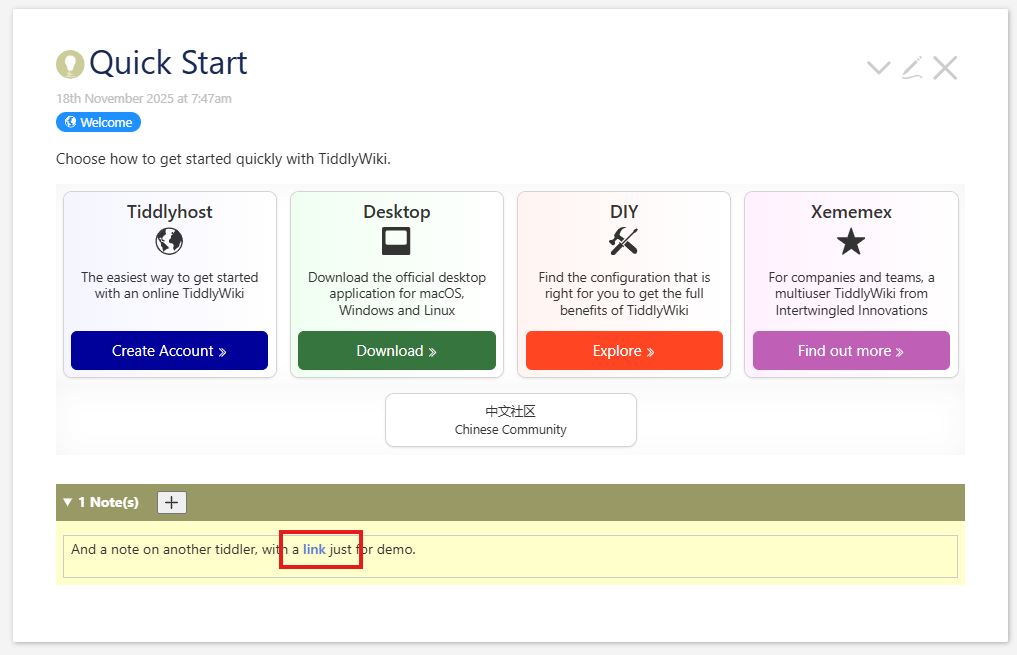
To display this note, we use the WikifyWidget, which takes the text we just found, and, treating it as wikitext, converts it into a format useful for displaying, storing the results in the variable note. We use the output parameter to choose the format "html". Then in the content of the widget, we include the reference <<note>> to put that out to the user. That this is now treating the content as wikitext explains the reason we’ve updated Quick Start/0: we want to test some actual wikitext and not just plain test. Theoretically, seeing that blank lines are respected would be enough, but something like links feels like a more substantial test.

The results of this are wrapped in a <div class="note"> to have someplace to hang our styling. Note the blue link in the following:

Styles

We won’t discuss these any further, but the CSS changes are online.

Step 4 - Make add button functional

Changes

Download

We can download this and drag the resulting file to our test wiki:

SuppNotes_Step4.json (2.2 KB)

You can simply accept the overlaying of the earlier code.

Screenshot

Commits

Only one this time:

657db41 Make button actually add dummy text to content tiddler

(full diff)

Explanation

View Template

The only change here is to make our Add Note button function properly.

\procedure add-note()
<$let count={{{ [{$:/supp-info/notes/content}jsonindexes<currentTiddler>last[]add[1]] }}}>
<$action-setfield 
  $tiddler="$:/supp-info/notes/content"
  $file="text"
  $value={{{ [{$:/supp-info/notes/content}jsonset<currentTiddler>,<count>,[Dummy text]format:json[2]] }}} 
/>
</$let>
\end add-note

The very important thing we need to notice here is that we first create a new JSON string from our old one, using the jsonset Operator, then we update the JSON string in our content tiddler by overwriting the whole thing with this new string. There is no shortcut to change just the relevant part of JSON strings. The discussion mentioned in our opening section explains this in much more detail.

We fill the new tiddler’s text field with “Dummy text”, just so that we can see this working. Editing will come pretty soon.

Step 5 - Adding controls for individual Notes

Changes

Download

We can download this and drag the resulting file to our test wiki:

SuppNotes_Step5.json (4.3 KB)

We can simply accept the overlaying of the earlier code. But there is a new tiddler included, and that one is a JS module, so we will need to save and reload our sample wiki to see these changes.

Screenshots

Commits

1a 7eba2 Add dummy buttons for delete and edit
8d8247b Make delete button work
445a0ea Move the buttons up a level for better formatting

(full diff)

Explanation

JSON Content

Once again, there is nothing surprising in the JSON. We do keep the Dummy Text note we added last time to "HelloThere", but other than that, nothing has changed.

Custom JavaScript jsondelete operator

There is a new tiddler this time, a custom operator to delete a node in a JSON string. A different version of this operator is scheduled to be included in 5.4.0, but for now we’re using a custom version, one which should act much the same but which is simpler to include here.

Note well: We do not need to understand how this works under the hood to follow along here. Those who are not interested in the JavaScript nuts and bolts can feel free to skip this session. We won’t judge. And we’ll catch up to you in the View Template section.

Code

exports["jsondelete"] = function(source,operator,options) {
	var results = [];
	source(function(tiddler,title) {
		var data = $tw.utils.parseJSONSafe(title,title);
		if(data) {
			const res = deepDelete(operator.operands)(data);
			results.push(JSON.stringify(res));
		}
	});
	return results;
};

const deepDelete = ([first, ...rest] = []) => (obj, 
	p = Number(first), 
	a = p >= 0 ? p : Array.isArray(obj) && Math.max(0, obj.length + p), 
) => 
	first == undefined 
		? obj
		: Array.isArray(obj)
			? rest.length == 0
				? [...obj.slice(0, a), ...obj.slice(a + 1)]
				: [...obj.slice(0, a), deepDelete(rest)(obj[a]), ...obj.slice(a + 1)]
			: rest.length == 0
				? Object.fromEntries (Object.entries(obj).filter(([k, v]) => k !== first))
				: Object.fromEntries(Object.entries(obj).map(
					([k, v]) => (k == first) ? [k, deepDelete(rest)(v)] : [k, v]
		  		))

Analysis

This has the public exported function jsondelete, which is a Tiddlywiki wrapper around the function deepDelete. This function is written in a very different style than most TW code, using nested conditional operations and expressions instead of statements. The basic idea is that we accept an array of indices and return a function which takes an object, traverses that object along the path of node names supplied, and when that path is exhausted, remove the current element.

This is a recursive function. The base case is when the path is empty, and we return the object intact. Then we fork on whether we have an array or something else. In either case, we fork on whether there is any remaining path beyond the current node.

  • If we’re in an array and have no remaining path, we return an array with all the elements before and all the elements after the current index, but not the element at the index.
  • If we’re in an array and the path goes deeper, we return all the elements before the current index, make a recursive call back to this function with the remaining path and the element at this index, include the results and then include the elements after that index.
  • If we’re in an object and have no remaining path, we decompose our object into a list of key-value pairs, filter out those with keys matching our current index, then reconsistuting the remaining back into an object.
  • If we’re in an object and the path goes deeper, we decompose our object into a list of key-value pairs, converting those with keys matching our current index by recursively call our function with the remaining path and the value, leaving the others intact, then reconsistuting the results back into an object.

(This breakdown makes it clear that we’re missing the case where the element is neither an array nor an object. While we won’t fix it now, that should be taken up soon. (TODO))

View Template

To those who skipped the deep-dive into the JS, welcome back to the tour!

delete-note procedure

We start with a new procedure which calls our new operator:

\procedure delete-note(index)
  <$action-setfield 
    $tiddler="$:/supp-info/notes/content"
    $value={{{ [{$:/supp-info/notes/content}jsondelete<currentTiddler>,<index>format:json[2]] }}} 
  />
</$let>
\end delete-note

We call the jsondelete operator on our JSON content using the current tiddler and the index supplied, format the result in a more readable format (format:json[2]), and then override that JSON content with this new value.

Updated note handling

Here we add two new buttons next to the note, one to call the delete operation we’ve added, and one to trigger edit mode.

      <div class="note-row">
        <$button actions=`<<delete-note $(index)$>>` ><span class="icon">{{$:/core/images/delete-button}}</span></$button>
        <$button actions=`<<>>` ><span class="icon">{{$:/core/images/edit-button}}</span></$button>
        <div class="note">
          <$wikify name="note" text={{{ [{$:/supp-info/notes/content}jsonget<currentTiddler>,<index>] }}} output="html"><<note>></$wikify>
        </div>
      </div>

We hook a real activity to the delete button, but for this iteration leave the edit one as a dummy. Most of this is simple, but we should pay attention to how our delete button operation is configured. There are different ways to do this. Older code usually nested action widgets inside the $button contents. That still works, but most modern code uses the actions string attribute as above, allowing us to delay the calling of the widget until the button is pressed. Only then is the string interpreted. But, we want to pass our index parameter along so that it always included. For this we use Substituted Attribute Values:

 <$button actions=`<<delete-note $(index)$>>` >

These allow us to include a variable’s value (index) directly in a string. A similar form allows us to use the output of a filter expression instead.

In our iteration on the second note for our tiddler (remember, that means index 1), the above would be equivalent to

 <$button actions="<<delete-note 1>>" >

And, when the button is pressed, our procedure will be run.

Again, for those of us who haven’t been following along, let’s not forget that when we add this code to our running wiki, we will need to save and refresh to see everything work. JavaScript tiddlers need that boost from startup.

Step 6 - Edit and save modes

Changes

Download

We can download this and drag the resulting file to our test wiki:

SuppNotes_Step6.json (5.0 KB)

We can simply accept the overlaying of the earlier code. But if we are starting from a fresh copy of TiddlyWiki, we will need to save and reload our sample wiki to see everything function as expected.

Screenshots

Commits

6fc19b9 Toggle between edit and save buttons

(full diff)

Explanation

“Dummy text” isn’t going to carry use far. We need to be able to edit our notes. The first step toward this is to make our button toggle between edit and save modes.

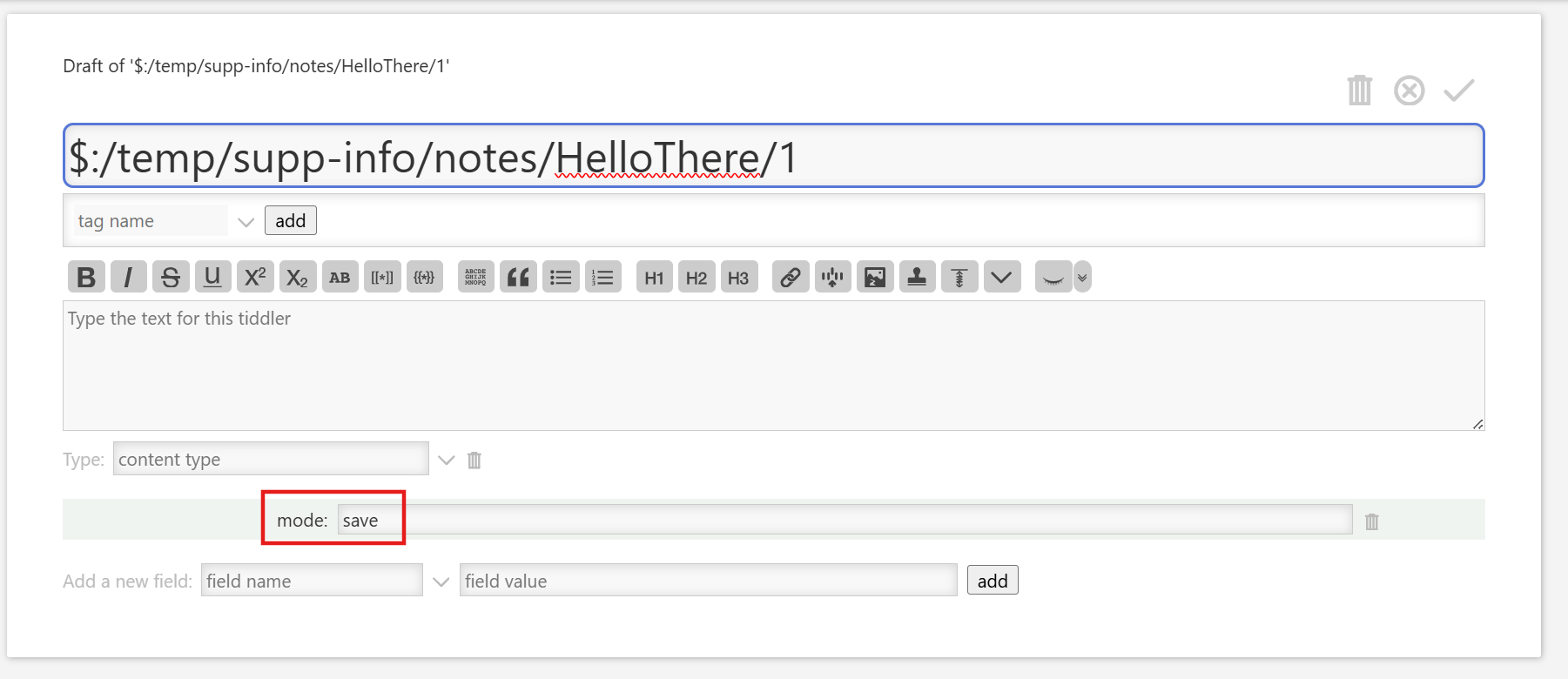
To do this, we store some temporary state. We create a tiddler in the $:/temp/supp-info/notes namespace to hold our state, and give it the field mode, which will hold either edit or save.

View template - buttons

Code

\procedure edit-note(index)
  <$action-setfield 
    $tiddler=`$:/temp/supp-info/notes/$(currentTiddler)$/$(index)$`
    $field=mode
    $value=save
  />
\end edit-note

\procedure save-note(index)
  <$action-setfield 
    $tiddler=`$:/temp/supp-info/notes/$(currentTiddler)$/$(index)$`
    $field=mode
    $value=edit
  />
\end save-note

Analysis

We start with two new procedures, edit-note and save-note, which toggle the mode field on our temporary tiddler between “save” and “edit”

For now, that’s all they do. We will add to them in later steps.

View template - tiddler body

Code

      <div class="note-row">
        <$let toggle=`$:/temp/supp-info/notes/$(currentTiddler)$/$(index)$` mode={{{ [<toggle>get[mode]] }}} >
          <$button actions=`<<delete-note $(index)$>>` ><span class="icon">{{$:/core/images/delete-button}}</span></$button>
          <% if [<mode>match[edit]] %>
            <$button actions=`<<edit-note $(index)$>>` ><span class="icon">{{$:/core/images/save-button}}</span></$button>
          <% else %>
            <$button actions=`<<save-note $(index)$>>` ><span class="icon">{{$:/core/images/edit-button}}</span></$button>
          <% endif %>
          <div class="note">
            <$wikify name="note" text={{{ [{$:/supp-info/notes/content}jsonget<currentTiddler>,<index>] }}} output="html">
              <<note>>
            </$wikify>
          </div>
        </$let>
      </div>

Analysis

We retrieve the mode field from our temporary tiddler and store it in the mode variable. There may be a more clever way to do this in one filter than our version here:

        <$let
          toggle=`$:/temp/supp-info/notes/$(currentTiddler)$/$(index)$` 
          mode={{{ [<toggle>get[mode]] }}} 
        >

but this works and we won’t spend any time trying to replace it.

Our delete button doesn’t need to change, nor does the note itself, but we now replace the edit button with an <% if %>...<% endif %> block that uses this mode variable to decide which button to show, and which procedure to invoke when the button is clicked.

Step 7 - Make edit and save work

Changes

Download

We can download this and drag the resulting file to our test wiki:

SuppNotes_Step7.json (6.5 KB)

We can simply accept the overlaying of the earlier code. But if we are starting from a fresh copy of TiddlyWiki, we will need to save and reload our sample wiki to see everything function as expected.

Screenshots

Commits

e3b6003 Make save button work, add sidebar
8443a3b Separate stylesheet
ebf6207 Re-caption sidebar tab
d1d20d7 Make edit/save work front to back

(full diff)

Explanation

Sidebar Tab

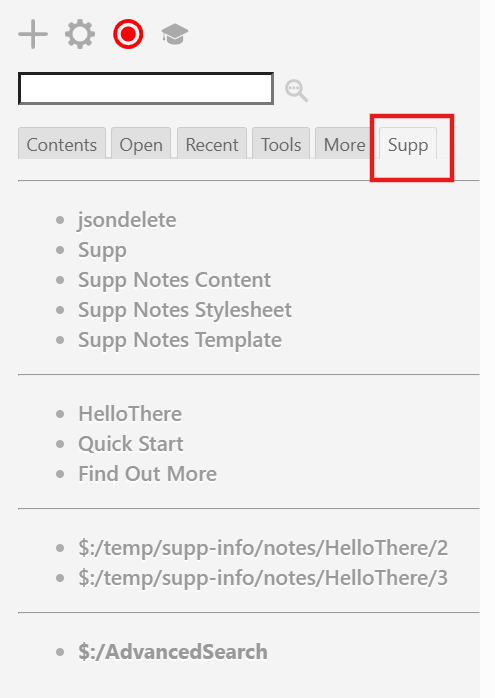
While we’re going to focus on editing and saving our note, we first introduce a minor debugging helper. As we shift around from our ViewTemplate to the HelloThere and other tiddlers to our temporary files, we will find that there’s a lot of scrolling or searching. It’s useful to have readily available links for these. We do this by introducing a sidebar tab that simply collects links to various useful tiddlers. Then we mostly keep this tab selected. When the coding is done, we will remove this tab. (If we think we are going to come back to this, we might simply remove it from the sidebar instead.)

Code

title: $:/supp-info/core/sidebar/supp-info
tags: $:/tags/SideBar
caption: Supp

----------
<<list-links "[prefix[$:/supp-info]]">>

----------
<<list-links "HelloThere [[Quick Start]] [[Find Out More]]">>

----------
<<list-links "[prefix[$:/temp/supp-info]]">>

----------
<<list-links "$:/AdvancedSearch" >>

Analysis

We simply have a few lists of links, separated by horizontal rules.

  • The code we’re using to implement our features, distinguished by a prefix
  • Two tiddlers from tiddlywiki.com for which have some associated Notes, and one that doesn’t
  • A list of the current temporarty tiddlers in our namespace
  • The $:/AdvancedSearch tiddler, which is useful as we work out our code to test various filters. (Yes, this is available next to the search box, but it really is convenient to have it here when we’re scanning for the next tiddler we want to open.)

Since this is throw-away code, we don’t want to spend too much effort on it, but the <<list-links>> macro is extremely simple.

We also give caption fields to the custom tiddlers included in the sidebar to make them easier to distinguish.

Keeping query for $:/AdvancedSearch

Also in this step, we add a query field to the view template. It’s attached to that specific one because that one seems to be our main working tiddler, but it could be anywhere, including in its own standalone tiddler. This simply contains [prefix[$:/supp-info]]. The idea is to select exactly the tiddlers that make up our current work. At any time, we can paste this text into the $:/AdvancedSearch filter tab, click the Export button and choose JSON to download a JSON bundle of what we’re working on. This makes it easy to keep many versions of our working code, even if we don’t have git knowledge.

Separate CSS

There are Tiddlywikians who prefer to work as much as possible in single files, distributing procedures, markup, styling, and everything else in one place. Here we go a different route. While we often start in a single file for convenience, we separate our different content into separate tiddlers.

The styles are an easy first step: we create the file $:/supp-info/notes/styles/main, and move the content of our <style> element into this file

Code

.supp-notes {
  div.debug {background: red; color: white; font-weight: bold; 
             font-size: 150%;}
  background-color: #ffc;
  margin-top: 3em;
  padding: 0;
  .controls {
    display: inline-block;
    margin-left: 1em;
    svg {width: 1em; height: 1em; vertical-align: middle;}
  }
  summary {background-color: #996; color: white; padding: .5em; 
           font-weight: bold;}
  .note-row {
    display: flex; 
    flex-direction: row; 
    gap: .75em;
    align-items: center;
    padding: .5em;
    &button {
      flex: 0 1 auto;
      width: 2em;
      svg {width: 1.5em; height: 1em; vertical-align: middle;}
    }
    textarea {width: 100%;}
    div.note {flex: 1 0 auto;}
  }
  .note {
    border: 1px solid #ccc; padding: .25em .5em; margin-top: .5em; 
    &>:first-child {margin-top: 0;}
  }
}

Analysis

There is an additional reason besides cleanliness and organization for this move. When we use a style element in our tiddler and open the tiddler, the rules it generates are added to the global set of CSS rules. This is very useful if our styles are dynamically generated: they will be in effect only when the containing tiddler is rendered. But our rules will be static.

This happens for every tiddler we have open. At the moment, we are focused on only a few tiddlers, but eventually, we want our mechanism to apply to all tiddlers (or all non-system ones.) That means we are adding the same CSS rules to some internal browser store over and over. Nothing will change in rendering because the rules are simply repeated, but its a clear waste of memory. Although no one has mentioned significant issues because of this, it seems silly to take such a risk, when it offers no benefit.

(If anyone reading can suggest a reason for why this is not so, please share it!)

With this change, our main view template tiddler is simpler. At the end, we might choose to separate out the procedures into their own tiddler as well, but they won’t ever be used elsewhere, and its unclear if the same rationale as above about wasted memory also applies.

Updated procedures

We now handle editing and saving our note.

Code

\procedure edit-note(index)
  <$action-setfield $tiddler=`$:/temp/supp-info/notes/$(currentTiddler)$/$(index)$` $field="mode" $value="save" />
  <$let 
    temp=`$:/temp/supp-info/notes/$(currentTiddler)$/$(index)$` 
    text={{{ [<temp>get[text]] }}} 
    json={{{ [{$:/supp-info/notes/content}jsonset<currentTiddler>,<index>,<text>format:json[2]] }}}
  >
    <$action-setfield $tiddler="$:/supp-info/notes/content" $field="text" $value=<<json>> />
  </$let>
\end edit-note

\procedure save-note(index)
  <$action-setfield $tiddler=`$:/temp/supp-info/notes/$(currentTiddler)$/$(index)$` $field="mode" $value="edit" />
  <$action-setfield 
    $tiddler=`$:/temp/supp-info/notes/$(currentTiddler)$/$(index)$`
    $field="text"
    $value={{{ [{$:/supp-info/notes/content}jsonget<currentTiddler>,<index>] }}} 
  />
\end save-note

Analysis

Many edit fields in Tiddlywiki alter their data in real-time. When a user checks a CheckboxWidget, the related data is, by default, immediately updated in the tiddler store. There are plenty of exceptions to this, including the main tiddler editing mechanism, where a second draft.of tiddler is created, and the edits are made against that. When the this is saved, it replaces the entire tiddler with what’s in the draft. But there is also an exit mechanism to discard the draft and return to the original tiddler. This can be thought of a safety feature, so that accidental bad edits are reversible.

We’d like to emulate that safety feature here. We do this by using our temporary tiddler to store the current edited verson. When we click edit, we copy the code from our JSON data store into the temporary field. When we then click save we update the JSON data using the text in that tiddler. We might recall that we’re already using the mode field of this tiddler. Here we’ll use the text field.

Later on, we’ll come back and add a companion exit button to quit without saving. Note from the future: we never actually get around to this; it ends up a TODO-item, or an excercise for the reader.

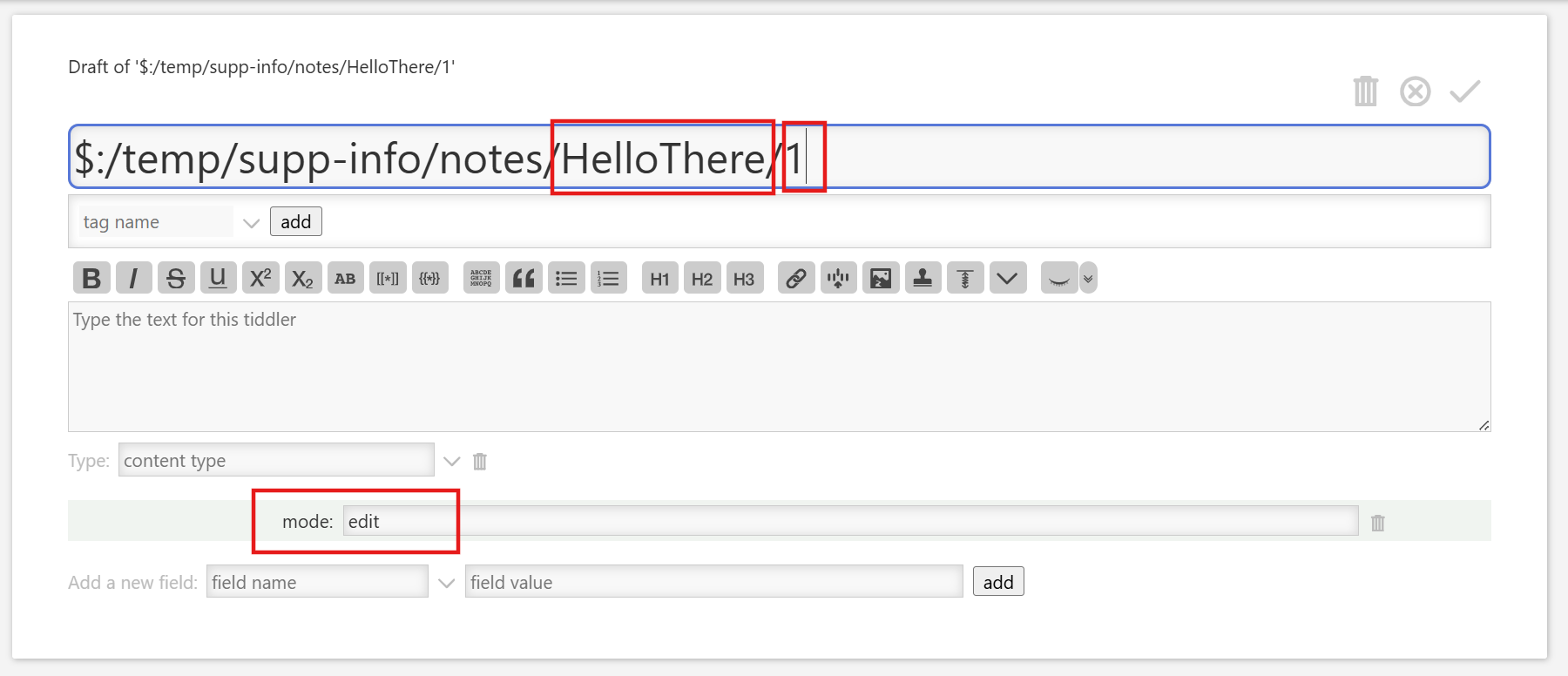
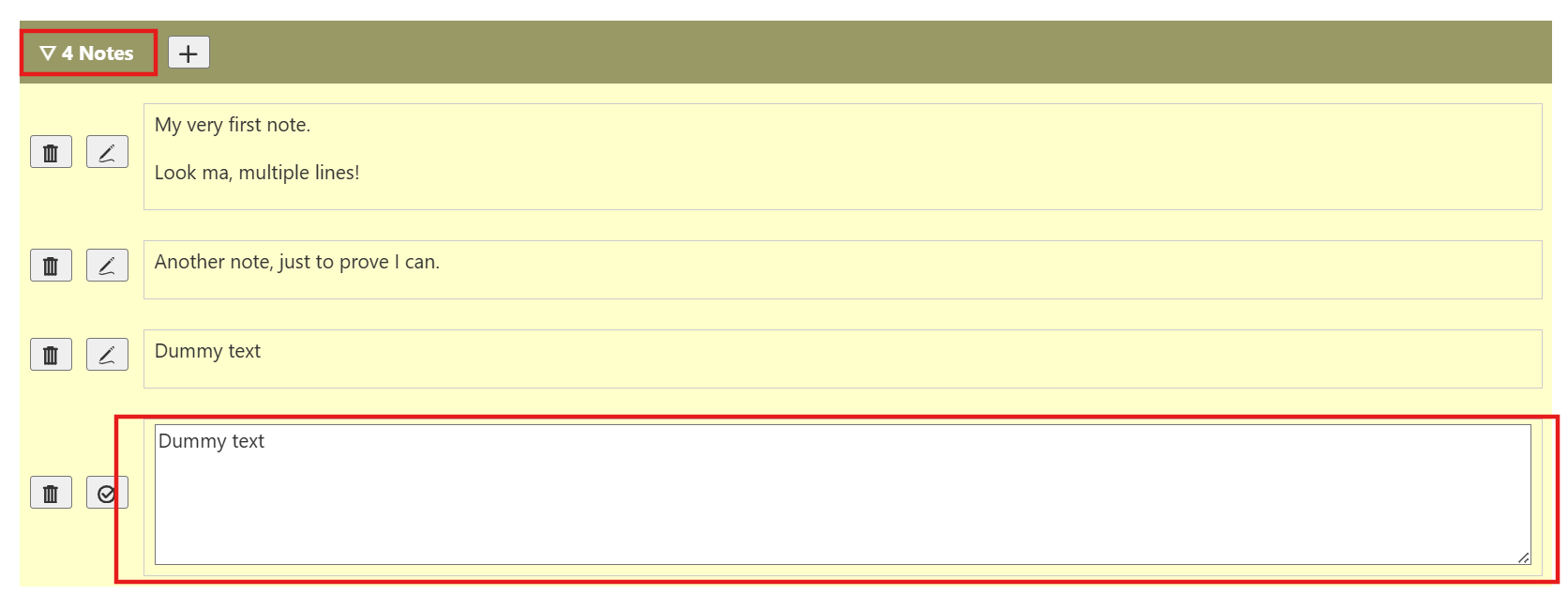
To better note what’s happening, it’s instructive to do a little test. We can create a new Note on, say, the HelloThere tiddler. We should see a new temp tiddler in the sidebar, something like $:/temp/supp-info/notes/HelloThere/3 (We should note that the 3 at the end may vary depending upon how many Notes we currently have; we should also recall that the 0-based indexing in JSON means that 3 represents the fourth entry.) If we open that tiddler in edit mode, replace the text “Dummy text” with something else, and save, we will see the Note in HelloThere has also been edited. In edit mode on our note, we are directly editing the temporary tiddler. Only when we hit save do we update the JSON. This is important, becase updating JSON is a relatively expensive operation. We don’t want to be doing this on every keystroke.

Step 8 - Make notes open in edit mode when added

Changes

Download

We can download this and drag the resulting file to our test wiki:

SuppNotes_Step8.json (7.4 KB)

We can simply accept the overlaying of the earlier code. But if we are starting from a fresh copy of TiddlyWiki, we will need to save and reload our sample wiki to see everything function as expected.

Screenshots

Commits

a876193 Replace details/summary with reveal widget
70161e4 Ensure notes open on add action

(full diff)

Explanation

We want newly created notes to open in edit mode. It only makes sense. When we’re creating a note, it’s surely in order to add or modify its content. We don’t need to see it as a blank note or with our (temporary, really!) “Dummy text” content. So we want it opened for edit.

But there’s a bit of a problem. We are displaying the notes in a <details> widget. If that’s closed, we would want to open it to display our new Note. However, TiddlyWiki doesn’t give us a very useful way to open a closed <details> widget. There are techniques for this, but they are often obscure or convoluted. It might well be simpler to replace the <details> widget with a <$reveal> one. We discussed this possibility back in step 2, and now it’s time to go ahead.

View Template

This only involves minor changes to the rendering part of our view template:

Code

<div class="summary">
  <$button class="tc-btn-invisible toggle" set=`$:/temp/supp-info/notes/$(currentTiddler)$!!state` setTo={{{ [<currentTiddler>addprefix[$:/temp/supp-info/notes/]get[state]toggle[show],[]] }}}>
     <$let arrow={{{ [<currentTiddler>addprefix[$:/temp/supp-info/notes/]get[state]match[show]then[▽]else[▷]] }}}><<arrow>></$let>
     <<count>> Note<% if [<count>!match[1]] %>s<% endif %>
  </$button>
  <span class="controls">
    <$button actions="<<add-note>>" ><span class="icon">{{$:/core/images/new-button}}</span></$button>
  </span>
</div>
<$reveal state=`$:/temp/supp-info/notes/$(currentTiddler)$!!state` type="match" text="show" tag=div>
  <div class="note-list"> <!-- ... --></div>
</$reveal>

Analysis

Although we’ve removed the <details> element and its child <summary> one, we use the class “summary” on the <div> showing the top bar; it’s a logical name to use in our CSS, and in fact in our stylesheet, we chiefly switch from using the element selector summary to the class selector .summary.

We add a button for the arrow and hook it into a state field on a new temp tiddler named for the current tiddler. This is different from our other temp tiddlers, which were named for the current tiddler plus the index in the JSON; it’s one level higher. On press, we toggle our button between “show” and a blank value. And we toggle the arrow to display between “▽” and “▷” based upon that state field. Our controls don’t change. But the hidden and shown part are now wrapped in a <$reveal> widget, based on that field.


But we also need to update our add-note action, to ensure both that our additional note is in edit mode, and that the list of notes is clearly visible.

Code

\procedure add-note()
  <!-- unchanged -->
  <$action-setfield $tiddler=`$:/temp/supp-info/notes/$(currentTiddler)$` $field="state" $value="show" />
  <$action-setfield $tiddler=`$:/temp/supp-info/notes/$(currentTiddler)$/$(count)$` $field="mode" $value="edit" />
\end add-note

Analysis

We set two fields, the state field we just discussed above in the tiddler’s temp partner, setting it to show, and the mode field in the temp tiddler for the specific note, setting it to edit.

Note that there are additional changes in this section that were intended to set the focus on the the newly added note. We can at some point come back to try to fix this, as it would be useful to have. Or someone who understands TiddlyWiki’s focus mechanism might chime in and explain what’s wrong with this code.

Step 9 - Handle all tiddlers, not just preconfigured ones

Changes

Download

We can download this and drag the resulting file to our test wiki:

SuppNotes_Step8.json (7.4 KB)

We can simply accept the overlaying of the earlier code. But if we are starting from a fresh copy of TiddlyWiki, we will need to save and reload our sample wiki to see everything functions as expected.

Screenshots

Commits

d923432 Add notes to all plain tiddlers, not just predefined

(full diff)

Explanation

View Template

We’ve been working on just a few tiddlers, and we have not been able to add notes to any that are not already in our JSON store. Obviously we need to fix that.

Fixing the template is nearly trivial, just a change to the <%if> surrounding most of the tamplate:

- <% if [{$:/supp-info/notes/content}jsonget<currentTiddler>] %>
+ <% if [<currentTiddler>is[tiddler]!is[system]] %>

Unfortunately, this is not enough. We need to add an empty array to our JSON before we attempt to add a note to it, so we update the add-note procedure to begin with this:

    <% if [{$:/supp-info/notes/content}jsonindexes<currentTiddler>count[]match[0]] %>
      <$action-log message="AAA" count=<<count>> css-index=<<css-index>> />
      <$action-setfield 
        $tiddler="$:/supp-info/notes/content"
        $value={{{ [{$:/supp-info/notes/content}jsonset:array<currentTiddler>format:json[2]] }}}    
    <% else %>
    <% endif %>

We’ll notice the addition of an action-log widget here. While this was left in unintentionally, it might still be instructive. If we open the developer’s console (often CTRL/CMD-SHIFT-J) and create a new tiddler then click the add-note button, we should see something like this in the console:

{"count": "", "css-index": "1", "message": "AAA"}

(often with some nice tabular formatting). The fields we included in the log widget show up here. We used message to distinguish this from any other places we’re logging. And we wanted to know what count and css-index variables held. That latter was part of the attempt to control focus from the
previous step, and not really relevant anymore, nor was some additional code in the template around the same idea, which we ignore The empty <% else %> block is almost certainly leftover from the same debugging step. At one point it probably had another action-log widget with a different message. These can help us get our bearings about what it happening without the need to fire up a debugger.

But our main activity here is the <$action-setfield> call which gets our JSON string and adds a new array node for our current tiddler, using jsonset and its array suffix, to convert the string to an object and create an array at our currentTiddler location. And then we reformat the resulting JSON string for easier readability.

We don’t try to distinguish between the case of when the node exists and has an empty array, and hen the node doesn’t exist. We simply create/recreate it with an empty array.

Then we update the code to set the edit mode for our newly created note:

-    <$action-setfield $tiddler=`$:/temp/supp-info/notes/$(currentTiddler)$/$(count)$` $field="mode" $value="edit" />
+     <$let key={{{ [<count>else[0]add[1]subtract[1]] }}}> <!-- TODO: fix this ridiculous hack! -->
+       <$action-setfield $tiddler=`$:/temp/supp-info/notes/$(currentTiddler)$/$(key)$` $field="mode" $value="edit" />
+     </$let>

There is an absurd hack in here, and it would be wonderful if someone could explain why [<count>else[0]] fails, but [<count]else[0]add[1]subtract[1] works, and could demonstrate a less ridiculous looking version.

In any case we use that hack to ensure that key is the number we were expecting count to be, and use it to set our mode to edit.

Step 10 - Handle tiddler renaming

Changes

Download

We can download this and drag the resulting file to our test wiki:

SuppNotes_Step10.json (9.3 KB)

We can simply accept the overlaying of the earlier code. But there is a new tiddler included, and that one is a JS module, so we will need to save and reload our sample wiki to see these changes.

Screenshots

Commits

72eacb1 Add rename handler

(full diff)

Explanation

Rename module

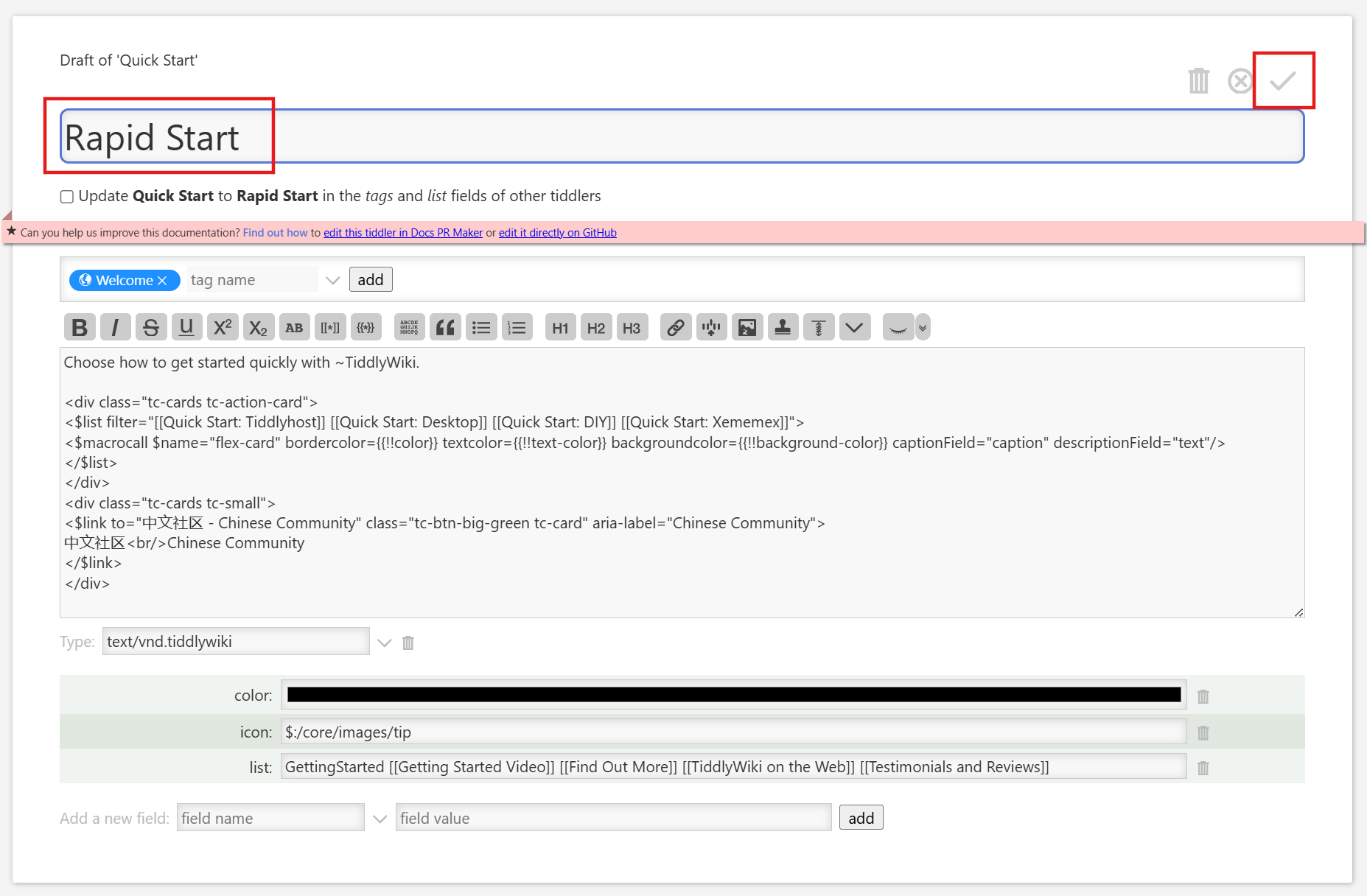
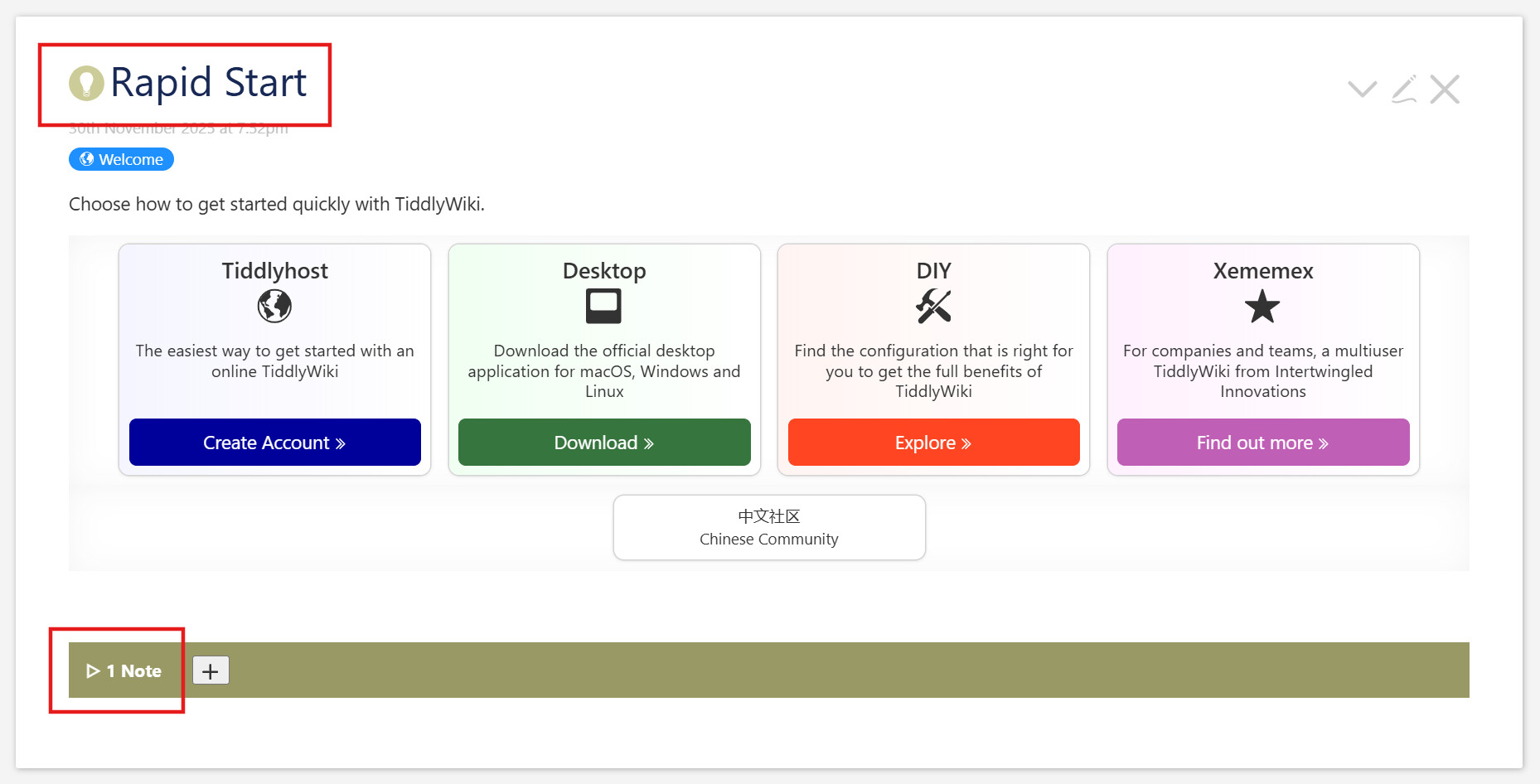
There is an outstanding problem without an obvious solution. Our Notes are indexed by their titles. That’s fine, as titles are unique across a wiki. But we are allowed to rename them. What happens then? As of now, these Notes are simply orphaned. If we change “Quick Start” to “Rapid Start”, our tiddler will lose connection to the note(s) we’ve created for it. And if later, if we create a new tiddler with the title “Quick Start”, it will inherit the Notes we meant for the older one.

There is no obvious wikitext solution to this. And the somewhat obvious JavaScript solutions also didn’t work. But that discussion lead to a working JavaScript alternative. It involves a JS module
($:/supp-info/notes/modules/startup/rename) with module-type of startup, and it uses the hooks mechanism to connect everything together.

As suggested in Step 5, there are likely readers entirely uninterested in the inner workings of a JavaScript module. It’s fine to skip this, and we’ll see you in the View Template section below.

Code

/*\
title: $:/supp-info/notes/modules/startup/rename
type: application/javascript
module-type: startup

Add hook for renames to update 'Renamed' text field
\*/

"use strict";

// Export name and synchronous status
exports.name = "rename";
exports.platforms = ["browser"];
exports.after = ["startup"];
exports.synchronous = true;

const replaceKey = (oldKey, newKey) => (obj) =>
  Object.fromEntries(Object.entries(obj).map(
    ([k, v]) => [k == oldKey ? newKey : k, v]
  ))

exports.startup = function() {

  $tw.hooks.addHook("th-saving-tiddler", function (newTiddler, oldTiddler) {
    if (
      newTiddler?.fields?.title === oldTiddler?.fields?.['draft.title'] 
      && newTiddler?.fields?.created === oldTiddler?.fields?.created
      && newTiddler?.fields?.title !== oldTiddler?.fields?.['draft.of']
    ) {
      // We're in a rename scenario
      $tw.wiki.setText(
        '$:/supp-info/notes/content', 
        'text', 
        null, 
        JSON.stringify(
          replaceKey(oldTiddler.fields["draft.of"] || oldTiddler.fields.title, newTiddler.fields.title)(
            JSON.parse($tw.wiki.getTiddler('$:/supp-info/notes/content').fields.text)
          ), 
          null, 
          4
        )
      )
    } 
    return newTiddler;
  });
};

Analysis

The first fifteen lines are essential boilerplate for TiddlyWiki’s JavaScript modules. The leading comment establishes the type of module (“startup”) as well as the title and the mime type; it also has an actual comment to describe the module. After the use strict incantation, we have the exports.* block that describes the public interface of the function.

After that is the JavaScript helper function replaceKey, which accepts the name of a key in an object, and the name of a replacement key, and returns a function which accepts an object and returns a new object, equivalent to the input except that the key has been replaced. It does this by

  • splitting the object into an array of two-entry arrays representing
    key-value pairs (Object.entries)
  • Using .map to convert those pairs with a function that tests whether the
    key matches our old key, and
    • if it does, returning one with the new key instead, and the same value
    • if it doesn’t, returning the pair intact
  • recombining these new key-value pairs back into an object
    (Object.fromEntries)

Again changing the exports object, we create a function to run on startup, and in that we associate a new function with the tm-saving-tiddler hook. This means our function will run whenever that hook is invoked, which includes when the user edits a tiddler and saves. The hook passes to our function both the old tiddler and the new tiddler with all its changes.

We now check to see if the new tiddler title is different from the old one with a conditional that looks like this:

    if (
      newTiddler?.fields?.title === oldTiddler?.fields?.['draft.title'] 
      && newTiddler?.fields?.created === oldTiddler?.fields?.created
      && newTiddler?.fields?.title !== oldTiddler?.fields?.['draft.of']
    )

If the ?. and ?.['some-name'] syntax is unfamiliar, it’s simply a way to keep chaining property access even when one stage is null or undefined, returning undefined at the end in that case. You can read more in MDN’s Optional Chaining article.

We check if the new tiddler’s title field is equal to the old tiddler’s draft.title, if they have the same created fields, and if the new tiddler’s title is different than the old one’s draft.of. If all these are true, then we’re in a renaming scenario. (For any TiddlyWiki experts, are these conditions both necessary and sufficient to identify a renaming?) Here we

  1. extract the JSON contents from its tiddler
  2. use JSON.parse to turn that into an object
  3. use the replaceKey function above using
    • the old tiddler’s draft.of or title field
    • the new tiddlers title field
    • that parsed object
  4. call JSON.stringify on the result
  5. set the text of the JSON contents tiddler with this new string.
  6. return the new tiddler intact. (Our actions here were all side-effects.)
Recap

That’s a lot of explanation for a relatively simple module. In summary, we listen for save events, and, if they look to be renames, we update our JSON store with the new name for the same contents.

Missing

There is one activity missing here; this we will leave as an exercise for the reader. We haven’t renamed our temp tiddlers which describe the state of the Notes section for the current tiddler. The whole section will default to closed, the mode for the specific note will be edit, meaning the edit button is displayed, and if there was a text edit underway on the note, it will be lost. This should be relatively easy to fix. (TODO)

Edit: There is another issue, as @Springer noted in #27: these notes are not seen by the ubiquitous, although unofficial, Relink plugin. So if we link to another tiddler in a Note and that tiddler is renamed, our Note is outdated. It’s not clear how we would deal with this.

View Template

To those, who skipped the JavaScript explanation, welcome back!

We make two minor edits to the View Template:

  • We remove the <action-log> debugging message described in Step 9.
  • We replace the “Dummy text” filler with a blank message. That was useful filler as we developed, but has become a distraction. Now when we create a new Note, it will be blank.

Step 11 - Use palette colors

Changes

Download

We can download this and drag the resulting file to our test wiki:

SuppNotes_Step11.json (9.4 KB)

We can simply accept the overlaying of the earlier code. But if we are starting from a fresh copy of TiddlyWiki, we will need to save and reload our sample wiki to see everything function as expected.

Screenshots

Commits

a6a98dd Change styles to use palette
e288d0a Fix palette contrast issue

(full diff)

Explanation

Stylesheet

We promised early on to introduce a less jarring color scheme for our Notes. We do so here.

First off, we need to change from type: text/css to type: text/vnd.tiddlywiki (which is the default value, so we can just remove the type content instead.) This is because our stylesheet will now be dynamic, using calls to the <<colour>> macro. text/css is only for static sheets.

Then we simply need to use some palette entries for our key colors:

Code

Here we focus only on the changes made to use the current palette:

.supp-notes {
  background-color: <<color message-background>>;
  color: <<color message-foreground>>;
  .summary, .summary button.toggle {
    background-color: <<color message-foreground>>; 
    color: <<color message-background>>; 
  }
}

Analysis

We choose the message-background and message-foreground for their fit with the main content, for their relatively subtle difference from the main tiddler background, and for their clear contrast from one another.

Note There was a bug in this that was left in the initial build of the system. As our author was writing up these notes, he realized there was a simple fix and applied it. If we see notes about problems in some palettes, it’s due to this.

Step 12 - Your turn

We’re calling this “done enough” here. The system still has some flaws, and it’s now the readers’ turn to try to correct them.

TODO List

These are the to-do items we’ve collected along the way, in no particular order

  • Add a cancel-edit button as well as save
  • Sorting of notes (drag and drop?)
  • Add focus to newly added note textarea
  • Fix ridiculous [add[1]subtract[1]] hack in setting the temp index on a newly minted group. Done: see analysis from @etardiff in #21 and further simplification from @Springer in #24
  • Separate the procedures into their own tiddler(s)
  • Rename temp tiddlers when renaming content key (keep open/edit statuses when tiddler is renamed)
  • Possibly: hide the notes section entirely unless the tiddler is hovered pressed?
  • Make the currentTiddler a passed parameter everywhere rather than a global
  • Allow note opt-out mechanism for specific tiddlers tiddlers matching a filter (see #28 for rationale). For consistency, this should be external, not a field.
  • Remove (or hide) the sidebar.
  • Fixing the missing case in the jsondelete code - when node is neither an array nor a plain object
  • Make our format:json calls consistent. We use both [2] and [4]
  • Edit: This doesn’t work with Relink, as noted in by @Springer in #27. We need an investigation, and if possible, a way to connect this to Relink for users who have it installed.

Here we accept user input. Anyone who would like to fix one of these is more than welcome. Please post a comment here with some sort of description of your fix and ideally a JSON file similar to the ones above.

If the code uses the naming convention establbished here, then by pasting the query field from the View Template tiddler into the $:/AdvancedSearch filter tab, we can choose the Export button and then JSON to get our file.

Conclusion

Writing up this documentation took probably ten times as long as writing the module itself. I’d love to know if it is worth it to readers. Is this style of documetation helpful? I might soon write a companion that describes how the final code works without describing the building process. That I know is helpful to some users. But is this step-by-step instruction also useful?

And for anyone who’s followed me through over 9000 words, thank you very much for joining me on this journey!

2 Likes

Wonderful! Thank you, @Scott_Sauyet.
This is a very useful tutorial with examples of how to add features to TiddlyWiki . I especially appreciate the way you did it, the steps, and the technique you used .

2 Likes

This may be a small issue:
If I want to delete a note, I click on trash bin icon, but all the notes are deleted!

1 Like

I’m guessing you imported into tiddlywiki.com but didn’t save the wiki. I don’t know why it acts as it does in that scenario, but it works if you save. I need to find a way to make more prominent the requirement mentioned in two of the steps that you need to save and load. I will try tonight.

1 Like

You’ve not only documented your solution, but also offered a tutorial on methodical explanation! I confess I haven’t read it all yet. But your clear outlining of steps enabled me to browse the thread with a real sense of the structure, so that I could orient to how and where to slow down for details. I’m blown away by imagining the hours of care devoted to this thread!

1 Like

@Scott_Sauyet … It seems your JSON files step 3 to 5 can not be downloaded properly. They load the JSON text from github and show it in a new tab.

All the other JSON files work fine → I did test them → So you don’t have to :wink:


Edit: it seems step 9 has JSON from step 8. → JSON 9 seems to be missing

1 Like

Absolutely brilliant. … I fall short on superlatives :wink:

  • I did download all the JSON files and imported them to follow the steps.
  • Luckily, I only need to read the code, to know what’s going on.
    • Using your new Supp sidebar tab makes it easy to find the different elements - I love that
  • The TW import dialogue also allows us to see the differences between the different steps
    • May be a hint for those, who are not familiar with GH diffs
  • I do like, that you link to your GH commits. That really allows a very fine grained review, what you did

I did skim the text, so I can not say too much about the details. But the formatting, headings and images you used, makes it easy (for me) to follow the steps without reading the whole text.

I do like your additional links to external sources and related TW documentation.

Well done!
-Mario

2 Likes