Writing up this documentation took probably ten times as long as writing the module itself. I’d love to know if it is worth it to readers. Is this style of documetation helpful? I might soon write a companion that describes how the final code works without describing the building process. That I know is helpful to some users. But is this step-by-step instruction also useful?
And for anyone who’s followed me through over 9000 words, thank you very much for joining me on this journey!
Wonderful! Thank you, @Scott_Sauyet.
This is a very useful tutorial with examples of how to add features to TiddlyWiki . I especially appreciate the way you did it, the steps, and the technique you used .
I’m guessing you imported into tiddlywiki.com but didn’t save the wiki. I don’t know why it acts as it does in that scenario, but it works if you save. I need to find a way to make more prominent the requirement mentioned in two of the steps that you need to save and load. I will try tonight.
You’ve not only documented your solution, but also offered a tutorial on methodical explanation! I confess I haven’t read it all yet. But your clear outlining of steps enabled me to browse the thread with a real sense of the structure, so that I could orient to how and where to slow down for details. I’m blown away by imagining the hours of care devoted to this thread!
Absolutely brilliant. … I fall short on superlatives
I did download all the JSON files and imported them to follow the steps.
Luckily, I only need to read the code, to know what’s going on.
Using your new Supp sidebar tab makes it easy to find the different elements - I love that
The TW import dialogue also allows us to see the differences between the different steps
May be a hint for those, who are not familiar with GH diffs
I do like, that you link to your GH commits. That really allows a very fine grained review, what you did
I did skim the text, so I can not say too much about the details. But the formatting, headings and images you used, makes it easy (for me) to follow the steps without reading the whole text.
I do like your additional links to external sources and related TW documentation.
I haven’t had time to do more than skim, but I’m already boggling at the sheer amount of work you put into this writeup. Bravo!
I’ll just respond to one part that jumped out at me…
This is a general quirk of the way that variables are handled in filters — i.e., when a variable is undefined, it’s treated as a blank value, but not a null one. So [<count>else[0]] won’t produce 0 when <<count>> is undefined, because [[]else[0]] gets (unhelpfully) evaluated to [[]].
Introducing the mathematics operators “solves” the problem because (quoting from that page)
If the argument cannot be interpreted as a number, the value 0 is used (e.g. foo is interpreted as the number 0)
So you could in fact omit the else[0] entirely and get the same result from [<count>add[1]subtract[1]]. But for a more semantically sensible fix, I’d recommend [<count>!match[]else[0]] or [<count>!is[blank]else[0]].
Thanks. After writing it in vscode and porting it to TW… then having to break it apart for size reasons (anyone found out before that there’s a 32000 character limit to posts?) I was sure there would be such issues. I will fix them this evening, or during breaks during the remaining work day. If for some reason you want them sooner, everything is at https://github.com/CrossEye/TW5-SuppNotesDemo/tree/main/post.
I can’t believe I hadn’t thought of it before! I discovered it while building this, but have already used the same technique twice more. It’s such a simple debugging help and trivial to create.
I’m sure you’ve noticed, but it’s worth remarking that links within this notes JSON tiddler are not “seen” by the relink mechanism. (If my note has a link to [[HelloThere]], renaming that tiddler results in a “dead link” in my note.)
I understand that’s not within the scope of what you can do from within your package here. And the risk of totally losing connection for notes on X by renaming X is a much bigger priority!
Still, the tutorial at Step 10 might want to flag this as another loose end.
rather than “specific tiddlers” why not have a filter? I just put it into the view template itself as a filter field. And changed the <% if … %> condition to take out your is[tiddler]!is[system] since someone might actually want this template to appear on system tiddlers or even VIRTUAL tiddlers (make a note on a missing/virtual tiddler, and have the template work fine)…
<$let templatefilter={{$:/supp-info/notes/view-template!!filter}}>
<% if [<currentTiddler>subfilter<templatefilter>] %>
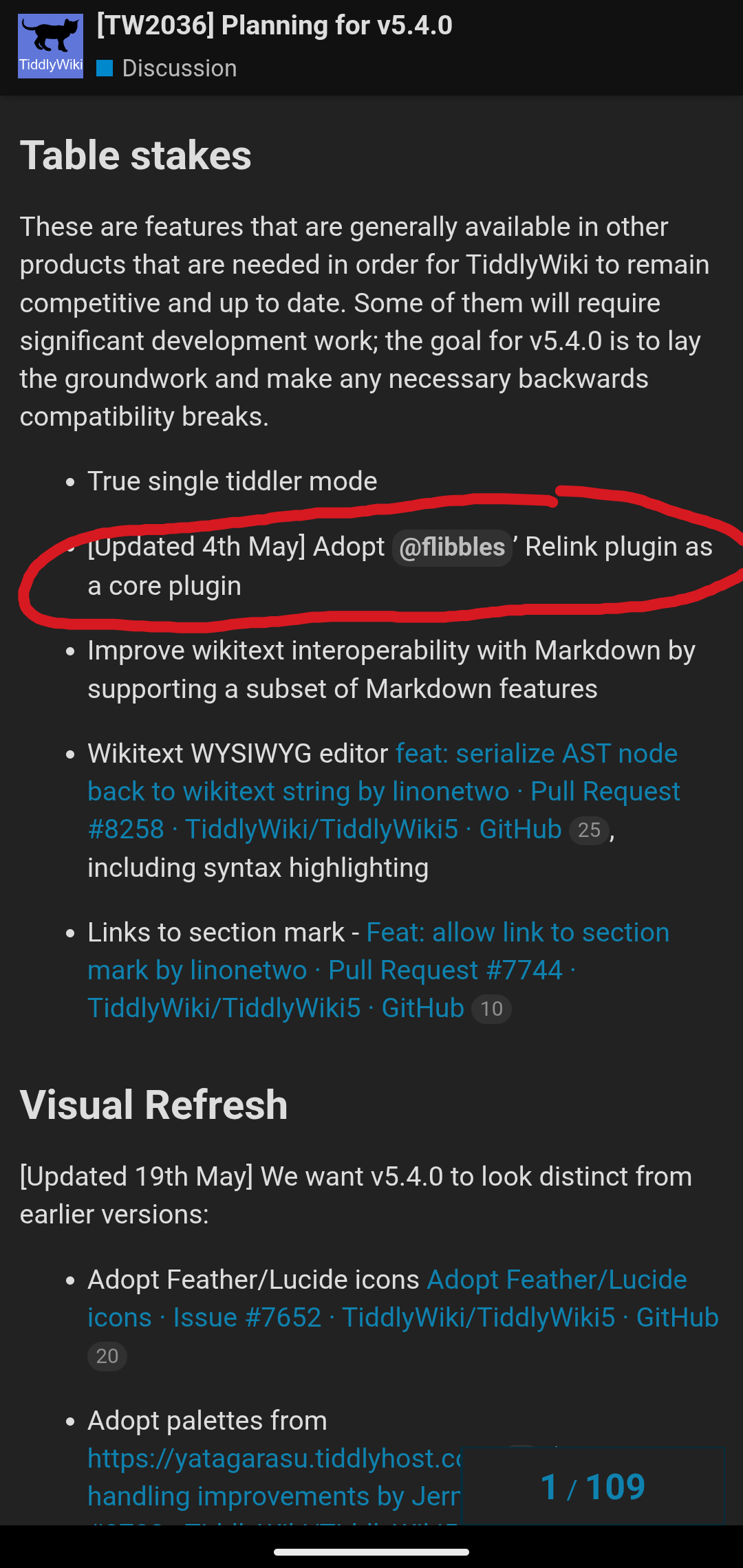
Aspects of relink have been integrated … since v5.1.14, then v5.2.2 or so, yes? Even if there are advanced features that are still queued up for v5.4.0 …
(So, ordinary novice users now are used to having most user-facing connections “just work” on rename — perhaps noticing that there’s a checkbox for tags and list field updates — even if they have no memory of a time when preserving links across a rename was a fragility-point solved by a plugin.)
Your project here would just need to be bundled with another “sub-plugin” for relink (which seems to have 4 now?), if I understand correctly.
(If v5.4.0 is going all-in on integrating the robust set of @Flibbles Relink plugin functions, then I guess you would then no longer require a “sub-plugin”, but Relink-within-supp-notes would be an ordinary plugin to which the core would be directly receptive. Presumably many solutions that store data differently may want to be paired with relink-ish tweaks.)
That sounds right, and I have no issues creating plugins when necessary. At the moment, this is just distributed as a JSON bundle. Including a plugin feels odd. But I will investigate at some point.
Thanks @Scott_Sauyet for you contribution, I will certainly work through this when I get time at my desktop. I do think walkthroughs are helpful to many users on their learning journey so great work.