A TW5-compatabile sidecar code-snippet runner for Windows

Hello all you wonderful Tiddlers.

I really like the Literate Programming experience of Jupyter Notebook, and was exploring ways to add similar functionality to TiddlyWiki; the ability to execute code block snippets and put the results immediately back into the document. Unlike Jupyter though, I didn’t want to limit myself to just Python; I wanted a lot support for various languages I wanted to learn and toy with. Docker Containers is the obvious solution to this; however; the design principals of the whole container ecosystem and TiddlyWiki are somewhat at odds; and I realized a TW-native solution wasn’t feasible.

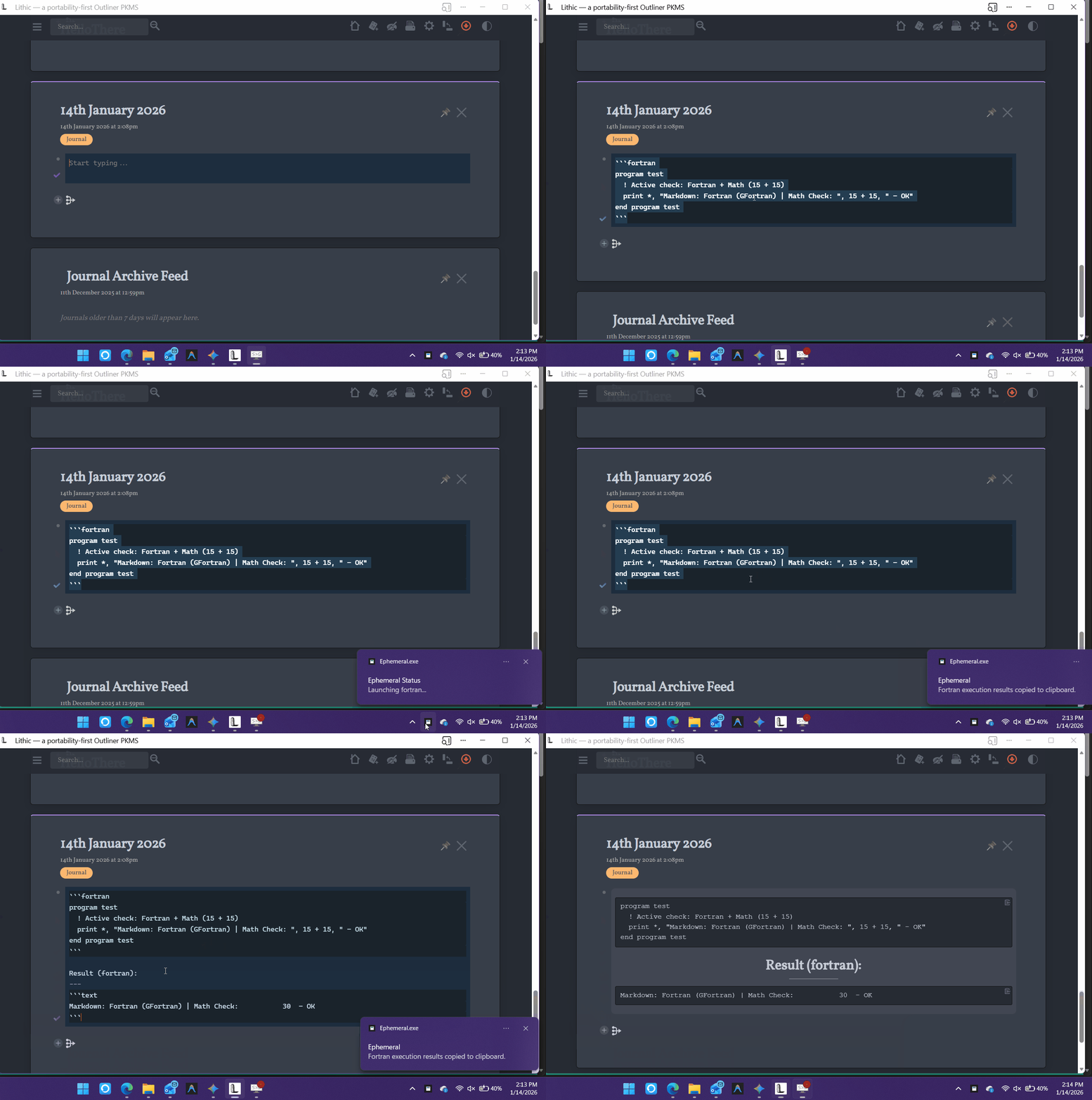
What I ended up with is a sidecar windows tray application that runs code snippets directly from your clipboard in a sandboxed container and then returns the stdout back to the clipboard so you can paste it into your document. I called this tool “Ephemeral”

Simply declare your desired language with a shebang in the first line of your codeblock, (or with triplebacktick decleration as well) and then use the copy-code button in TiddlyWiki, use the Ephemeral execute hotkey (CTRL + ALT + X); it will execute the code and put the text result back into the clipboard.
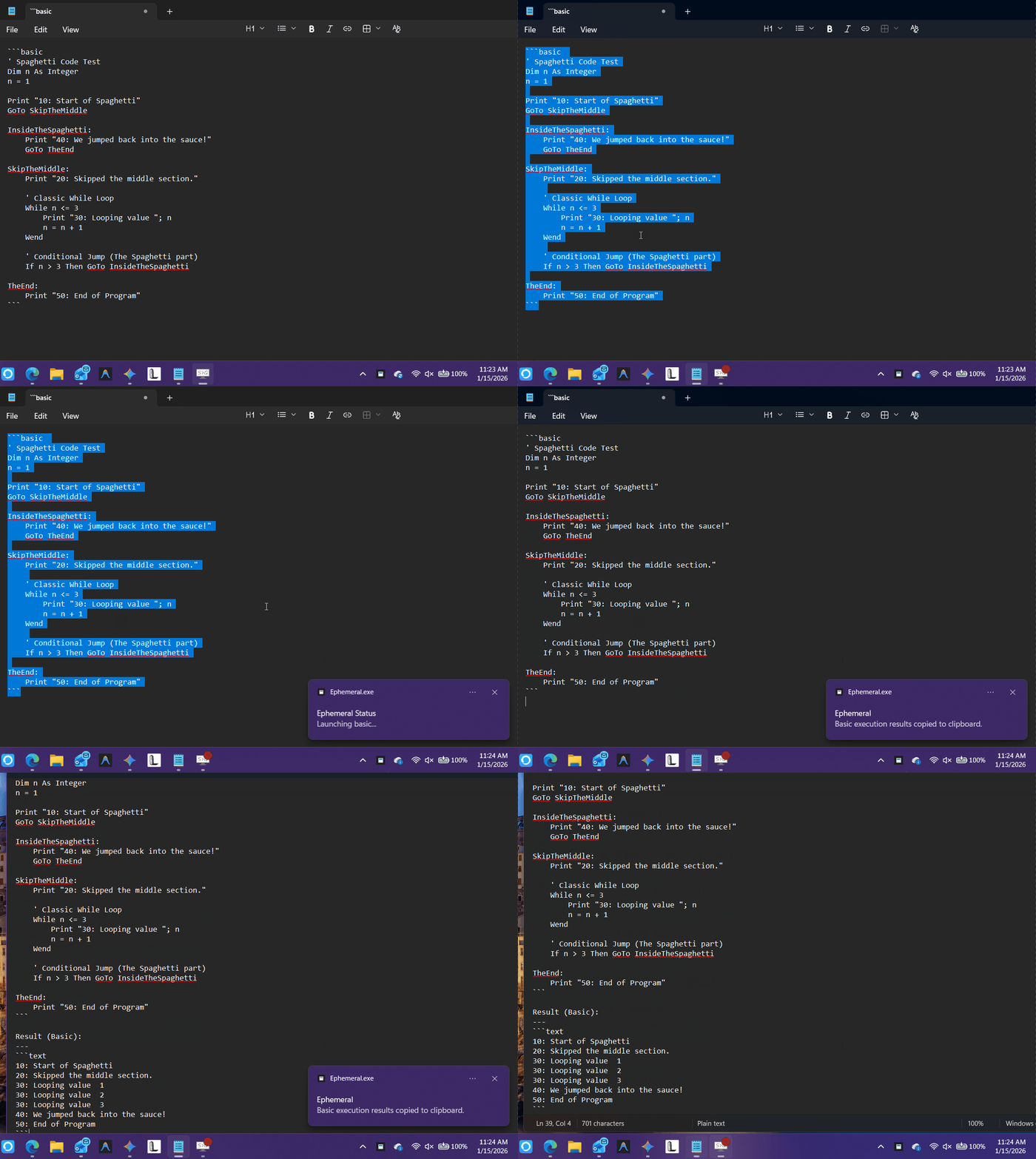
ephmeral

I demonstrated the ‘edit mode’ functionality in the gif above, but the 2ndary shebang method works better for ‘view mode’ since by default the triple-backtick syntax code declarations are not carried over via the copy-code button.

I have future plans to develop this tool further but I’m really happy with how it works at the moment; there is minimal dependency setup though; namely WSL2 and podman. There is more details on the github for interested parties.

Obviously this isn’t exclusively a TW5 tool, it’s more ‘bring-your-own-notebook’ sidecar coderunner, but I thought if there were any other Computer Sciencey kinda TW nerds out there like me, they might appreciate a tool like this.

If you are interested please check it out and let me know your thoughts.

-Xyvir

I think we may be TiddlyWikians not tiddlers :nerd_face:

Thanks for sharing @Xyvir, this is very interesting.

As long as the source code and the result can be persisted in storage, particularly within Tiddlers it seems to me perhaps what else do you need to use a range of languages to design a solution and “get the job done” with whatever language you can find the code for or write in.

  • Combine this with good online resources, carful questions to an LLM and vibe coding what more would you want?

Actually, what would be good is allowing the source code reference tiddlers, and data structures within TiddlyWiki to allow sophisticated solutions, then generate output that can be moved into “tiddlers, and data structures”.

I am disappointed Advanced Basic is not amongst the languages

Did you see this An all-in-one-file and portable BASIC language programming IDE + .BAS programs?

1 Like

Hey, thanks for the mention. Related links for the project:

I have a very dark, wild, and wonky sense o’ha-ha, and I do love self-deprecating humour, so I sometimes think of myself as a Tiddlicker …

EDIT: Oh, I always think of myself as a member of the “Tiddlerhood”.

1 Like

@Charlie_Veniot A portable Basic IDE built in tiddlywiki is really cool!
I’ll have to play around with that.

@TW_Tones I’ve updated Ephemeral with a freebasic image and mapping so it can interpret basic-family scripts now.

basic

I’ve thought a fair bit about ways to do this just for JavaScript, and got continually stuck on how to create a usable sandbox, since TW would never allow arbitrary JS to run in its own context. I imagine this problem is solvable, but it’s certainly non-trivial.

Doing this entirely outside TW is a wonderful alternative. It doesn’t change my desire for a TW-based JS notebook, but it has some interesting overlap, and possibly some some very different use-cases. I’ve very excited!

Id love if you had a chance to gave it a spin and let me know your thoughts

I will, but probably not until the weekend.

1 Like

I read more carefully through the instructions and now have to decide if I want to spend the time with this. I was mostly focused on this as a hacked-together partial replacement for my Jupyter-in-TW idea, and not really on how it worked.

I already have an Ubuntu machine running on my Windows partition – left over from the days when the Linux partition on this box was unstable. But I have never used Podman, and I really need to decide if I want to spend the time on learning enough about that to see if I want to install it. I didn’t get to it this past weekend, and I almost certainly won’t spend that time before next weekend.

Sorry.

No problem!

You don’t have to learn podman at all, it just has to be installed for the tray utility to work. There is a simple setup installer for podman available on their website, that being said podman depends on WSL 2 being setup.

Virtualization is generally enabled out of the box on most windows machines nowadays, and if you are on a recent-ish windows version you can install wsl with the following one liner in power shell

wsl --install

No pressure if you don’t want to mess with it but setting up the prerequisites shouldn’t be too difficult.

I have WSL already installed. But I would want to understand Podman before I installed it. I believe it’s FOSS, so I can see the source, which is welcome, but I tend to very carefully read the docs before I install anything, especially on Windows.

1 Like