
I am trying to understand how would a piece of Python code look in wikitext and I’m struggling to grok the “TiddlyWiki way” of thinking.
First, two reference facts.
-
- A variable is a snippet of text that can be accessed by name.
Can I use the (more familiar to me) term “string” instead here as synonym? What if I want to hold a list (I think in a JavaScript context, the term “array” is preferred?) in a variable? Is this kind of code possible in TiddlyWiki wikitext, or resorting to writing JavaScript modules is necessary? I’ll go into details below showing a code example.
-
The ListWidget is used to display a list of items.
While it has a “programming” feel by exposing currentTiddler and having the variable and counter attributes, allowing to loop over items in a list, just because those items have to be immediately displayed rather than collected into variables for further use - this makes me treat the list more like the View part in context of the MVC pattern.
Below is a small Python program that I fail to understand how would it look in wikitext and if it’s possible at all or if this kind of things have to be done in JavaScript:
#!/usr/bin/env python3

linput1 = ["1", "2", "3", "4", "5", "6", "7", "8", "9"]
linput2 = ["a", "b", "c", "d", "e", "f", "g", "h", "i"]

# insert an "X" element after each 3 elements
loutput1 = []
for i in range(len(linput1)):
    loutput1.append(linput1[i])
    if (i + 1) % 3 == 0:
        loutput1.append("X")
print(loutput1)
# ['1', '2', '3', 'X', '4', '5', '6', 'X', '7', '8', '9', 'X']

# combine two lists
loutput2 = []
for i in range(len(linput1)):
    loutput2.append(linput1[i])
    loutput2.append(linput2[i])
print(loutput2)
# ['1', 'a', '2', 'b', '3', 'c', '4', 'd', '5', 'e', '6', 'f', '7', 'g', '8', 'h', '9', 'i']
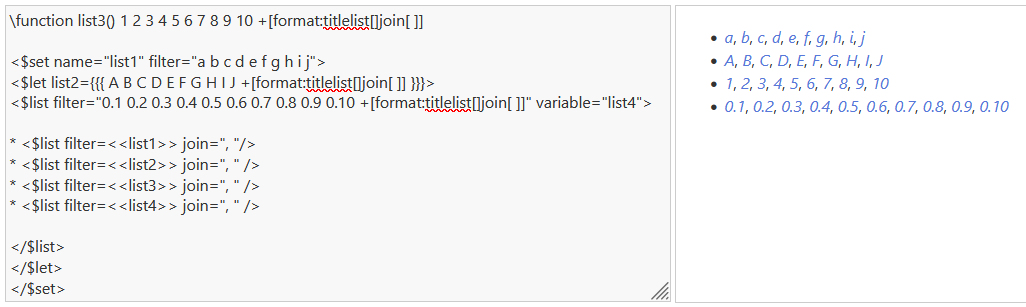


 Maybe these would make good examples for the docs.