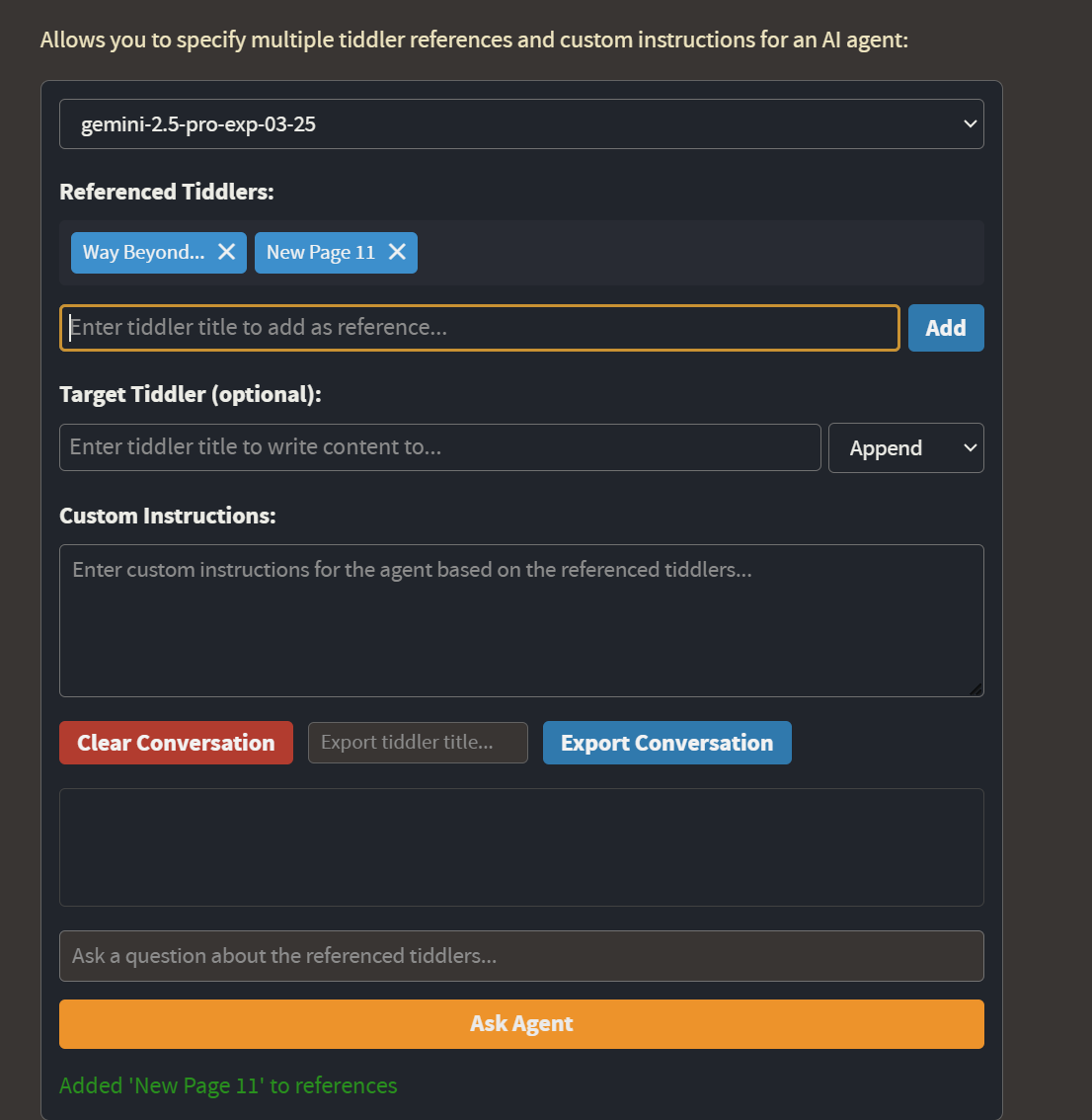
That should fix the availability of the models in the list.
I don’t know why the AI coder would work while the chat would not, I would start by looking at the tiddler $:/plugins/NoteStreams/WikiSage/gemini-api-key and seeing if it’s actually there.
These are not problems I’ve encountered, so I’ll make sure to do some more extensive testing before the next release
That will be in the next release, as well as the journal widgets
Is it possible to use a locally running LLM with this? LM Studio doesn’t give me an API key but can run a local server and it has the same ways of interaction that openAI has as far as i know.
If yes, how do I configure it?
Thank you well-noted!
I believe a solution for ollama could work with lm studio as well but if not ollama is cool too! So I’m very much looking forward to that!
I have only had the time to read this thread now, Great work folks, I will test it soon.
@well-noted it has being a convention in the past to update the top post with details of later releases and the current version and repositories so it is not nessasary to read the whole thread to find the latest version.
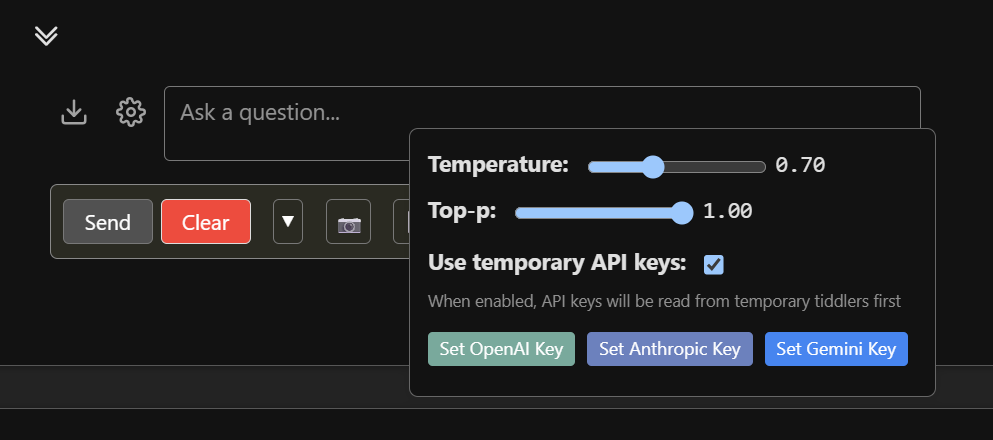
@JanJo I the past I saw the api key being installed in cookies or browser storage, it is thus not saved anywhere but in the current browser, then accessed by the wiki.
So far I could not confirm this. Entering the key in the config sitll in my version 0.9.12 it still writes the result to:
$:/plugins/NoteStreams/WikiSage/gemini-api-key
$:/plugins/NoteStreams/WikiSage/anthropic-api-key
$:/plugins/NoteStreams/WikiSage/openai-api-key
The use of the temp tiddlers is hard coded in the plugin, but you could take steps to stop these temp tiddlers being saved to the file/server. See here
Perhaps @well-noted can provide a local storage mechanisium to look/save first to local storage, then look there first, if missing, then look for the temp tiddlers, with an option to disable/also save to the temp tiddlers.
If you are going to add these api keys to multiple wikis you could make a smart bookmarklet to install them into local storage over any desired wiki.
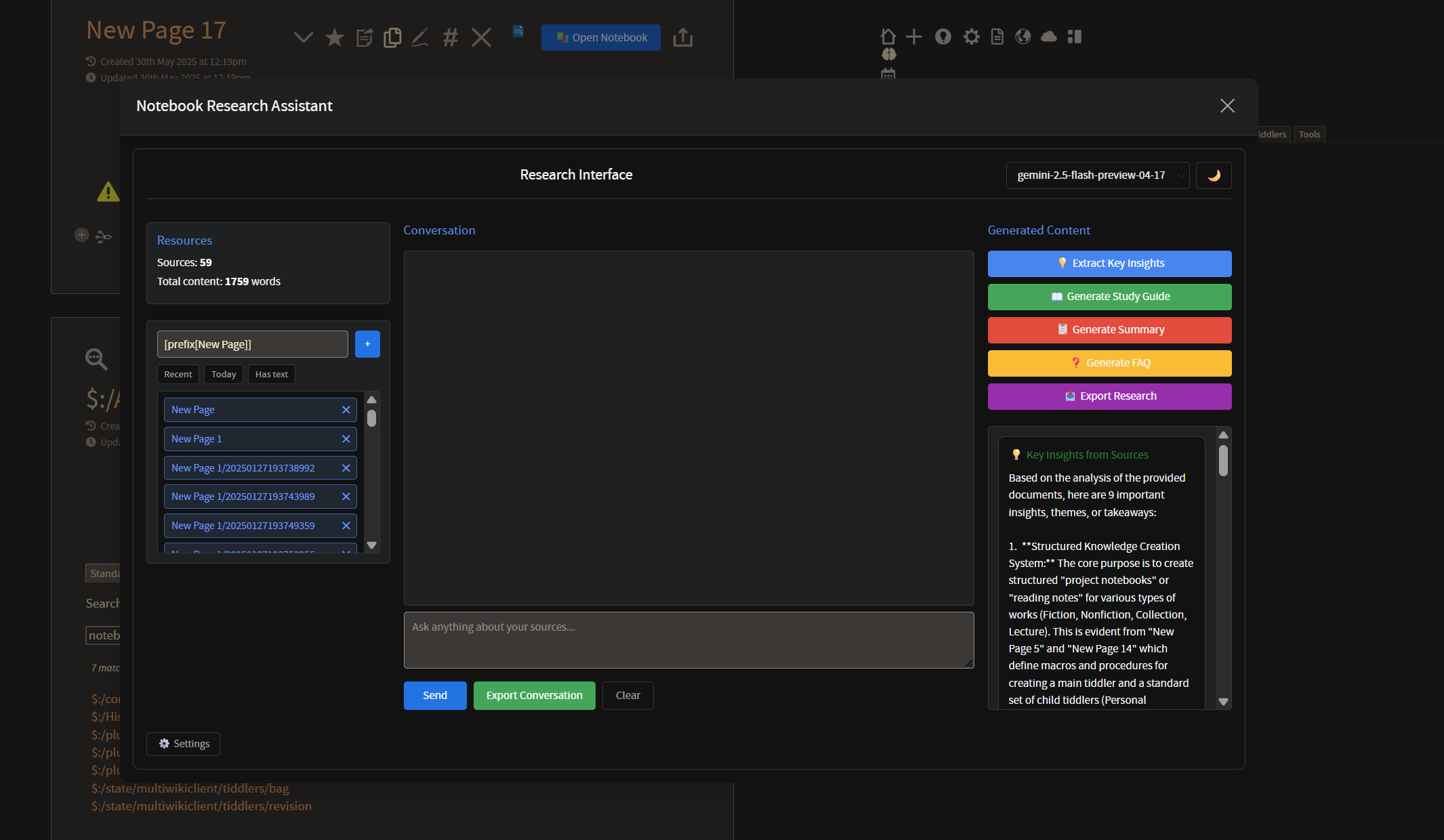
In the ‘toggles’ tab of the plugin, you’ll also notice “Notebook” – this is a new widget that emulates Google’s Notebook LM as a modal targetting whichever tiddler you call it from.
You’ll notice that this allows you to add resources via filters, which the agent will reference in conversation. Buttons on the right generate quick references based off of the resources.
Please note that this feature is brand new and so still has some work to do – for one, it is not compatible with temporary API keys at this time.
Behind the scenes, the plugin should now be compatible with Claude 4 models Opus and Sonnet.
There are still some bugs that @JanJo is helping me identify and work out – for example, the main widget will still prompt for an API key if you have no content in the openAI API key tiddler: if you fill any content in there, such as the character ‘a’, then it should allow you to use any models you have provided either temp or hardcoded keys for.
Hi @well-noted , I tried to install this plug in and entered my openAI api key in the config tiddler. I was getting error messages as shown below. I have only a free openAI account.
I can install on an empty wiki, enter the openAI key in the temporary field, and it works perfectly fine.
If someone can replicate the error using this version, then I will attempt again on my end to confirm and then work with you to identify the source of the error.
@arunnbabu81 , this could be your problem – a 401 error means there’s something wrong with the client, so either the API key is being formatted/sent incorrectly, or the server is declining the client’s request, possibly because the client has no money on their account.