I’m interested to know whether all those huge (useful) docs you wrote by hand or used AI to generate.
Just wondering
TT

I’m interested to know whether all those huge (useful) docs you wrote by hand or used AI to generate.
Just wondering
TT
Technically, there’s no way to check if you’re AI or not, right? Don’t tickle my phobia 
@BurningTreeC is real. He’s a bloke in Northern Italy who likes to kayak on North Italian lakes.
His recent EXTENSIVE use of AI to create Docs is fine as long as they are ACCURATE.
They read okay to me so far.
MY QUESTION: Where is the short version?
TT
v0.2.3
Ok. So, I believe I got it working on Linux Mint:
“Package webkit2gtk-4.1 was not found in the pkg-config search path.
Perhaps you should add the directory containing `webkit2gtk-4.1.pc’
to the PKG_CONFIG_PATH environment variable
Package ‘webkit2gtk-4.1’ not found”
I reinstalled the dependencies and and now:
pkg-config --modversion webkit2gtk-4.1
2.50.4
2. Then I tried again
env WEBKIT_DISABLE_COMPOSITING_MODE=1 WEBKIT_DISABLE_DMABUF_RENDERER=1 TIDDLYDESKTOP_DISABLE_GPU=1 tiddlydesktop-rs
and this time scrolling through a long list of tiddler titles did not make the OS unresponsive.
GTK_OVERLAY_SCROLLING=0 solves the overlapping scrollbars issue.
The scrolling experience is still somewhat worse to compare with chromium/firefox, but it is totally workable.
I believe one can try Epiphany/GNOME Web browser (since it also uses WebKitGTK) and check what (scrolling) experience you get there. If it is comparable to how TiddlyDesktopRS behaves, you probably won’t get much from further tuning of TiddlyDesktopRS. For me in Epiphany browser scrolling was a little bit smoother, but not by a lot.
Unrelated issue: Ctrl+Z seems to not work.
I had some questions:
Is this or the original more stable? The original seems a bit outdated, last release is for 3 Mar 2024
Does this do almost whatever the original did?
How old is the project? (when did it start)
Thanks in advance
I’m asking the question below purely out of curiousity. I think I already saw above a post about performance on Linux. So far I only had the chance to try TiddlyDesktopRS on quite ancient hardware (and it only worked with TIDDLYDESKTOP_DISABLE_GPU=1) and I can’t tell the difference between it, TiddlyDesktop or running a single file wiki in the browser. Is the claim above about performance exclusively based on user “feeling” or are there any real metrics that can be collected and compared?
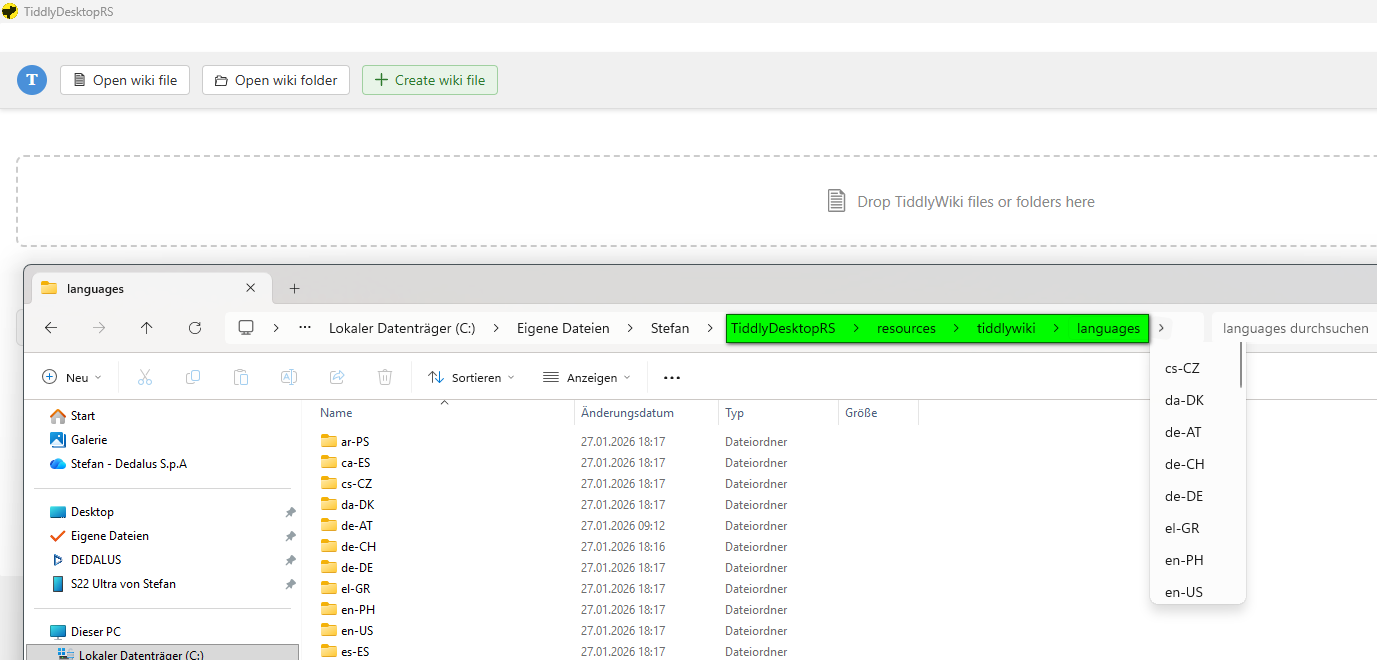
TiddlyDesktopRS includes a lot of languages.
How can I switch into another language?
Thanks for feedback.
Selfish bump on this one, @BurningTreeC do you think it would possible to add a feature to convert an HTML wiki to a folder-tree wiki and vice versa?
Just let me know, thanks!
Hi vuk,
yes, i described my subjective feeling, but I do not think that it is wrong 
In chromium browser the scrolling experience, at least for my machine, is excellent: it feels very smooth. It has lower scroll latency / better frame pacing, so it feels more immediate and fluid. One other thing which is somewhat more easily measurable is the following: i use Sidebar Resizer plugin and if i resize the sidebar in chromium the edge of the sidebar follows the mouse more quickly, whereas in TIddlyDesktopRS there is some lag. It might be that Chromium offloads rendering to GPU more successfully, but I do not know.
But this is just graphics. I do not know how the experience will be influenced by the number of tiddlers, for example.
Hi @manimonji
first of all, a warm welcome to the community! 
This here is surely NOT as stable as the original!
TiddlyDesktopRS exists since a couple of weeks and is NOT a replacement of the original TiddlyDesktop.
These are two totally different programs.
Hi @BurningTreeC,
Using TiddlyDesktopRS every day and it feels really solid.
The only thing that’s missing for me is that iframes no longer work e.g.UK bank holidays - GOV.UK. (using [v0.2.17] as .exe setup missing in [v0.2.18])
Don’t know if that’s possible in future release.
Thanks
Jon
Hi @Jon
I just tested some websites within TiddlyDesktopRS
your link doesn’t work since the website doesn’t allow / explicitly blocks embedding via CSP frame-ancestors … nothing to do about that.
Other websites that don’t block it work.
Maybe in a web browser like firefox the same website CAN be embedded, I haven’t tested. If that’s the case then the web browser may have hardcoded exceptions for file:// wikis in its CSP enforcement code, treating local files as a privileged context, but at least the Linux webview doesn’t have this and I cannot do anything about it
I used that website because it is one that does work in the standard TiddlyDesktop
Thanks
Jon
How was it so fast?! It seems not like an easy task to do in such time…