It is common for people to export tiddlers in json format and attach them to their forum posts here on TW Talk. This makes it easy for others to try. Just these steps are required:
I have some bookmarklet code which makes the process (arguably) simpler. If you have the bookmarklet installed in your bookmarks bar, then the steps become:
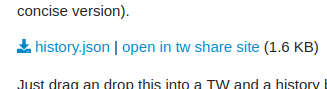
Click the bookmarklet. A link titled “open in share” site will appear next to every download attachment link on the page.
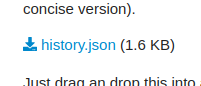
Here’s what a download link might look like before clicking the bookmarklet:
Here’s what it looks like after clicking the bookmarklet:
I tried sharing the bookmarklet link directly here, but discourse was not rendering it correctly (either some mistake my part or maybe for security discourse doesn’t allow javascript links). Instead, you can get the bookmarklet from this share site link
Here is the javascript contained in the bookmarklet:
// Find all links with class 'attachment'
const links = document.querySelectorAll('a.attachment');

// Loop through each link
links.forEach(link => {
  // Check if the href ends in .json
  if (link.getAttribute('href').endsWith('.json')) {
    // Use fetch to get the JSON data
    fetch(link.getAttribute('href'))
      .then(response => response.json())
      .then(jsonData => {
        // Create the new link
        const newLink = document.createElement('a');
        newLink.href = `https://tiddlywiki.com/prerelease/share##${encodeURIComponent(JSON.stringify(jsonData))}`;
        newLink.textContent = 'open in tw share site';
        // Create the separator
        const separator = document.createTextNode(' | ');
        // Add the new link and separator as siblings of the original link
        link.parentNode.insertBefore(newLink, link.nextSibling);
        link.parentNode.insertBefore(separator, newLink);
      })
      .catch(error => {
        // Create an error message
        const errorMessage = document.createElement('span');
        errorMessage.style.color = 'red';
        errorMessage.textContent = `Error fetching ${link.getAttribute('href')}: ${error}`;
        // Add the error message as a sibling of the original link
        link.parentNode.insertBefore(errorMessage, link.nextSibling);
      });
  }
});
Off-topic for here, but I didn’t write or modify a single line of that code. ChatGPT generated it all based on instructions from me. I’m very impressed.
Wow, nice! How did I not know about the sharing edition yet?
I’ve also been playing with ChatGPT a bit, getting it write code for me. Most of the time there was some polishing necessary, but maybe my instructions weren’t clear enough. Anyway, it’s amazing what it can do – though I’ve found it inventing facts on a variety of other topics…
I am reviewing what you have done since I have done a lot of research on bookmarklets, and continue to do so. This is a great idea of yours.
One observation on “publishing bookmarklets” is this can be difficult, One solution is creating a “bookmarklet tiddler”, containing a link which works when in the bookmarks either use in place or drag to the bookmarks.
In those first 3 steps I’m trying to explain how it is done without the bookmarklet. If someone attaches tiddler json to their post (i.e. see the sample thread links I shared) then they need to follow those steps.
To use the bookmarklet I wrote, follow these steps
It was not obvious to me at first because it is quite innovative. Also I normally use a seperate Chrome window for talk.tiddlywiki, Perhapos one day we could incorporate this into the discourse “menu”.
Over in my regular browser I saw how it works.
One issue is seeing the results in the share wiki, especially since the tiddler installed is carried with its original dates. Although, unless its a system tiddler it will appear in Recent on the minimalist share wiki.
Agreed. That is one advantage to the “download, then drop onto tiddlywiki.com approach.” The $:/Import tiddler will have links to the imported tiddlers. However, now that I look at it again, the share site has the “Review links to be shared” which should be populated with the tiddlers which were “imported”. So it really isn’t all that different.
But we could make this even easier to use, If I go there to look at some shared tiddlers, and I see how to Share tiddlers, It is a little confusing, with the “Welcome to the sharing edition of TiddlyWiki” message pinned to the story it is also not so easy to focus on the “operation of the shared tiddlers”.
Opening tiddlers in a Share site based on TiddlyWiki.com, rather than the share site, would be helpful, because it contains a lot of content on which to test a set of tiddlers.
In this case the Sharing tools can be hidden, as its about using the tiddlywiki to review shared tiddlers, not about the act of sharing tiddlers.