MWS is a not primarily a file server. If you see a file:// URL in a browser, it means that the browser did load the file directly from your local drive. There is no intermediate server with the configuration you describe.
As soon as there is a client / server configuration you will have an http(s):// URL protocol and a localhost domain name.
So an empty MWS wiki would look like this: http://localhost:8080/empty.html
Loading a file:// TWs is possible right now without MWS.
You will need to define your **Download Settings**, if you want to overwrite your file
I’m using Edge for the screenshots to show the browser default save mechanism.
- Browser Settings → Downloads → Ask me what to do with each download and
- Browser Settings → Downloads → Show downloads menu when a download starts
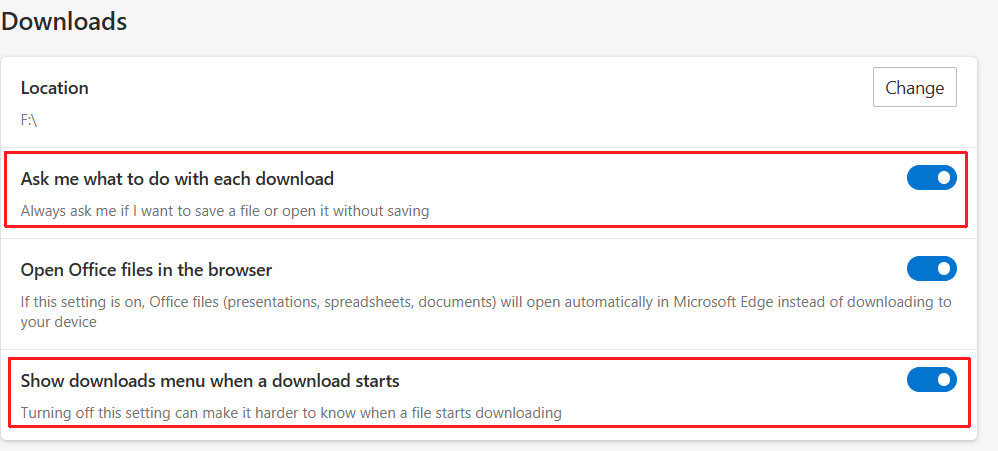
- This will allow you to select how and where to download the file.
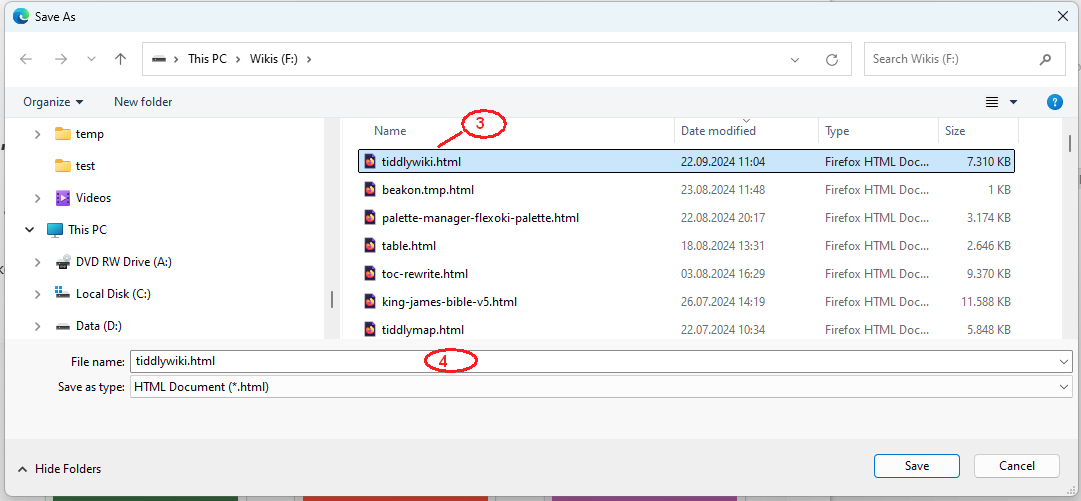
- Select the filename or overwrite the existing file.
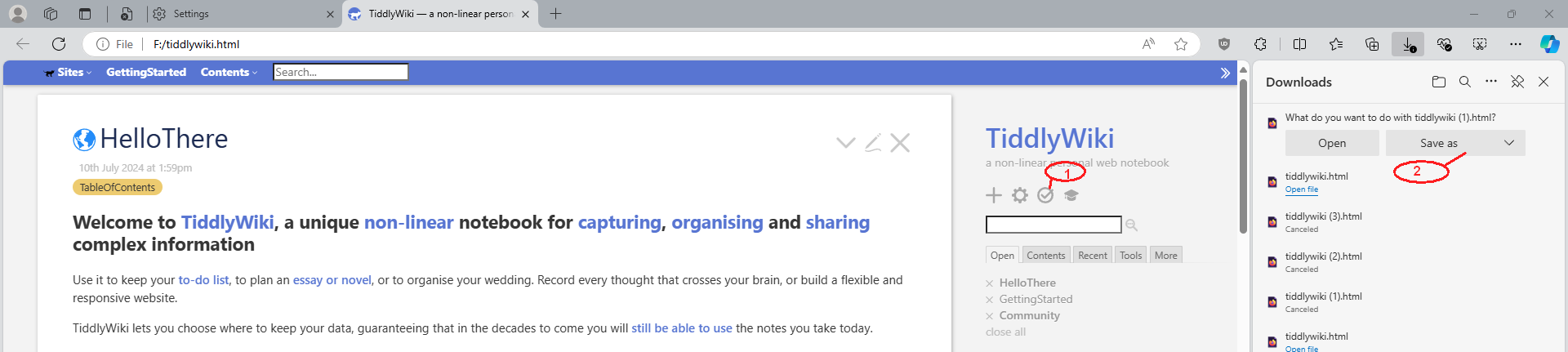
- Select the “old” file name to overwrite the existing file – or
- Create a new file
- No – Bags can not be dragged and dropp imported into other wikis. A bag is a configuration file.
- Bags are no plugins. Plugins are tiddlers with a
type:application/json, that contain several other tiddlers, which are activated at wiki-startup.
A bag is an abstract configuration element, that contains meta data that defines which tiddlers should be requested from the database. This can be content tiddlers and could also be plugin tiddlers.
A recipe is a second configuration, that defines, which bags should be used to create a wiki. eg:
-
recipe - myPersonalWiki
- bag: system … could contain the TW core, themes, palettes
- bag: sharedPlugins … could contain plugins that I want to use with several wikis
- bag: personalContent … Would contain some personal but public tiddlers
-
recipe - myWorkWiki
- bag: system … could contain the TW core, themes, palettes
- bag: sharedPlugins … could contain plugins that I want to use with several wikis
- bag: workRelatedPlugins … could contain other plugins only needed fro work related stuff
- bag: myWorkContent … Work related content
If the recipe myPersonalWiki is opened all the tiddlers in the bags, which are listed in the recipe will be loaded. The principle is: The last one wins
So tiddlers in the personalContent bag are loaded last and will overwrite everything from bags which are listed prior to personalContent.
eg: sharedPlugins may contain plugin-A – If you import a newer version of plugin-A into your personalContent bag, those plugins will be activated. Overwriting the plugin from sharedPlugins.
Everything in workRelatedPlugins will overwrite tiddlers from system and sharedPlugins – If and only if, there are tiddlers with the same title.
So the user is in full control of their content
Changes in every bag should be dynamically updated. But if plugins which contain javascript code are updated a browser-tab reload will probably be needed.
I do not know, how this is resolved in MWS at the moment. So @jeremyruston will need to jump in here.
hope that helps
-mario